If you’re worried that SEO for static websites works differently, or that converting your site to a static one will cost you rankings, this guide is for you.
A lot has changed since static sites first got popular. They’re much easier to manage now, which is where most of the old SEO (search engine optimization) worries came from.
Here’s what we’ll cover:
- Whether SEO really works differently on a static site.
- Why static sites can help your rankings.
- How to run SEO on a static site using WordPress and Simply Static Studio.
- How to keep your SEO healthy every time you make an update.
- Practical static SEO tips.
Is SEO different for static websites?
SEO for static websites doesn’t work differently. Search engines don’t rank websites based on whether they’re static or dynamic.
Instead, they look at:
- The quality of the web page content. If it’s well-written and it directly answers what users are searching for.
- Metadata like page titles and descriptions. These tell the search engine what the page is about.
- Technical SEO signals. For example, sitemaps, structured data (schema markup), and the robots.txt file.
- Internal linking. This helps search engines understand how the content on your web pages is related.
- Crawlability. How easy it is for search engines to crawl through your entire website.
- Speed, security, and user-friendliness. This includes how mobile-friendly it is.
In short, if your site is fast, well-structured, and easily crawlable, SEO for static websites works exactly the same. So where does the difference come in? The way SEO is implemented in static and dynamic sites differs slightly.
Wondering what a static website is compared to a dynamic one? Read What is a Static Website? The Ultimate Guide.
The SEO benefits of static websites
Static websites are great for SEO because they excel at key search engine ranking factors like page loading speed, security, and crawlability.
Static sites load fast
Static websites load fast because their files are stored on the web server, ready to use. When a user visits the website, the server sends the files as-is. There’s no need for database queries or server-side processing, which increases page load times.
Why is this important for SEO? Because faster page loads mean better Core Web Vitals. Core Web Vitals are part of Google’s SEO ranking signals. A better score for these metrics usually means a higher SEO ranking for your site.
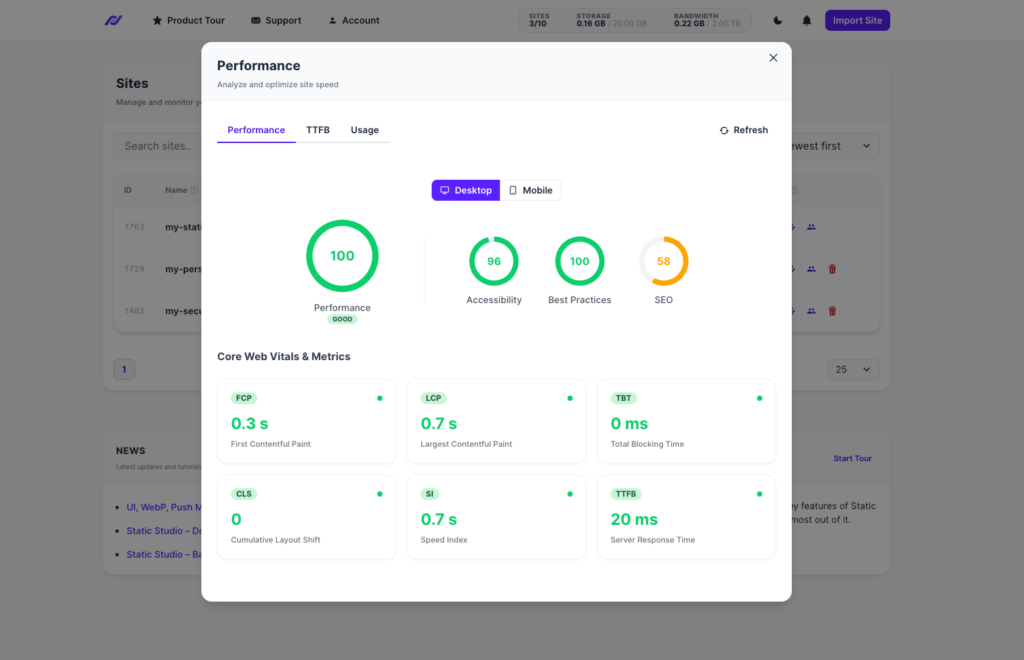
Note: Core Web Vitals are a set of metrics Google uses to measure your web page’s loading speed, interactivity, and stability. In other words, they show how well you’ve optimized your website for user experience.
According to a Think with Google study, 53% of mobile visitors abandoned a site if it took more than 3 seconds to load. This shows how important site speed is.
They’re more secure
Site security affects your SEO rankings for the following reasons:
- If a website is compromised, search engines usually flag it as unsafe. They can even remove its pages from the index.
- They’ll also display security warnings when users search for your site. This discourages users from engaging with it, and lower engagement hurts your SEO ranking over time.
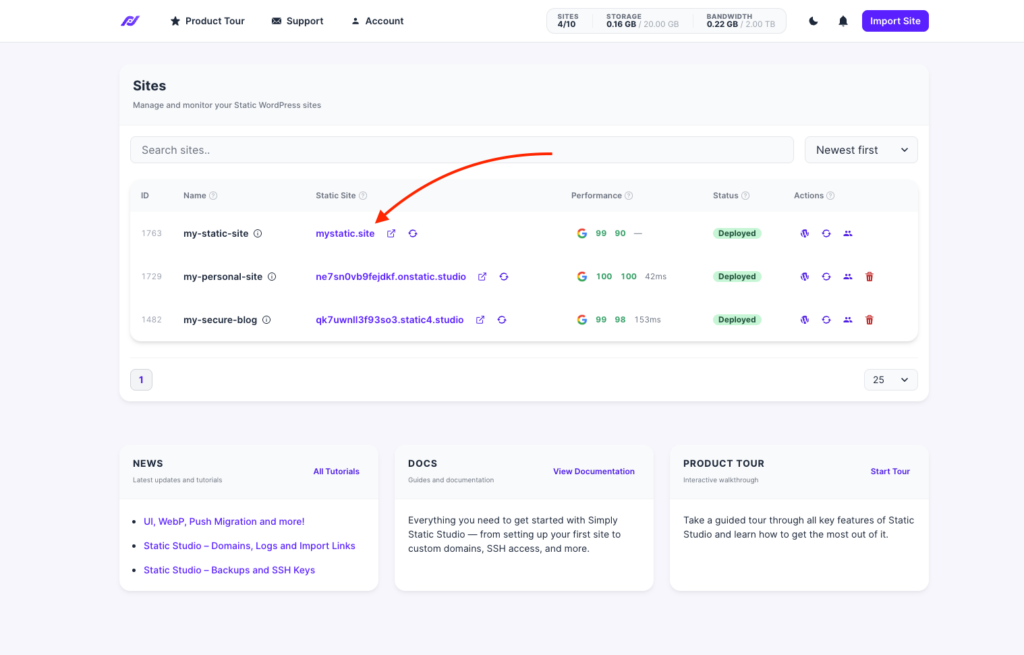
With static sites, attackers have a smaller attack surface to work with. They don’t run server-side code or query a database on each request. This eliminates entire classes of security vulnerabilities that attackers can exploit, such as SQL injections.
A static site reduces the chances that attackers will successfully hack your site and hurt its SEO rankings.
Search engines can crawl them easily
As search engines crawl a static site, they receive fully rendered pages instantly. There is no backend processing that could slow down the crawling and indexing process. Static sites also produce cleaner URLs, which search engines may find easier to crawl.
All these show how static sites can be great for SEO, but that’s not all of it. SEO for static websites has challenges that you’ll need to consider if you want to improve SEO for your static website.
Is SEO harder to manage on a static site?
Managing SEO on a static site used to be a real chore. If your site was coded by hand, changing a single meta description could mean editing files or waiting on a developer. A lot of it took technical work that the average person might not have time to learn.
Now, though, you can still keep a content management system like WordPress to help you optimize for SEO, and then make that site static with something like Simply Static Studio.

This means you add keywords, meta descriptions, page titles, alt text, and internal links exactly the way you would on any WordPress site. And you can still use SEO plugins to give you a hand. Plugins like Yoast, Rank Math, or SEOPress still handle your meta tags, sitemaps, canonical tags, and structured data automatically. Simply Static Studio then publishes the static version of the site for you.
So you get the speed and the security, without giving up easy editing.
Do static site generators (SSGs) solve SEO challenges?
Some developers build static sites today using modern SSGs like Next.js, Hugo, or Jekyll, and then combine them with a headless CMS for content management. This setup solves the content updates problem. It gives non-technical teams (such as marketing) a content repository where they can create and publish content without coding.
But some parts of SEO are handled in code. Developers define how title and meta tags are generated, when canonical tags appear, how structured data is injected, etc.
This is a valid option, but for most, this extra work would point them toward something that will save them time: making their WordPress site static using a static site generator platform like Simply Static Studio.
What is Simply Static Studio?
Simply Static Studio is a platform that publishes and hosts your static WordPress site, then keeps an eye on it once it’s live.
You carry on writing and editing in WordPress like always. Studio turns that into a static site and takes care of the parts that used to be done manually:
- Publishing your WordPress site as static files whenever you’re ready.
- Hosting and delivery, spreading your files across a global network so pages load fast wherever your visitor is.
- SEO files, managing your robots.txt, redirects and verification files without touching code.
- Monitoring, checking the live site for uptime, speed and SEO issues after every publish.
How you update a site with Simply Static Studio
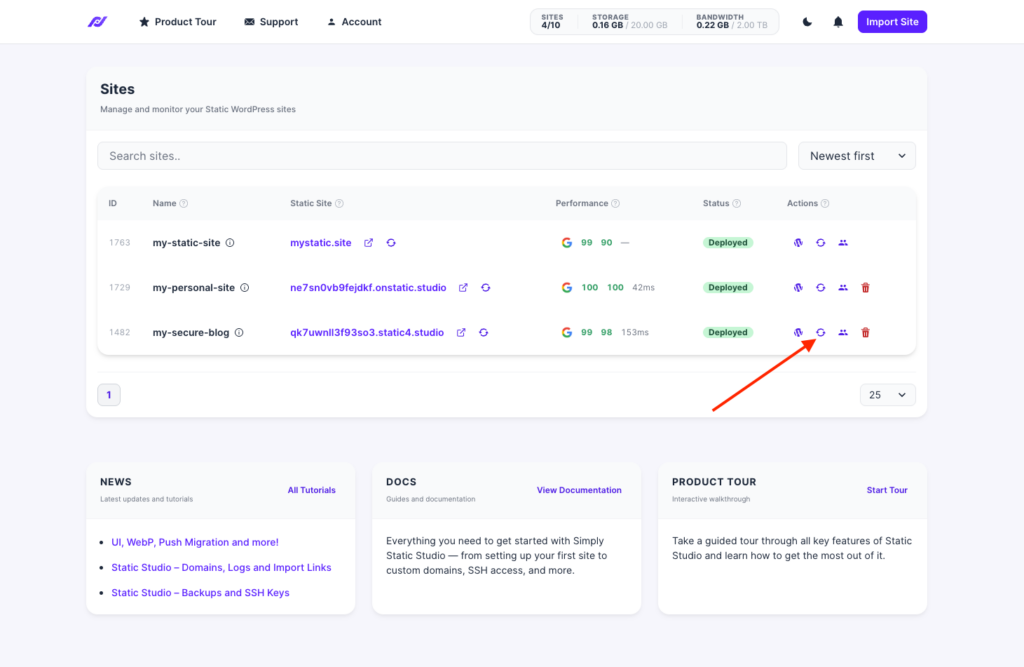
Once your site is on Simply Static Studio, updating it is the same easy setup every time.
| Step | What you do | What Simply Static Studio does |
|---|---|---|
| Edit | Change your content, meta descriptions, titles, or links in WordPress. | Nothing yet; you work as normal. |
| Publish | Trigger a publish in Studio or within WordPress itself. | Generates a fresh static version of your site. |
| Deliver | Nothing to do here. | Hosts the new files and distributes them across a CDN. |
| Check | Open Site Health. | Scans for SEO issues and shows you what changed since the last version. |
Your visitors only ever see the fast static version, and your day-to-day stays in WordPress. When you publish, Studio’s Site Health checks the new version so any problems get caught before search engines crawl them.
How to keep on top of SEO for your static site once it’s live
After you publish your static website, your SEO work isn’t always done. If you plan on making edits, publishing pages or posts, or generally keeping your site up-to-date, there are a few things to keep in mind.
Every time you make changes, you republish your site to push them live. When done, it’s worth having a quick way to confirm each new version went out as expected and nothing important changed by accident.
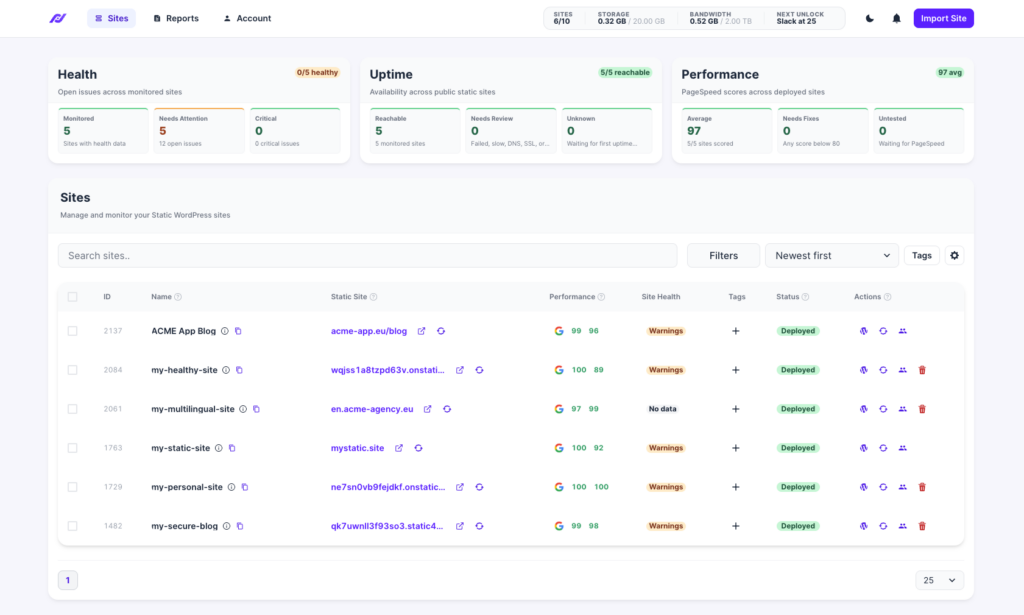
Simply Static Studio’s Site Health does this for you. It starts automatically after your first publish and gives you updates and flags things to manage right from the dashboard.
Here’s what it checks:
| Check | The impact on SEO for static websites |
|---|---|
| Uptime and response time | A site that’s down or slow to respond can drop out of results. |
| SSL, DNS and CDN | Broken certificates or delivery issues stop visitors and crawlers reaching you. |
| Google PageSpeed (desktop and mobile, refreshed daily) | Feeds your Core Web Vitals, which affect rankings. |
| Global time to first byte | A slow first response drags down your speed scores worldwide. |
How Simply Static Studio checks SEO
Alongside keeping an eye on speed and uptime, Site Health also checks the SEO side of your site. These are the things you’d normally have to remember to look at yourself after a publish, like whether your robots.txt is in place or your sitemap is working.

It groups them into four areas:
| Area | What it does |
|---|---|
| Problems | Lists any SEO issues found, each with how serious it is, a plain fix and a shortcut to the right setting. |
| SEO files | Lets you manage your robots.txt and verification files from Studio, auto-included in every publish so you never touch WordPress. |
| AI readiness | Checks that search engines and AI tools can reach your content, looking at your robots.txt, sitemap, crawl access, llms.txt and the Markdown versions of your pages. |
| IndexNow | Pings participating search engines like Bing when your content changes, so updates get picked up without waiting for the next crawl. |
Alongside these features, Simply Static Studio also allows you to have some control over the outcome of your update.
See what changed after each update
When you republish, two features help you confirm the new version went out without a hitch.
- URL Changes compares your latest version against the previous one and lists what was added, changed or removed, covering both pages and files like images. If a page you meant to keep has dropped off, it can be found here before Google finds it.
- Rollback restores your previous version if something doesn’t look right, so there’s no need to rebuild anything from scratch.
Keep your redirects working after going static
Redirects can be fiddly to manage on static sites. Simply Static Studio handles them in a few ways:
- Existing WordPress redirects are converted to a static-friendly format automatically.
- A global redirect editor covers wildcards, relative paths and external URLs.
- A set of recommended redirects is switched on by default.
Share SEO reports with clients
For anyone managing several sites or reporting to clients, Site Health keeps a record for you. Every publish saves a report, which covers the site’s health, performance, Core Web Vitals and recommendations.
Each report can be:
- Downloaded as a PDF or shared through a secure link.
- Scheduled as a weekly or monthly summary.
- Set to email you about downtime, performance drops or SEO issues.
Practical static site SEO tips
Most of SEO is the same whether your site is static or not, but there are a handful of things that work differently in practice. We’ll go through each of these in this section.
You can still use dynamic features
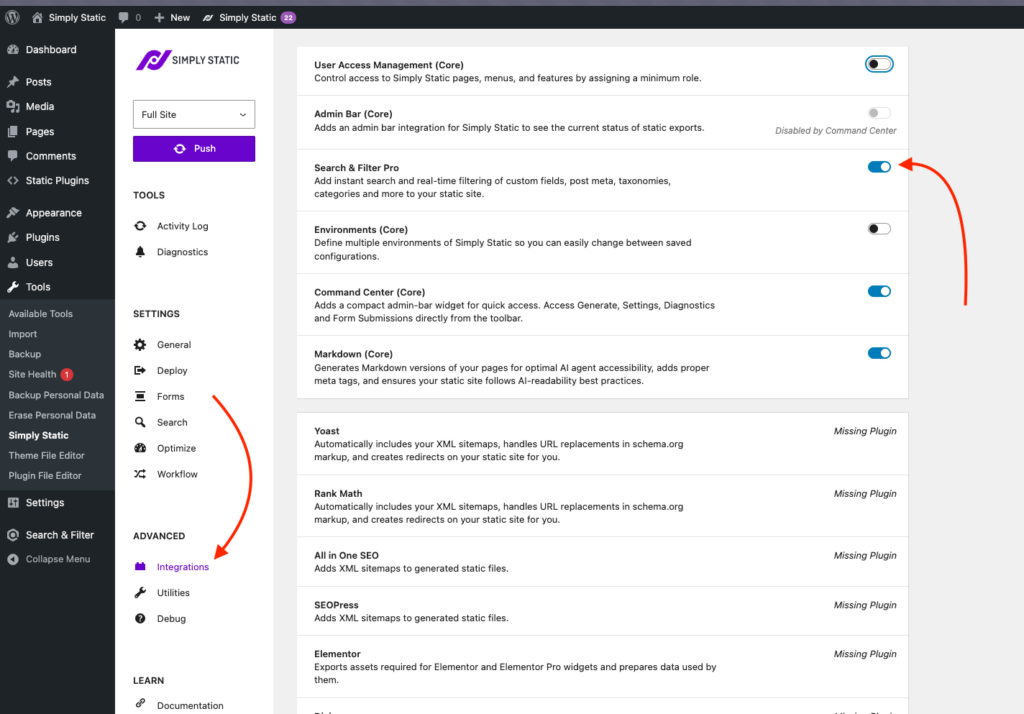
Some WordPress features rely on server-side processing, so they don’t run on a static site on their own. The ones that matter for SEO and engagement have static-friendly replacements through Simply Static Studio:
| Feature | On a static site | How it works |
|---|---|---|
| Contact forms | Supported | Through Contact Form 7, Gravity Forms, WPForms or Fluent Forms. |
| Site search | Supported | Fuse.js for basic search, or Algolia for larger sites. |
| Comments | Supported | A fresh static version of the page is generated when someone comments. |
| Stores, logins, forums | Not fully supported | These need server-side processing, so a headless setup suits them better. |
Internal search is the one people worry about most, since it keeps visitors on your site and moving through your content. You can set it up with Fuse.js or Algolia, and to your visitors it works like any other search box.
Your SEO setup carries over when you go static
This is the question most people have before switching: will my site lose its SEO juice if I make it static?
When you generate your static site with Simply Static Studio, your metadata, canonical URLs, schema, XML sitemaps, and Open Graph tags come across with it, along with the files your SEO plugin creates.
So the work you’ve already done in Yoast, Rank Math or SEOPress doesn’t get erased. Your static pages carry the same SEO signals your WordPress pages had.
Freshness depends on you republishing
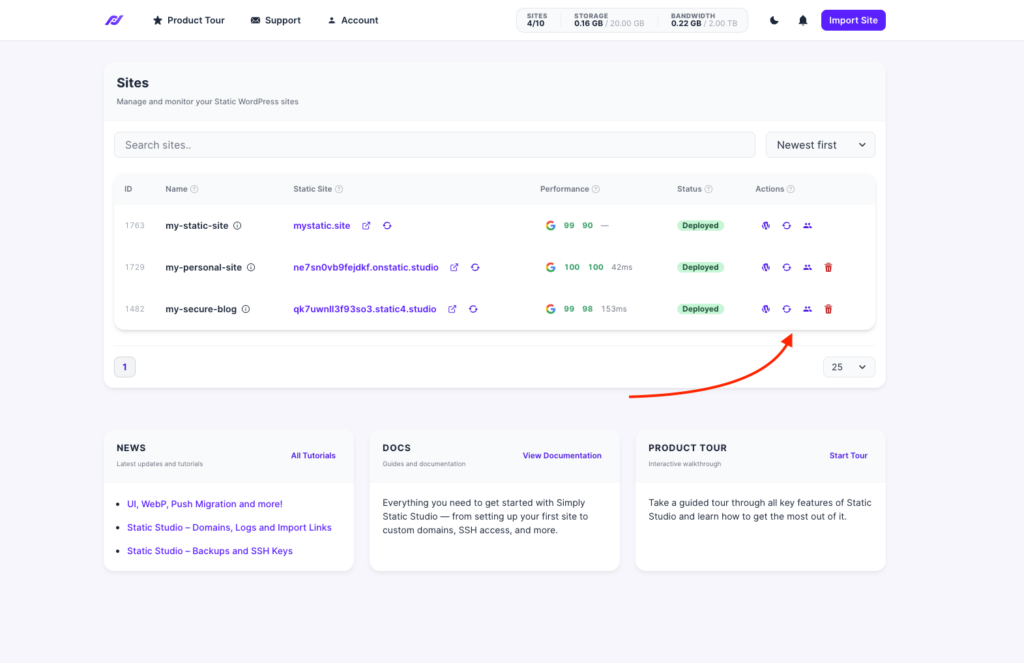
On a normal WordPress site, an edit is live the moment you save it. On a static site, your changes only reach visitors and search engines when you generate a new version, or ‘deploy’ it.
That’s easy to forget when you go back to update an old post. So when you switch to a static site, it’s worth getting into the habit of republishing after edits, and using Site Health’s URL changes to confirm the new version went out.
Internal links update on the next publish
When you add a new post, the links pointing to it from your older pages only show up once those pages are republished. Since a static site regenerates as a whole, this usually sorts itself out on your next full publish.
Tip: when a new page update is important and timely, publish it alongside the pages that link to it, so search engines find it properly connected immediately.
SEO tips to get the most out of a static site
A few habits help your static site hold onto the page speed and crawlability that make it good for SEO in the first place. Here are a few things you can do to make sure your static site gets as much organic traffic as possible.
Optimize images before you publish
Speed is your biggest SEO advantage on a static site, and heavy images are the quickest way to lose it. The good news is, with Simply Static Studio, you get built-in image optimization, responsive sizing, and it will even convert your images to the webP format.
As a bonus, Simply Static Studio also minifies your site’s CSS, defers JavaScript, and uses a CDN (content delivery network) to deliver your site files to visitors. All of these combined contribute to a much faster site.
If you’re not using Simply Static Studio, however, we do recommend compressing your images and using modern formats before you upload.
Keep your URLs the same when you go static
It’s worth paying attention to your URLs when switching from a dynamic to a static site. You’ll want to keep your permalink structure exactly as it was, and if any URL genuinely has to change, set up a redirect from the old one so you don’t lose its rankings or its backlinks.
Check the live static version, not just WordPress
Search engines see your exported static site, which can differ from what you see logged into WordPress. After a publish or update, check a few live pages, or let Site Health confirm the export looks right, so a problem in the static output doesn’t sit there unnoticed.
Make SEO for static websites easy with Simply Static Studio
SEO works the same for static and dynamic websites. If anything, static sites have an edge, because they’re faster and more secure, which are both things search engines reward.
The catch has always been the upkeep. Regular content updates, technical SEO, and keeping an eye on your live site take time, and on a static site they used to take technical know-how too.
That’s the part Simply Static Studio takes off your plate. You keep writing and optimizing in WordPress with your SEO plugin, Studio publishes the static version, and Site Health watches over your SEO every time you republish.
So you get everything that makes static sites good for SEO, without the maintenance that used to come with them. If you want to see whether your site can go static, you can check in about thirty seconds.