If you want an answer to the question: what is a static website, this guide explains everything you need to know, including its benefits and limitations.
Static websites are known for their fast speeds, better security, and low maintenance. In this guide, we’ll cover what a static site is, how it differs from dynamic websites, its benefits, and when it makes sense to create one.
We’ll also explain:
- What a static site generator is.
- Then, show you the easiest way to turn an existing WordPress website into a static website using Simply Static Studio.
What is a static website?
A static website is a site that shows the same fixed content to every visitor. They are created using HTML, CSS, and sometimes JavaScript, which are also called client-side technologies because they run in the visitor’s browser.
- HTML provides the raw structure and text content of your web page.
- CSS controls the styling, layout, fonts, and colors to make the page look good.
- JavaScript adds client-side interactivity, enabling actions like clicking a button or opening a menu.
These files, including images and videos, are often stored as prebuilt files on a web server of your choice. So, when someone visits a page on your website, the server shares these files exactly as they are stored. It doesn’t alter any files, query a database, or generate a page ‘on the fly’ at the moment of request.
Everyone receives the same prebuilt version of the page. If you want to make changes to your website, you’d simply update the files and content, then publish the latest version.

What kind of features can a static website have?
This doesn’t mean static websites can’t be interactive and engaging. They can still have clickable buttons, links, contact forms, search functionality, digital downloads, and animations powered by CSS or JavaScript. The term “static” simply describes how the web server delivers your files, not how the page looks or behaves on the screen.
To make the static delivery process even faster, many static websites also use a content delivery network (CDN). A CDN stores copies of your website on servers in different locations around the world. This enables your site files to be served from the server closest to the visitor requesting your page. The added benefit of a CDN is that it shortens the distance your files have to travel, which improves page loading speeds.
Static website vs dynamic website: what’s the difference?
The main difference between static and dynamic websites is how they generate and deliver web pages.
Static websites store pages as prebuilt files on a web server. So, anyone who visits your page in Google Chrome or any other browser will see the exact same content as it is stored on the server.
What is a dynamic website?
Dynamic websites use a live database and server-side scripting languages such as PHP, Python, or Ruby to build pages for different visitors in real time. For example, the content a customer in Germany engages with on your site may be different from that of another customer in the US.
Think of ecommerce stores showing various products based on a customer’s location and/or preferences, or a membership site displaying different information based on who’s logged in. Other examples include booking platforms, social media websites, and more.
A static website doesn’t change its content until a site owner updates and republishes the newest version. Dynamic websites change their content automatically in real time based on factors such as user behavior, location, login status, or information stored in a database.
This flexibility makes dynamic websites ideal for web applications that need personalized experiences. It also adds more moving parts that can affect speed, security, and maintenance.
The differences between static and dynamic websites
Here’s a summary of the key differences between static websites and dynamic websites:
| Feature | Static websites | Dynamic websites |
|---|---|---|
| How pages are delivered | Prebuilt files are sent directly to visitors’ browsers. | Pages are generated on the fly upon request. |
| The technology that’s used | It uses simple files like HTML and CSS. The live website doesn’t need a database. JavaScript is optional. | It requires a server, a database, and server-side processing to build pages. |
| Loading speed | It’s usually faster because the pages are ready to serve. | Tends to be slower because pages must be generated first. |
| Security | Static sites have fewer potential vulnerabilities because of their smaller attack surface. | More areas need protection from the public. |
| Maintenance | Has fewer moving parts to maintain. | If it’s WordPress, it requires ongoing updates for the CMS, plugins, themes, and the server software. |
| Flexibility | Dynamic sites handle personalized content, user logins, real-time data, and complex features like ecommerce natively. | Static sites can incorporate some of these features via third-party services, but aren’t the default choice for heavily interactive web applications. |
| Cost | It’s generally less expensive. | Usually costs more to build and host. |
What are the advantages of a static website?
A static website offers more than just a different way to publish your content. Serving prebuilt pages instead of generating them for every visitor removes much of the complexity associated with running a website built on a content management system like WordPress. The result is a lightweight website that requires much less ongoing attention to stay fast and secure.
Faster loading speed
Static sites typically load much faster than comparable dynamic sites because the server delivers the requested files instead of generating the page on demand. Shorter load times create a better user experience, help improve Core Web Vitals, and can boost your SEO efforts.
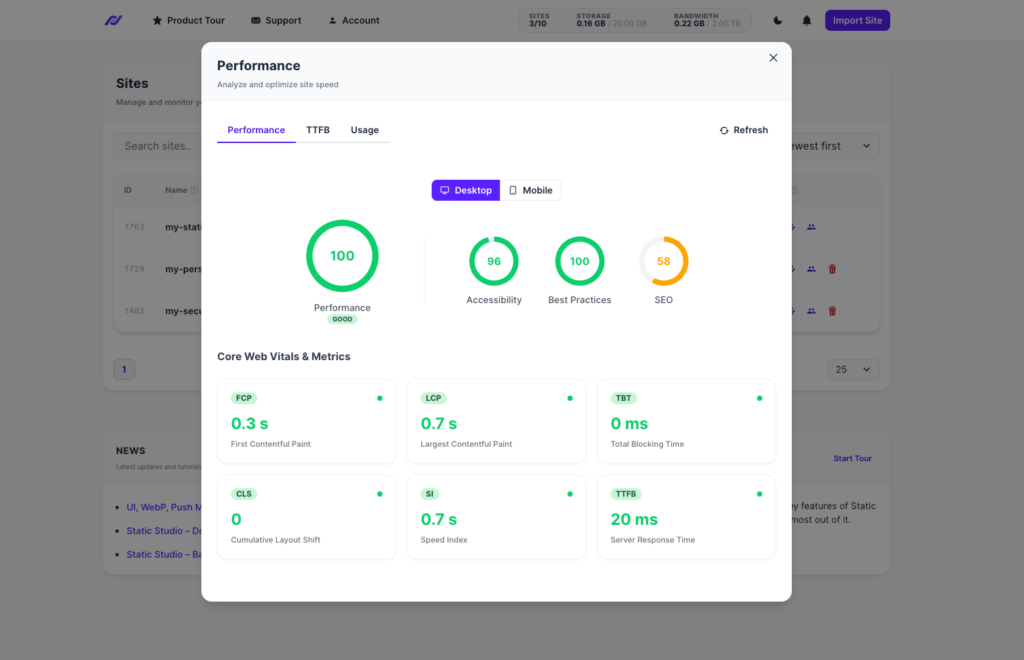
Faster websites also keep visitors engaged for longer. It reduces the chances they’ll leave before your content loads. In fact, Google found that if a page takes longer than 3 seconds to load, 53% of mobile visitors are more likely to abandon your site.
Better site security
The live site also exposes far fewer components to the public. For instance, if you use WordPress as your content management system, when static, it stays private rather than running as a live, vulnerable web application.
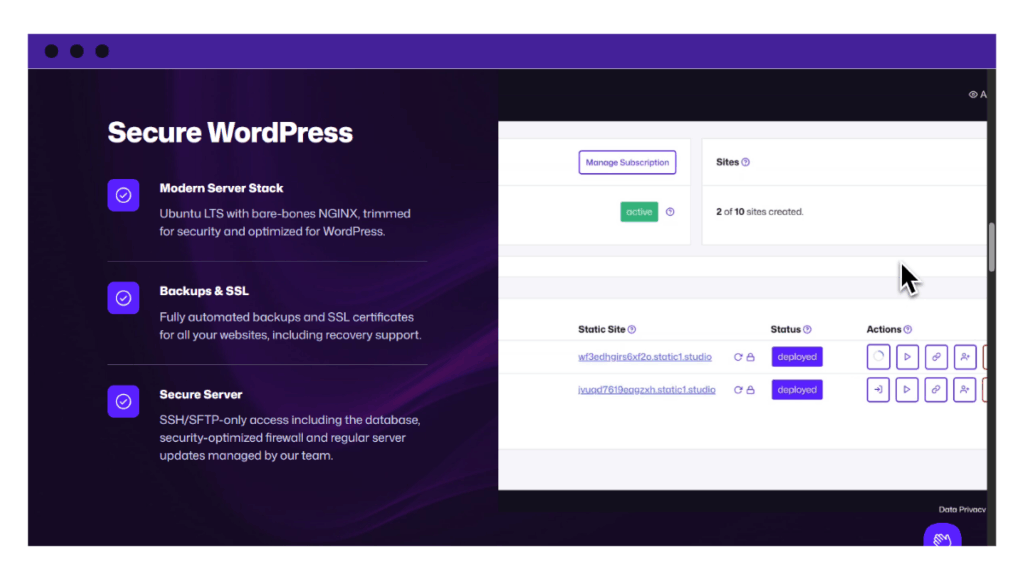
With no live database, PHP, login page, plugins, or themes exposed, attackers have virtually no entry points to target. This protects the site from common WordPress attacks like SQL injection or cross-site scripting that often target these areas.
Much lower hosting costs
Serving ready-made files requires far fewer server resources than generating pages on the fly. You can run the site on simpler hosting plans without sacrificing performance.
Plus, many providers combine static hosting with a CDN to quickly deliver your static content from multiple locations worldwide. For many site owners, this is a much more cost-effective option over time.
Maintenance time and tasks are reduced
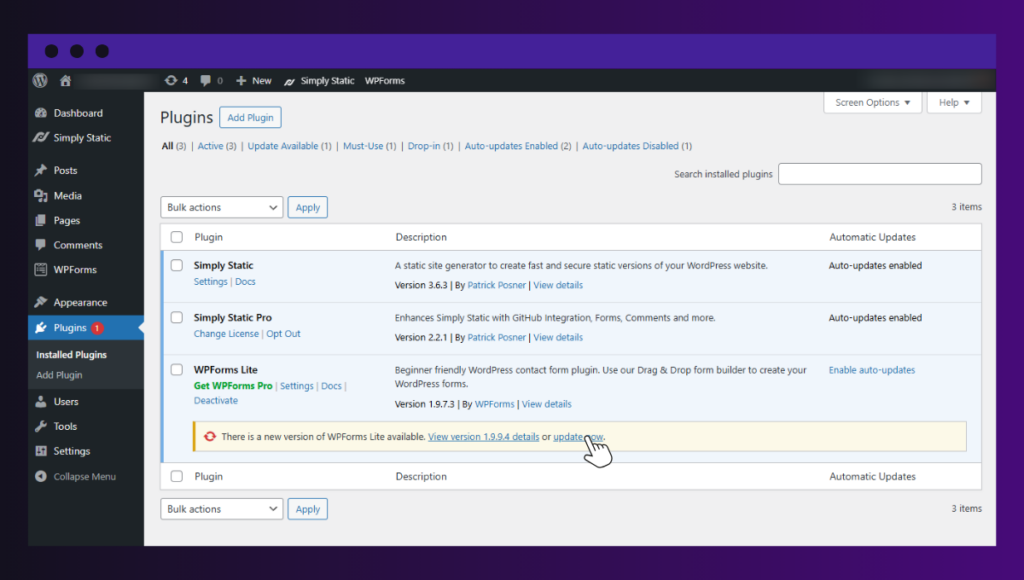
Site owners spend much less time maintaining the live site when it’s static. There are no constant plugin updates to manage, no active security issues to monitor, and fewer moving parts that need ongoing attention. That means you can spend more time focusing on content and growing your business.
A static website is easier to scale
As your audience grows, the site continues to serve pages efficiently to more visitors without slowing down. This level of scalability makes static websites well-suited to handle traffic spikes caused by product launches, marketing campaigns, or viral content.
Essentially, the real value of static websites comes from their simplicity. When your website files are ready to go, there’s much less happening behind the scenes. Fewer moving parts mean fewer things to secure, update, troubleshoot, and pay for. That’s why static websites are much faster, more secure, and more reliable over time.
What are the disadvantages of a static website?
While static websites are fast, secure, and easy to maintain, they aren’t the best fit for every website. If your site requires dynamic interactivity, you may run into limitations.
- It’s harder to update content. Without a CMS, non-technical users may find it difficult to update static websites. However, there are solutions for this that give you the best of both worlds, like Simply Static Studio.
- There are no built-in user features. You cannot easily deliver features like user dashboards, membership, live carts, and other dynamic, interactive features as static files. These features rely heavily on databases and server-side processing. However, there are solutions to combat this too, where part of your site is delivered as static files, and part via your existing dynamic platform.
However, most websites do not actually need complex dynamic features. Sites like blogs, portfolios, and business pages display identical content to all users. For these projects, the speed, safety, and low cost are worth making it static.
How to create a static WordPress website
A static website is ultimately a collection of HTML, CSS, JavaScript, and other files. While you can write these files from scratch, most people use user-friendly platforms like WordPress to manage their content without writing code.
To convert your WordPress site into a static website, you’ll need a static site generator. This tool automatically creates the fast, secure files that your visitors actually see.
What is a static site generator?
A static site generator (SSG) is a tool that converts your website content and templates into static files. Whenever you update your content, the SSG rebuilds those files so visitors always see the latest version of your website
There are three common ways to use a static site generator with WordPress, depending on your technical skill level:
Use a general-purpose static site generator (advanced)
This includes tools such as Hugo, Jekyll, Gatsby, or Next.js. They offer maximum flexibility, but they usually require web development experience. You must manually connect them to WordPress using APIs and frontend frameworks like React.
Install a WordPress static site plugin (Intermediate)
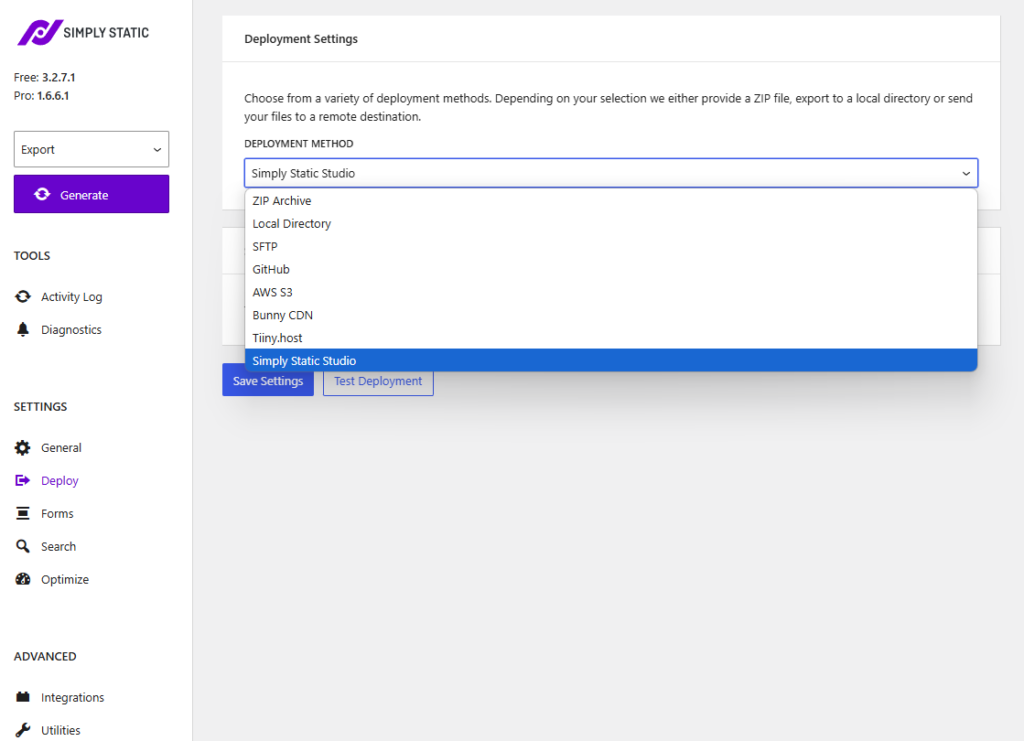
These plugins convert your existing WordPress site into static files with a few clicks. You manage your content privately in WordPress, while visitors see only the static version. It requires some configuration but is much simpler than a general-purpose SSG.
Popular examples: Simply Static and Staatic.
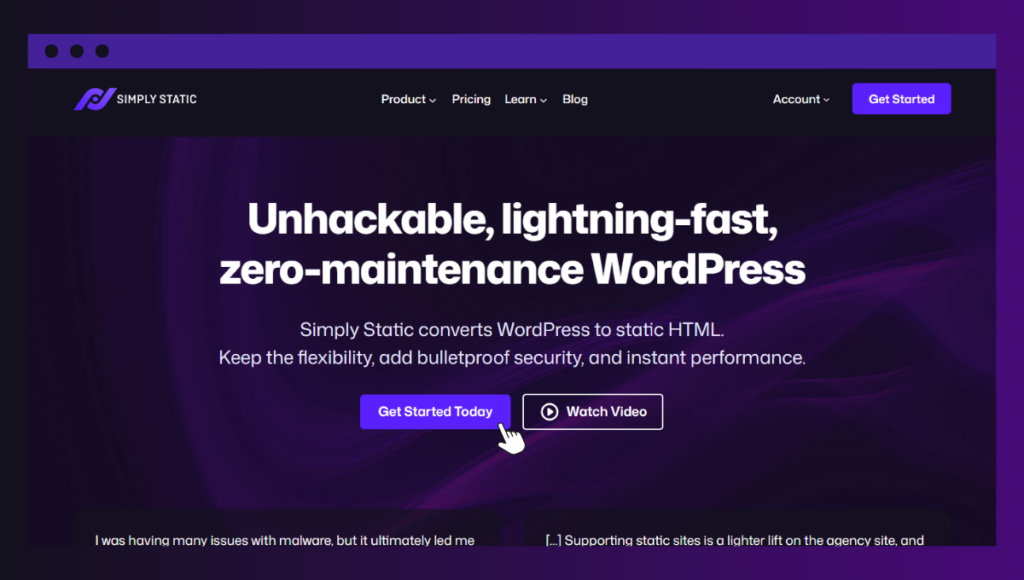
Use a static WordPress platform/hosting service (The easiest option)
These are specialized static WordPress hosting services. They combine WordPress, static site generation, static hosting, deployment, developer tools, and a CDN into one service. Because the technical setup is fully automated, you can focus entirely on creating content.
If you want the easiest path to a static environment without any technical complexities, a dedicated static WordPress platform is the best choice. Let’s look at how Simply Static Studio helps.
How to create a static website with Simply Static Studio
Simply Static Studio is a managed platform that lets you upload your existing WordPress website and publish it as a static website. You can still log in to WordPress to edit your pages, posts, media, and design just as you always have.
But instead of exposing the live WordPress site to visitors, Simply Static Studio publishes a secure static version of your website. Visitors interact only with the static site, while WordPress remains private and continues to work as your content management system.

This is a more complete solution than using a standalone WordPress plugin for two reasons:
- You can manage your static sites in one workspace. You can import existing WordPress websites or create new ones, edit in private WordPress, manage your sites, and publish static versions from one central dashboard.
- Most of the technical setup is done by Static Studio. It automatically installs WordPress, generates static files, hosts your website, creates backups, and publishes everything through a global CDN. There’s very little to configure yourself.
The Static Studio setup is designed to use WordPress where it is strongest. But those areas, like the login page, database, or PHP, which create security risks, costs, or complexity, are removed.
How to set up Simply Static Studio
To set it up:
- Sign up for a Simply Static Studio account. You’ll receive a one-time login code by email.
- Import your existing WordPress website by uploading a backup file. If you don’t already have one, use the free Backup & Migrate plugin to create and upload one.
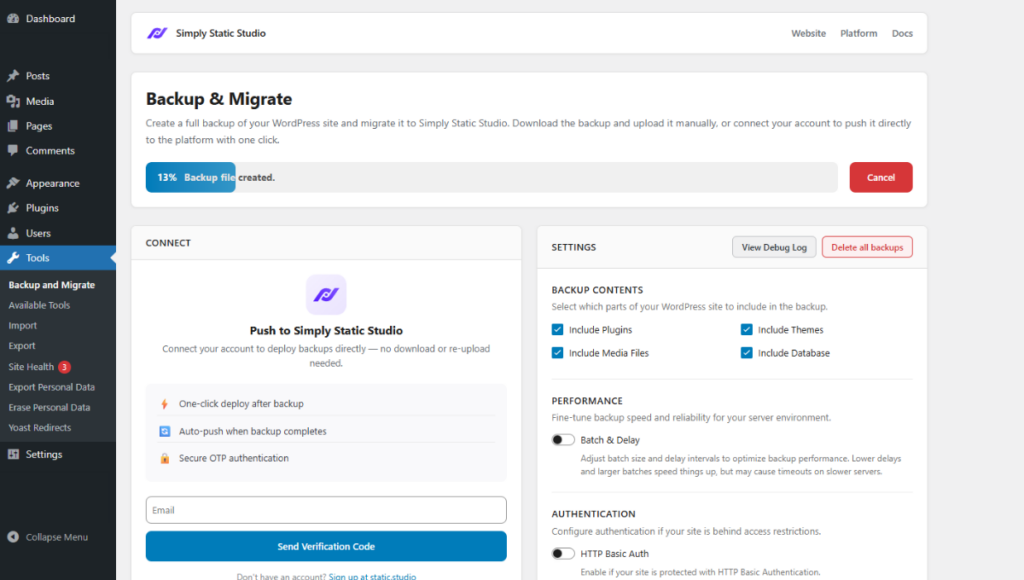
- Log in to your private WordPress dashboard and make any changes to your content or design.

- Preview your site on a temporary domain.
- Then, connect your custom domain and issue your SSL certificate. Up to this point, your static site is officially live.
- If you’re a developer, you can also connect to your website using SFTP or SSH. This gives you direct access for development and makes it easy to work across development, staging, and production environments.
Whenever you update your WordPress site, you can publish a fresh static version in just a few clicks.
Why you should choose Simply Static Studio
Simply Static Studio makes it easy to create and manage static WordPress websites. Whether you have one website or hundreds, it provides the tools to help you publish fast, secure static sites without adding technical complexity.
Here are a few reasons many site owners choose it:
Built for a specific type of WordPress user
Whether you’re a blogger, business owner, freelancer, agency, or WordPress developer, Simply Static Studio offers a simple way to build, publish, and manage static websites.
More features as your business grows
As you add more websites, you can unlock extra features. This includes tools like team management, white-label mode for agencies, priority Slack support, and more, so the platform grows with your business.
You can track your site’s health and performance
Studio has a performance screen where you can track your website’s speed, usage, and performance from different locations. This makes it easy to see how your website is performing over time.
Simply Static Studio lets you enjoy the benefits of a static website without giving up the WordPress experience you already know. It handles static publishing, hosting, deployment, and performance behind the scenes, so you focus on your business.
Get the answer to what is a static website today
Static websites are faster, more secure, cheaper to host, and easier to maintain than traditional dynamic websites. If your website doesn’t rely on complex dynamic features like live shopping carts, memberships, user dashboards, or other public WordPress functionality, turning it into a static website is one of the easiest ways to enjoy those benefits.
That’s where Simply Static Studio comes in. It lets you manage content in the familiar WordPress dashboard while automatically publishing a secure static version of your website. You don’t have to rebuild your site or learn a new platform. You simply upload an existing WordPress website, and Static Studio takes care of the rest.
Ready to get started? Start your free Simply Static Studio trial today and see how easy it is to turn your WordPress website into a fast, secure, and low-maintenance static website.