
For Dev Teams
Give teams WordPress without running WordPress in production
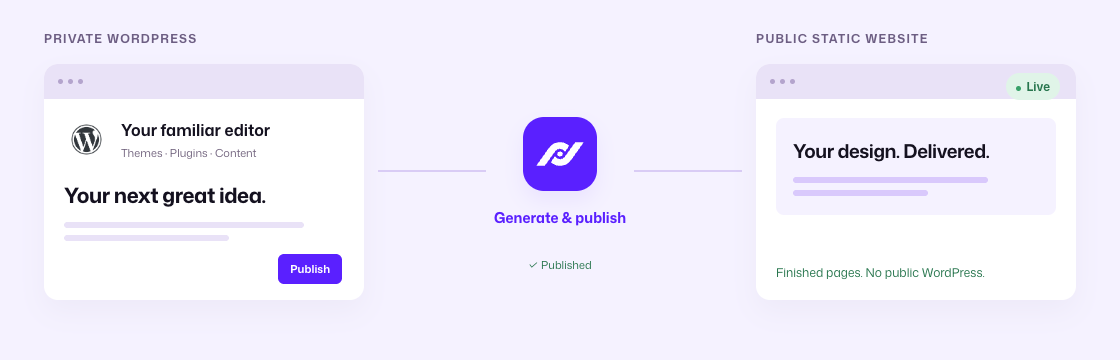
Give marketing, SEO, and content teams the WordPress editor they know. Publish their work as static pages under /blog, /resources, or a separate domain.
14-day free trial. No credit card required.
In good company


A CLEARER WAY TO RUN WORDPRESS
WordPress for your editors.
Static delivery for production.
Keep a familiar content workflow without adding a public WordPress runtime to your stack.
THE CONTENT WORKFLOW
A familiar place to publish.
Marketing, SEO, and content teams keep WordPress for blogs, resource centers, landing pages, and campaign content.
THE PRODUCTION BOUNDARY
A simpler public website.
Visitors receive finished static pages. Your main application can stay in place, without WordPress, PHP, and database queries powering each public request.
Pause animationPlay animation
FIT WORDPRESS INTO YOUR STACK
Your existing site.
A new content workflow.
Your main site or application does not need to become WordPress just because another team needs WordPress editing.
Mounted paths
Publish WordPress-powered sections under paths like /blog, /resources, /learn, or /landing-pages.
Generated routing config
Generate configuration for common server setups so your team knows how to connect static output to the existing site.
Multi-domain publishing
Publish to multiple domains, subdomains, and campaign destinations from one Simply Static Studio workspace.
A CLEAR HANDOFF
Engineering stays in control.
Simply Static Studio runs the publishing workflow. Your team decides how the static output connects to production.
Your team controls
Routing, DNS, launch review, tracking scripts, forms, integrations, security requirements, and production architecture.
Simply Static Studio handles
Private WordPress, static generation, publishing, previews, rollback, and delivery. Review static output before launch and roll back published versions when needed.
EXPLORE SIMPLY STATIC STUDIO
See how your team would publish.
Explore the workflow in an interactive tour. No login required.
Start with one website. Explore the workflow before changing production.
PLANS THAT GROW WITH YOUR TEAM
Plans built for modern dev teams
Your websites share one storage allowance and the monthly bandwidth that comes with it. Start with a few microsites, blogs, or content hubs, then expand as Studio becomes part of your workflow.
Managed Static WordPress
- Start & Stop WordPress
- Static publishing to CDN
- Custom domains and SSL
- Subdirectory mounting
- Backups and rollback
Site portfolio management
- Central dashboard for all sites
- One-click WordPress login
- Site health monitoring
- Security checks
- Performance checks
Team workflow
- Automated WordPress migration
- Easy Team management
- Advanced Reports (Add-On)
- White Label (Add-On)
- Slack Support (Add-On)
AI-ready platform
- Convert sites to Markdown
- AI-ready checks
- AI-friendly CLI
- Local-first workflow
- MCP (coming soon)
Real results from static WordPress.
See how teams use Static WordPress to improve performance, reduce production complexity, and keep WordPress where it works best: content editing.
Airtame is an all-in-one platform that turns any screen into an innovative, collaborative tool for businesses and schools, with wireless screen-sharing and digital signage capabilities.
Results:
- Faster, more secure site delivery
- Top-notch support experience
- Improved reliability and performance
Simply Static Studio delivers a faster, more secure site, and their support is top-notch. [..]
Sarwa is a leading fintech company based in the UAE, offering digital investment, trading, and wealth management services across the MENA region.
Results:
- 70%+ faster page load times
- 100% uptime consistency
- Enterprise-grade security for financial services
Page load times dropped by over 70%, and uptime has been consistently 100% [..]
IdeFixx is a group of freelance designers who collaborate under a unified brand to deliver fast and exceptionally designed websites.
Results:
- Scalable solution for multiple client sites
- Consistent performance across projects
- Simplified workflow for design teams
We believe Simply Static is one of the best solutions for a wide range of users [..]
THE PRACTICAL DETAILS
Good questions.
Clear answers.
How Studio fits into your engineering and content workflows.
Studio is not about forcing your whole site into WordPress. It is about giving teams WordPress editing where it helps, while keeping production static where dynamic WordPress is unnecessary.
Does Studio replace our existing website stack?
No. Studio can publish full static sites, but it can also publish mounted sections like /blog, /resources, or /learn into an existing site. Your main application or website stack can stay in place.
Can we mount a WordPress blog at /blog?
Yes. Studio can publish a static WordPress-powered section at paths such as/blog, /resources, or /learn on an existing site.
Do we need to run WordPress in production?
No. WordPress only runs when you need to edit. Visitors receive the static output.
What does engineering still control?
Engineering can still control routing, DNS, launch review, tracking scripts, forms, integrations, security requirements, and production architecture. Studio handles WordPress hosting, static generation, publishing, previews, rollback, and delivery.
Is this the same as headless WordPress?
Not exactly. Headless WordPress usually means building and maintaining a separate frontend that consumes WordPress as a content API. Studio focuses on static publishing: WordPress is used for editing, and Studio generates static output for production.
Can a single WordPress installation publish to multiple domains?
Yes. Studio supports workflows where one private WordPress install publishes static output to multiple domains, subdomains, or mounted paths. Your storage allowance sets the price and includes monthly bandwidth for all your sites.
What sites are usually not a fit?
Logged-in applications, user dashboards, WooCommerce checkout flows, membership portals, LMS platforms, forums, real-time apps, and highly personalized public pages usually need a different architecture.
Should dev teams use Studio or Simply Static Pro?
Use Simply Static Pro when your team wants to manage WordPress hosting, static hosting, deployment, CDN, backups, routing, and infrastructure itself.
Use Simply Static Studio when you want managed WordPress, static hosting, automated publishing, mounted paths, generated routing config, domains, previews, rollback, health checks, security checks, performance checks, and central management across multiple sites.