Want to know how to handle traffic spikes and high traffic in WordPress? This guide is here to help.
Traffic spikes and high traffic volumes can overwhelm your WordPress site if it’s unprepared. When that happens, it can lead to slow page load times, database crashes, or, in the worst case, complete downtime.
So it’s important to prepare your WordPress site to handle increased traffic whether you’re expecting it or not. In this guide, we’ll show you how to do it.
Here’s a breakdown of what we’ll cover:
- How much traffic WordPress can handle.
- What happens to a WordPress site during traffic spikes and the reasons why your site might experience a traffic spike.
- Whether WordPress is the right choice for high-traffic sites.
- How to prepare WordPress to handle increased traffic and traffic spikes.
Let’s start by understanding how much traffic WordPress can handle to see if you can set it up to handle traffic spikes.
How much traffic can WordPress handle?
WordPress itself has no fixed traffic volume it can handle. Your WordPress site can serve any volume of traffic. But its capacity to handle large volumes of traffic and traffic spikes depends on several factors such as:
Your web hosting provider
Your hosting environment provides the resources WordPress uses to process requests. This includes processors (CPU), memory, storage, and network bandwidth. All of these, plus how the web server is configured, affect how your site performs as traffic increases.
A site with a solid hosting infrastructure (more bandwidth, memory, processors, etc.) is better equipped to handle increased traffic. It is less likely to struggle when traffic increases or during traffic spikes compared to a site using limited resources.
Take a site on a dedicated hosting plan versus another on shared hosting. The one on dedicated hosting is better equipped to handle more traffic.
Shared vs dedicated hosting: How they handle increased traffic
| Factor | Shared Hosting | Dedicated Hosting |
|---|---|---|
| Resource availability | Resources such as CPU are shared with other websites. | Server resources are dedicated to your website. |
| Handling increased traffic | Can handle moderate increases, depending on the plan and provider. | Generally better suited to sustained high traffic. |
| Handling sudden spikes | More vulnerable to slowdowns when traffic suddenly increases. | More capacity is available to absorb sudden increases. |
| Website performance during spikes | Performance can degrade as resources become constrained. | More consistent because other websites aren’t competing for resources. |
| Scalability | Usually limited; upgrading may mean moving to another plan. | More control over hardware and resources, though scaling a single server has limits. |
| Important limitation | A larger traffic spike can exhaust available resources. | A sufficiently large spike can still overwhelm the server. |
How your site is built
How you build your site is just as important as your hosting. You could have two websites on the same hosting plan with the capacity to handle different volumes of traffic. This is usually because one is set up to use more resources than the other.
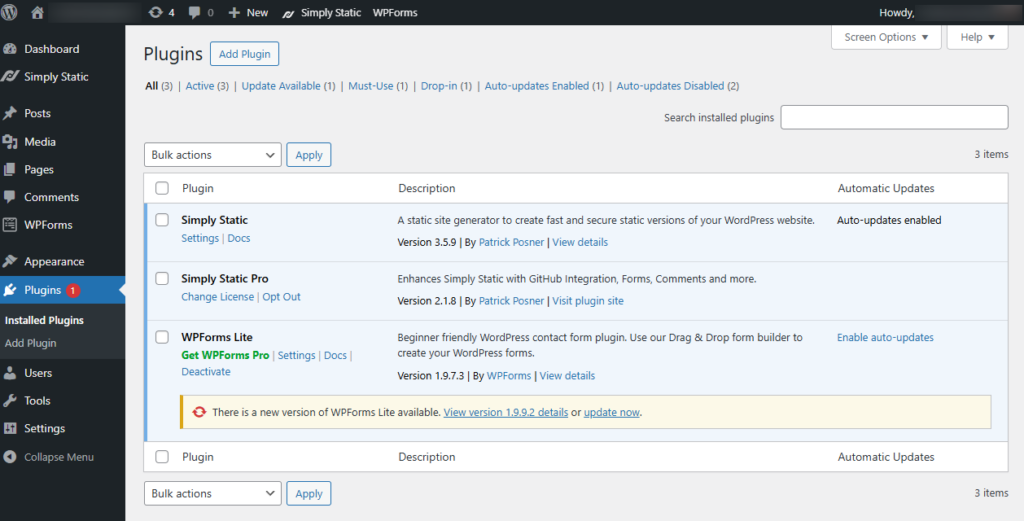
The following build choices affect how much traffic your WordPress site can handle:
- The plugins you use. The number of plugins you use isn’t necessarily an issue if they’re well-coded, efficient, and necessary. But if you have poorly-coded or resource-heavy plugins installed, they reduce your site’s capacity to handle increased traffic.
- Your theme/page builder/block theme quality. A lightweight, well-coded theme is ideal if you want your site to be able to handle traffic surges better.
- Database queries. An inefficient database query, for example, one that has to search through a large product catalog, consumes a lot of resources. When it has to do this for thousands of visitors at the same time during a traffic spike, your site will likely slow down.
- Images and media. Suppose you have a high-quality video as your hero. Your site will obviously need more resources to load compared to another with a smaller-sized image in its hero.
On top of this, your page sizes, third-party calls (pages that make external API requests during load), and other background processes also play a role.
Dynamic features
Dynamic features like product search, user dashboards, shopping carts, etc., require work to be performed for each request. When a visitor interacts with a dynamic feature, WordPress needs to process something for the request to be completed. For example, querying data or communicating with another service.
If your site has a traffic spike but each user is simply requesting to view a static page, for example, an About Us page, your site may be able to handle it. But if each request is an interaction with a dynamic feature, your infrastructure may reach its limit much sooner.

This is because for dynamic features, PHP execution and database work are needed, which use up more server resources.
Key takeaway: WordPress itself doesn’t have a site visitor limit. How much traffic your site can handle largely depends on the infrastructure supporting it.
So, let’s look at what happens to a WordPress site during a traffic spike to understand how to prepare for them.
What happens to a WordPress website during a traffic spike?
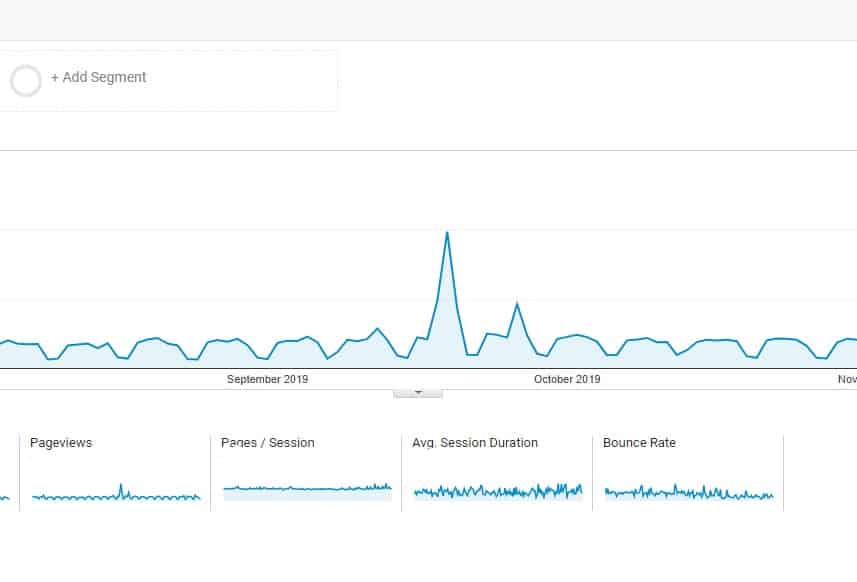
A traffic spike is a sudden, sharp increase in the number of visitors or requests hitting your website in a short period of time.
For example, if you usually receive 100 visitors per minute, a traffic spike could have your site receiving over 5,000 visitors per minute. This sudden jump over a short period of time is what a traffic spike is. So how is it different from a typical traffic increase?
A normal traffic increase may still get to 5,000 visitors per minute, but the number of visitors will increase gradually over several weeks or months.
What actually happens during the traffic spike?
What happens during a traffic spike depends on whether your site is set up to handle them or not. If it is, everything should work as expected.
When a traffic spike happens, here are some of the things that can be impacted:
- Pages may start taking longer to load. Server resources become increasingly busy. Newer requests may have to wait for resources to become available before they are processed. This increases the time taken to return a response to site visitors.
- Server resources can become exhausted. A sudden increase in traffic can strain the CPU, memory, PHP workers, and network capacity. If traffic keeps increasing, it could reach a point where these resources can’t process requests quickly enough.
- Dynamic features may become strained. Dynamic features need more processing and are more likely to struggle during a traffic surge.
- Requests can start failing. Your site’s infrastructure may become overwhelmed. At that point, visitors may experience timeouts, HTTP 5xx errors, and incomplete page loads.
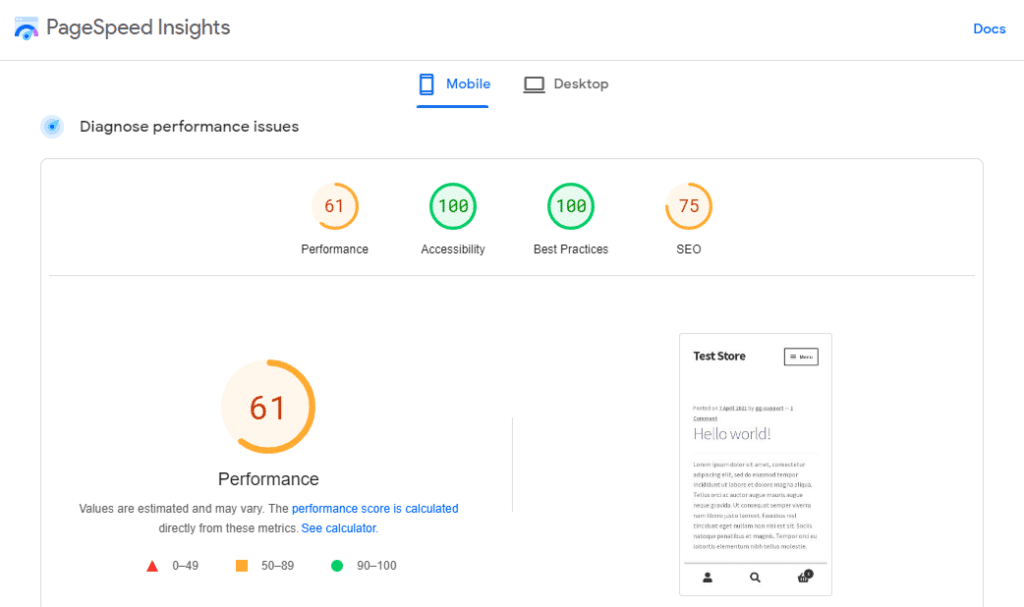
A traffic spike can cause problems for your site if it isn’t set up to handle it. But this doesn’t mean that traffic spikes are inherently bad. In fact, it could be proof that what you’re doing to draw attention to your business is working.
What matters is the reason you’re facing a traffic spike. With that in mind, let’s go over some of the reasons why your site might face a traffic spike.
Reasons why your site might have a traffic spike/high traffic in WordPress
You can’t always predict traffic spikes because they happen for many reasons, such as:
Seasonal events like Black Friday
Black Friday and other major shopping events like Cyber Monday and Valentine’s Day can cause predictable traffic spikes. If you own a WooCommerce store and you’re running a Black Friday sale, you may see a large increase in traffic. This is because many customers will visit your store to search for deals and make purchases.
Temporary campaigns
Temporary campaigns could include the following:
- An email marketing campaign.
- A paid advertising campaign.
- A social media promotion.
- An HR campaign for recruitment, training, wellness initiatives, etc.
Like seasonal events, these campaigns can intentionally send a large amount of traffic to your website during the set period.
This was the case for a recent Simply Static Studio customer. The customer launched a 4-week-long HR campaign. The site was under massive load, which saw its weekly visitors jump to 500,000, with often 50,000 to 60,000 site visitors per day.
So the site experienced a huge increase in traffic as a result of the HR campaign the customer was running at that time.
Product launches
If you’ve been promoting a product you haven’t launched yet, your site may experience a traffic surge when you finally launch it. Many site visitors could arrive at the same time to check out the product, sign up for updates, or buy it.
Unplanned traffic
You could also get a traffic surge that you haven’t planned for. This may be good traffic which you can take advantage of to boost your conversion rates. Or bad traffic resulting from a cybersecurity attack.
Here are some examples of that kind of traffic:
- Traffic from press coverage or viral content. A mention in a major publication or a social media post that is reposted by an influencer may suddenly expose your site to a large audience.
- Bots and crawlers. Scrapers, search engine crawlers, and other automated bots can generate requests to your website. Not all these bots are useful. Some place unnecessary load on your site’s infrastructure. A sudden traffic increase doesn’t necessarily mean you’ve gained human visitors. It may be coming from these bots.
- DDoS attacks. DDoS attacks involve directing large numbers of requests to a website to overwhelm its resources.
Traffic spikes can be expected or happen unexpectedly. Whether you expect them or not, it’s important to plan for them to prevent your site from slowing down when they happen.
Is WordPress the right choice for high-traffic websites?
With all the factors we’ve covered so far, you could be wondering if WordPress is a good choice for high-traffic sites. Yes, WordPress can be a suitable choice for high-traffic websites.
If you’re planning to use another CMS or web platform because you believe WordPress isn’t built for high traffic, know that you could still experience the problems we’ve covered.
What makes WordPress particularly suitable for high-traffic websites is that it is highly adaptable:
- You can choose how different parts of the website are delivered. You aren’t limited to serving every page dynamically through WordPress.
- You can separate content management from delivery. Site visitors don’t need to interact with the WordPress application every time they visit your site.
- It supports caching and works with Content Delivery Networks (CDNs).
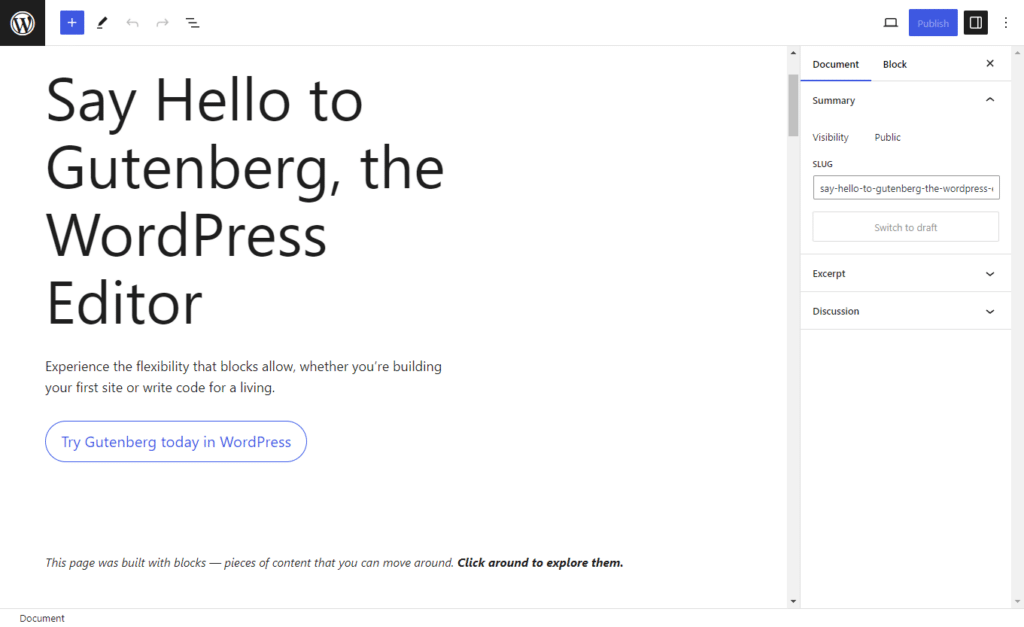
There are things you can do to prepare your WordPress site for high traffic and traffic spikes. We’ll go over them one after the other in the next section. We recommend doing these things when setting up your site, but if you’ve already built your site, you can still do them after.
How to prepare WordPress to handle increased traffic and traffic spikes
If you want to prepare your WordPress site to handle increased traffic and traffic spikes, here’s what you should do.
Make your WordPress site static
WordPress websites are dynamic by default. In a typical WordPress installation, WordPress has to run PHP code and query a database to generate a web page when a visitor clicks to view it.
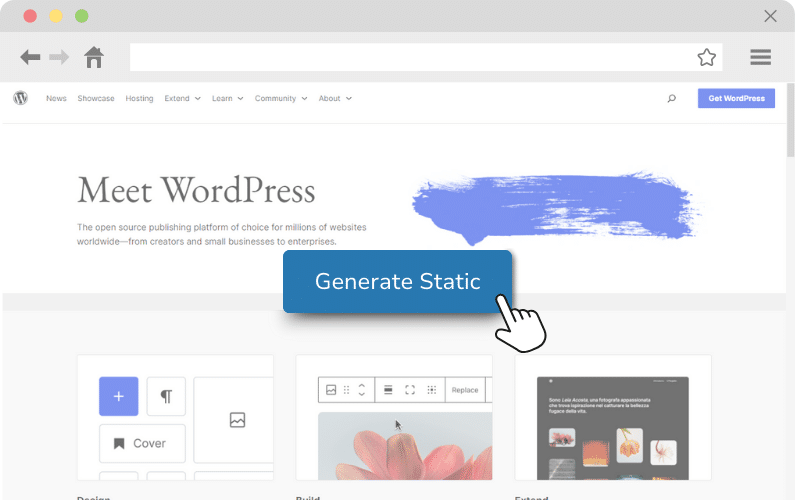
For dynamic WordPress, each request consumes resources such as:
- CPU for executing PHP.
- Database resources for processing queries.
- Network resources for returning the response.
You can make your WordPress site static and improve how it handles increased traffic and traffic spikes. How? Static websites reduce the amount of work the server has to perform for each visitor.
With a static WordPress site, the page is pre-built. The server only has to fetch it and deliver it. It doesn’t need to execute PHP and query the database to generate the page ‘on the fly’.
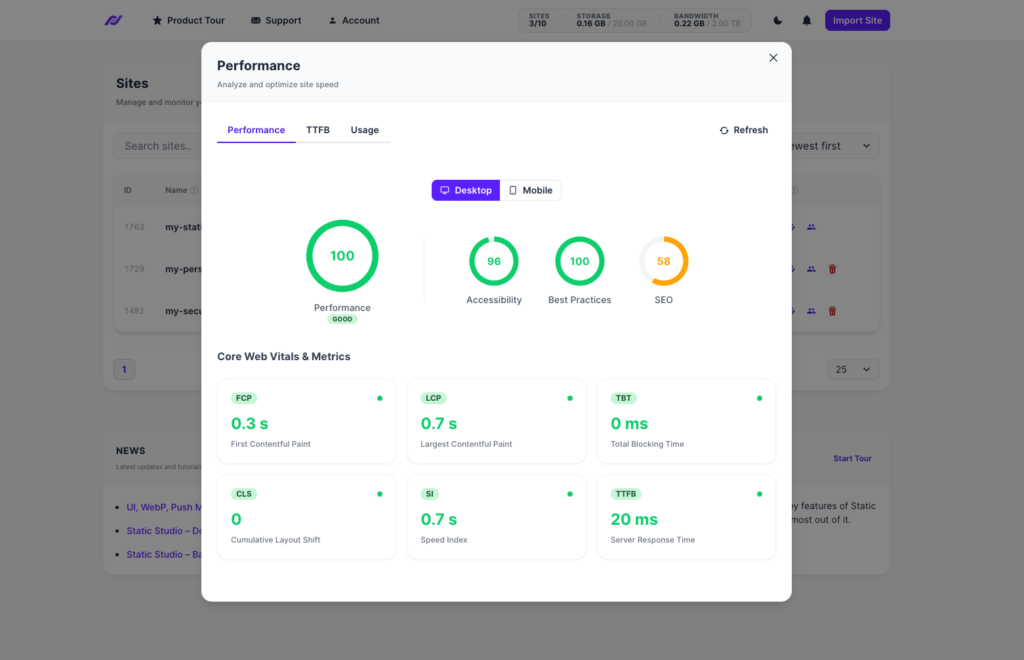
Why this helps during traffic spikes
Because there is less server-side processing, more requests can be handled simultaneously during traffic spikes. Your site’s server can deliver web pages much faster to visitors and become available to new users.
By making your WordPress site static, you can increase its capacity to handle many concurrent visitors without necessarily adding more resources.
You can create and manage static WordPress sites to handle increased traffic better in Simply Static Studio.
Create and manage static WordPress sites in Simply Static Studio
Simply Static Studio is the platform for creating and managing fast and secure static WordPress websites. Static Studio brings together static site generation, hosting, monitoring, and management in a single platform.
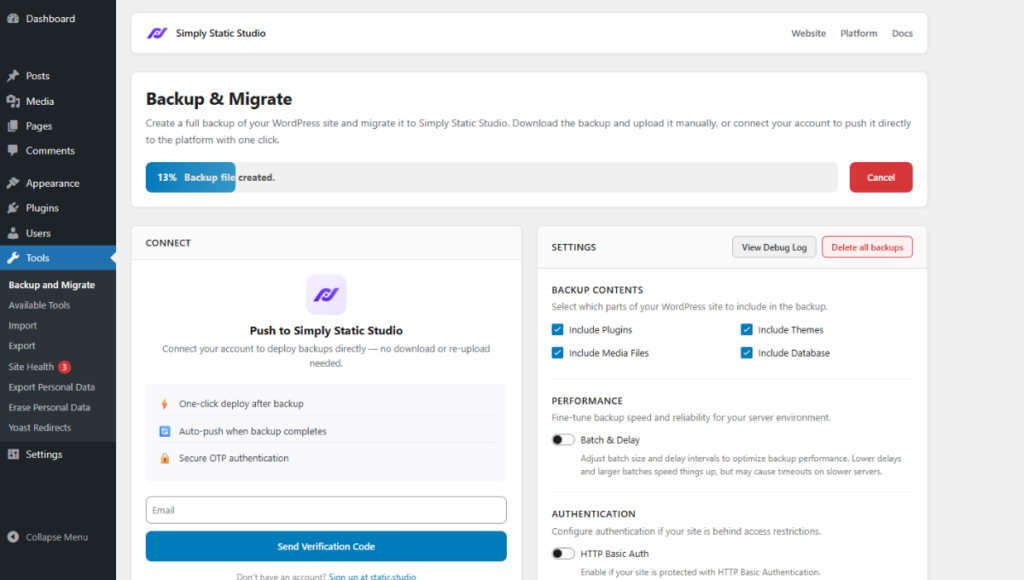
In Studio, you can:
- Create a static version of your WordPress website. You already have your WordPress website (which is dynamic by default); you don’t need to create a static version from scratch. You simply import a backup of your site to Simply Static Studio (including your plugins, media field, theme, and database). The platform will automatically create a static version of your site and host it on a global CDN.
- Manage your deployments. You can add or delete new static sites from the Studio dashboard. Also, you can choose to push recent updates or do a full export when deploying your site.
- Monitor your static sites. You’ll be able to monitor your site’s health, uptime, and performance from the same dashboard.
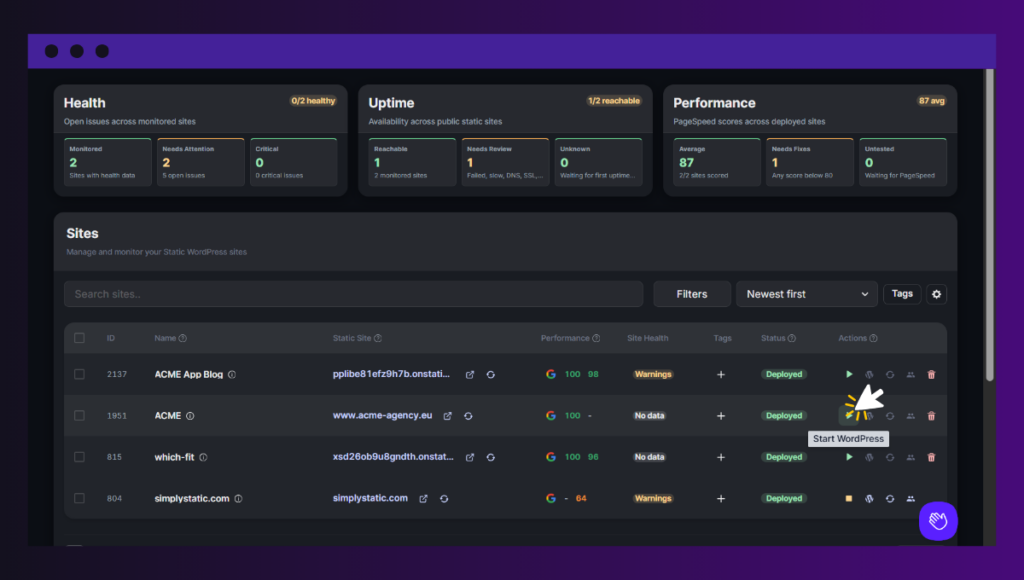
You retain WordPress for editing and then publish the static output in Simply Static Studio. You’ll keep using your preferred page builders, SEO plugins, custom fields, etc.
Why this helps with increased traffic and traffic spikes
Apart from the performance benefits that come with a static site, Studio hosts your static site on a global CDN. This ensures content can be delivered faster to site visitors across the globe without straining the origin server.
Simply Static Studio lets you start WordPress when you need to edit and stop it when you are finished. None of the public traffic hits WordPress, PHP, and the database for ordinary page requests.
Scrutinize your hosting
To prepare your site to handle traffic increases, you’ll need to examine your current hosting to see if it’s well-equipped to handle traffic spikes.
When doing this, go beyond simply looking at the type of hosting (dedicated, shared, or managed WordPress hosting).
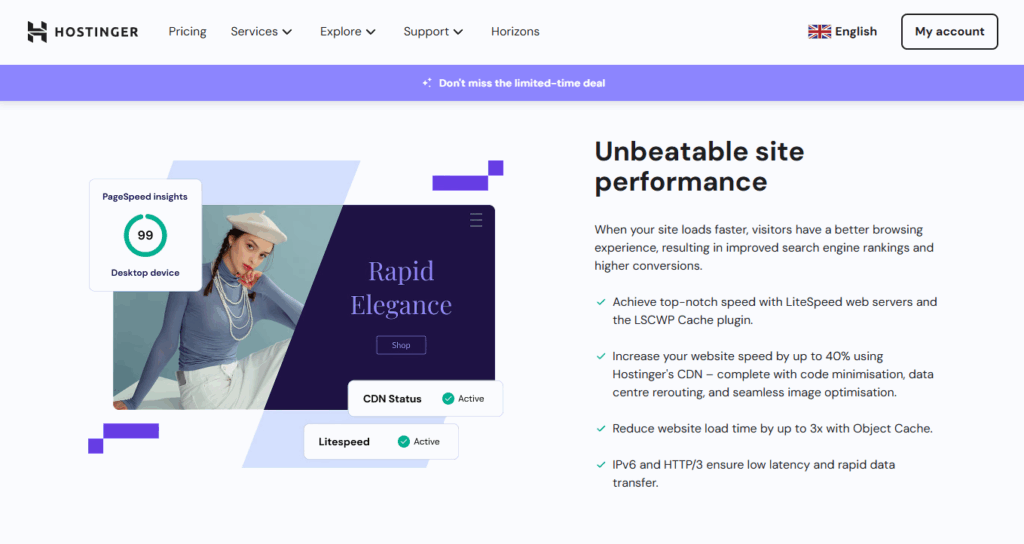
Instead, you should focus on key details such as:
- The actual resources available (CPU, memory, bandwidth, etc.). For CPU, you should check the usage during normal traffic. Ideally, it should be below 40% so that during traffic spikes there’s 60% available to absorb this traffic.
- Does your provider offer auto-scaling? This way, server resources automatically scale as traffic increases.
- Can you upgrade your server resources if you’re expecting more traffic?
- Does your hosting support CDN integration?
If you’re developing websites for clients, here are 8 Best WordPress Hosting for Developers to consider.
Use a CDN
A CDN is a network of servers distributed across different locations. It helps deliver your site’s content to visitors from a location closer to them. A CDN helps your site handle increased traffic better by taking some of the delivery workload away from your origin server.
What does this mean? If a visitor clicks to view your site in the US, the server located in the US will deliver your site’s content to them.

The origin server provides your site’s content to the CDN when it’s available or when it needs to be updated. During a traffic spike, site visitors can receive the cached version of your web pages from the CDN. This can reduce the amount of traffic your WordPress infrastructure has to handle directly.
Simply Static Studio has a global CDN that caches your web pages and serves them to users across the globe.
Add caching to your site
If you have dynamic features on your site, like an ecommerce store, and you don’t want to use something like Ecwid to have a static ecommerce store, you can add caching to your site.
There are different types of caching you can implement, including:
- Page caching.
- Object caching.
- Browser caching.
- Server-side and CDN caching.
You can implement all these types of caching for your site using a caching plugin like W3 Total Cache.
Keep in mind that caching doesn’t make your site static (although the two share many concepts). We’ve covered this, plus the different types of caching in our Caching and Static WordPress guide.
Caching aside, you could also implement lazy loading and database optimization to improve website performance and overall page speed.
Note: While making improvements to your site’s overall page speed will help normal site traffic, it’s only going to help a small amount when it comes to heavy traffic and traffic spikes. Making your site static will make the bigger difference.
Build high traffic WordPress sites today
WordPress is well-capable of serving any volume of traffic. With the right infrastructure behind it, you can create a fast, high-traffic WordPress site for yourself or your clients.
By default, WordPress sites are dynamic. You can make yours static and increase its capacity to handle increased traffic and traffic spikes in the Simply Static Studio platform.
You can migrate your existing WordPress site to this platform, and it will generate a static version of the site. Then, it hosts your static WordPress site on a global CDN, which also helps with high traffic.
Whether you’re expecting high traffic or not, sign up for Simply Static Studio to build high-traffic WordPress sites today.