If you’ve been wondering about the difference between caching and static WordPress, this guide is here to help. This question is one of the first things people run into when they start looking at how to make their site faster, and the two get mixed up constantly.
Here’s what we’ll cover:
- What caching actually is, and the main types you’ll come across in WordPress.
- Whether a caching plugin makes your site static.
- What static WordPress means.
- A side-by-side comparison of the two.
- When caching makes sense and when going static makes more sense.
- How Simply Static Studio handles the switch for you.
Let’s start with caching, so we’re all on the same page.
What is caching in WordPress?
Caching is the process of storing a saved version of a page so it can be served more quickly to the next visitor, without repeating the same server-side work every time.
Without caching, every single visit to a WordPress site kicks off a chain of database queries and PHP execution to put the page together in real time, just for that one visitor. Caching changes that. It stores the finished result and serves it straight to the next person who lands on the page.
Where it gets slightly more involved is that ‘caching’ covers a few different things happening at different layers. Here are the main types you’ll see.
Page caching
This is the most common type. It’s what most caching plugins do by default. A full HTML version of a page is saved, then served to the visitors who come after, skipping the database query and the PHP execution. It’s the type people usually mean when they say a plugin ‘caches’ their site.
Browser caching
Browser caching is a set of instructions sent to the visitor’s browser, telling it to store certain assets locally for a set period. Things like your CSS, images, and JavaScript get kept on the visitor’s device, so they don’t need to be downloaded again on the next visit. It works using expires headers and max-age directives.
Object caching
Object caching stores the results of database queries in memory, so they can be pulled back faster on repeat requests. Redis and Memcached are the common tools for this.
Server-side and CDN caching
Server-level caching stores pages at the web server layer, before a request ever reaches WordPress. A CDN, or content delivery network, caches your static assets on edge servers around the world, then serves them from whichever location is closest to the visitor. As an example, Cloudflare is the most widely used CDN in the world.
Plenty of plugins bring these together into one place. You’ll have heard of WP Rocket, WP Super Cache, W3 Total Cache, WP Fastest Cache and LiteSpeed Cache. They each handle caching slightly differently.
Here’s a summary of the four types:
| Type of caching | What it stores | Where it is |
|---|---|---|
| Page caching | A full HTML copy of the page. | On your server, served by a plugin or the server. |
| Browser caching | Assets like CSS, images, and JavaScript. | On the visitor’s own browser. |
| Object caching | The results of database queries. | In server memory (Redis, Memcached). |
| Server and CDN caching | Pages and assets. | At the server layer, or on edge servers worldwide. |
So does a caching plugin make WordPress static?
A caching plugin creates a temporary HTML copy of a page and serves it faster. But your WordPress installation, your database, and your PHP stack are all still running publicly on the server underneath. They’re still there and still open to the same problems they always were.
A static site is different in a more fundamental way. The pages are generated once and served as finished files. There’s no live WordPress installation, no database, and no PHP running on the public-facing site for anyone to reach.
So on performance, the two are similar. On security and maintenance, they’re miles apart.
What does static WordPress actually mean?
If static WordPress sounds like it means giving up WordPress, it doesn’t.
Your WordPress editor, dashboard, and all the CMS features you’re used to stay exactly as they are. You still write posts, edit pages, and manage your content in WordPress, the same way you do now.

When you publish or update the site, a static version gets generated. That’s the HTML, CSS, JavaScript, and images, with no live database or PHP needed to serve any of it. Visitors always see that pre-built static version, while WordPress sits in the background as your editor.
Most public-facing WordPress sites serve pages, posts, images, menus, and forms. When you look at each of those, a lot of them work perfectly well as static files. The dynamic bits you rely on tend to be for you, the person editing, rather than for the person visiting.
Caching and static WordPress: what’s the difference?
So those are how the two work and function on your WordPress site, but how do caching and static WordPress compare? Let’s take a look at them together.
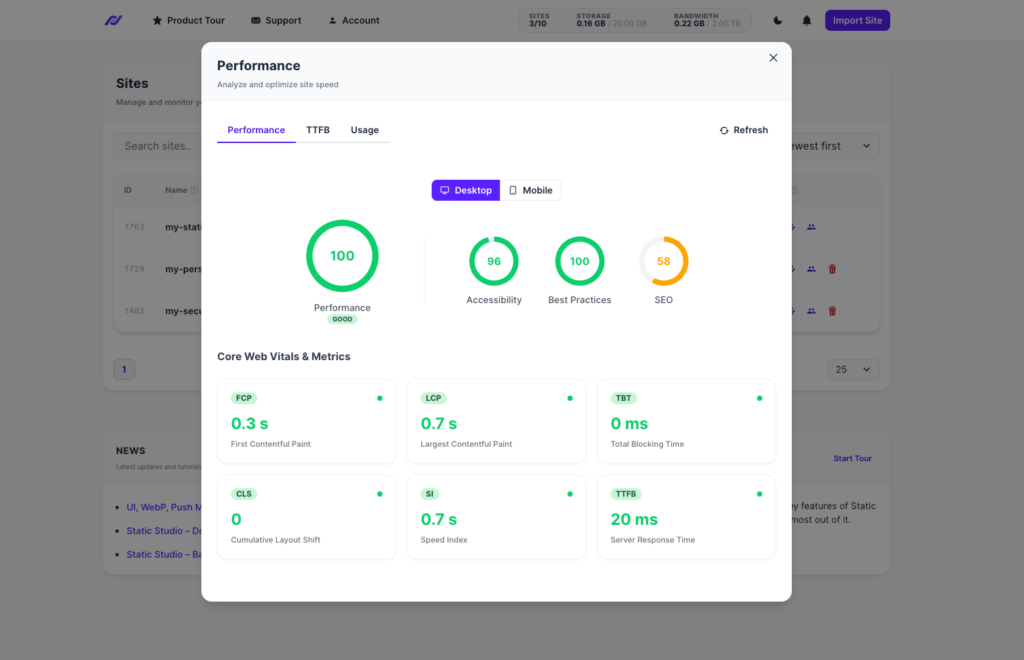
- Performance. Both give you a big improvement over an uncached dynamic site.
- Security. A cached site still has WordPress, PHP, and a database running publicly, so the attack surface is the same as any live WordPress site. A static site removes that surface from the public site altogether. As Patrick put it, a cached site is one XSS injection away from being hacked. A static site is not.
- Maintenance. A cached dynamic site still needs WordPress core updates, plugin updates, theme updates, and ongoing security monitoring. A static site takes most of that off the live site, because the public site isn’t running WordPress at all.
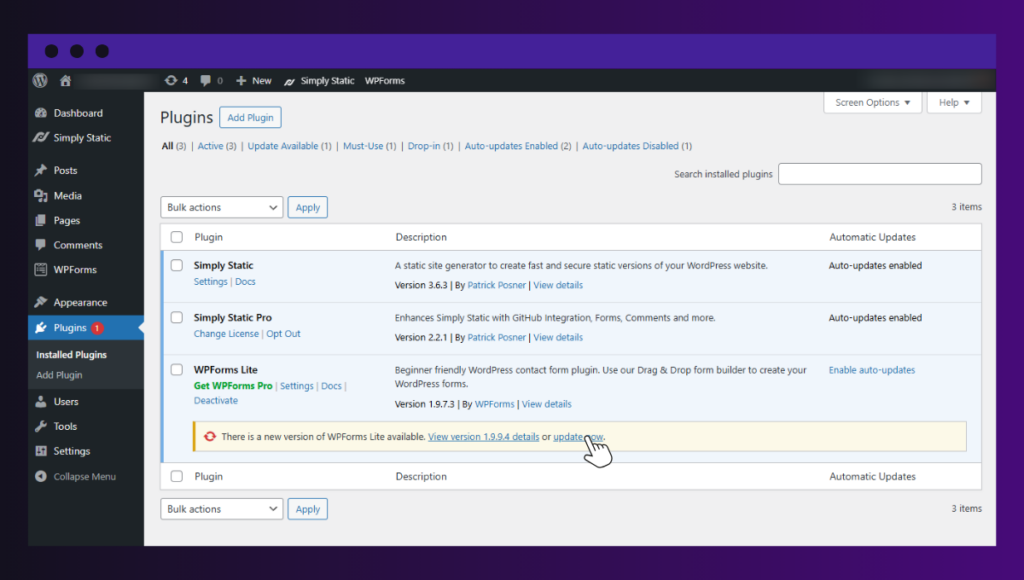
- Updates. If a plugin update breaks something on a cached WordPress site, your live site breaks with it. On a static site, that problem stays in your WordPress backend. If something goes wrong during an update, your live static site carries on unaffected. To solve it, you’d fix it in WordPress, then push the site again.
- Complexity. Caching plugins add another layer of configuration, and another thing that can conflict with your other plugins, on top of an already busy setup. A static approach removes things rather than adding more.
- Forms and dynamic features. A cached site handles forms, search, and other dynamic features natively through WordPress. A static site handles them through third-party services or the WordPress REST API. This is a real difference and worth being upfront about, and there’s a full section on forms below.
Patchstack’s State of WordPress Security in 2026 recorded 11,334 new vulnerabilities across the WordPress ecosystem in 2025, up 42% on the year before. Of those, 91% were found in plugins, and only six were in WordPress core, all low risk. When your live site isn’t running WordPress or its plugins publicly, most of that simply doesn’t apply to it.
When does caching and static WordPress make sense?
Neither option is automatically the right one. It depends on how much of your site needs to be dynamic for the people visiting it.
- Caching makes sense when your site has dynamic features that visitors need in real time. Like a members’ area, a logged-in user experience, or a WooCommerce store with complex, constantly changing inventory. In those cases, caching improves performance without getting in the way of the features people rely on.
- Static WordPress makes sense when your site is mostly public content. Marketing sites, agency sites, blogs, portfolios, documentation sites, and most ordinary business websites don’t need PHP and a database running for every single visitor.
You can also use a combination approach, where caching is used for the dynamic parts of your site, and static is used for things that don’t require this. Like blogs and landing pages. The video below goes into this in more detail.
How Simply Static Studio makes the switch straightforward
Simply Static Studio takes your existing WordPress site and generates a static version of it. Same content, same design, without the live WordPress setup that needs caching plugins, security plugins, and constant maintenance to keep it safe and fast.
If you were to convert your existing static site into a dynamic one, here’s how it would work:
- Install the free backup plugin on your current WordPress site.
- Back up your site.
- Upload the backup to the Simply Static Studio dashboard.
- Review your site on a temporary domain to check everything looks right.
- Connect your domain.
- Go live.
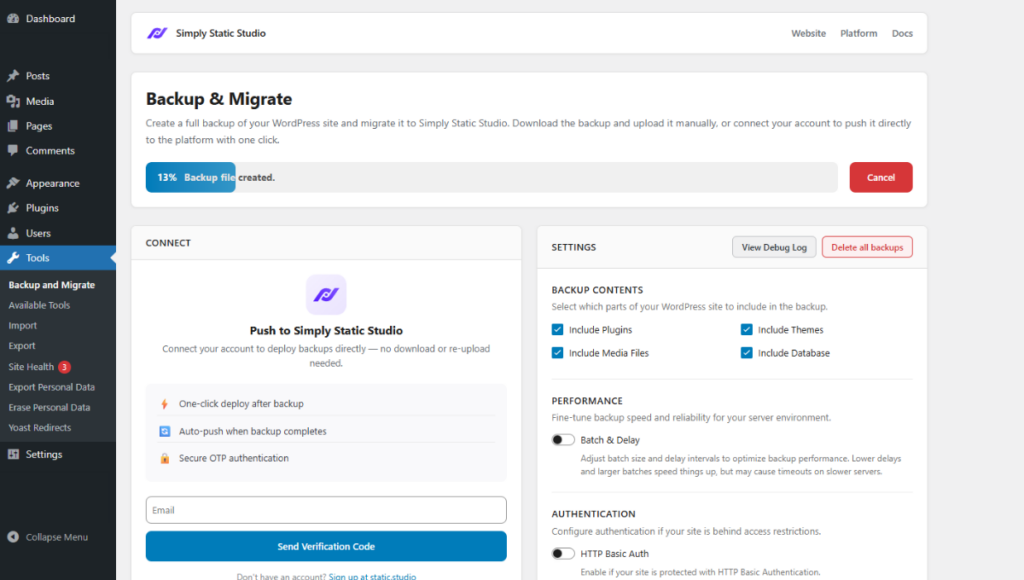
Once your live site is no longer running WordPress publicly, a lot of what you’re currently maintaining stops being necessary. Caching plugins, many security plugins, and the various performance optimization plugins aren’t needed anymore, because the reasons you installed them mostly don’t apply to a static site. That means fewer plugins, less to keep on top of, and lower hosting costs.
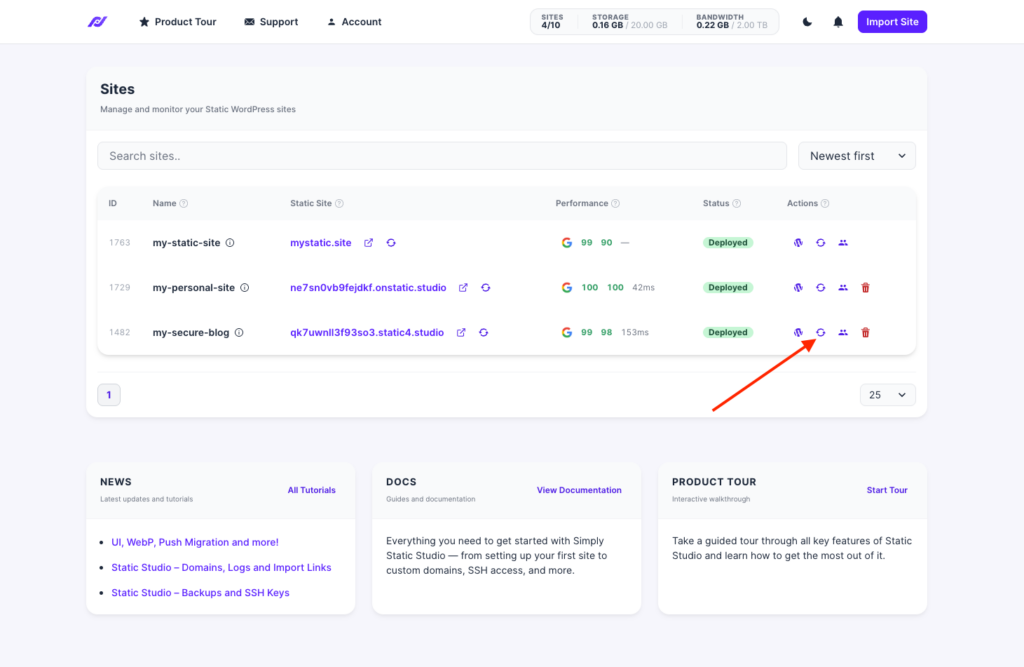
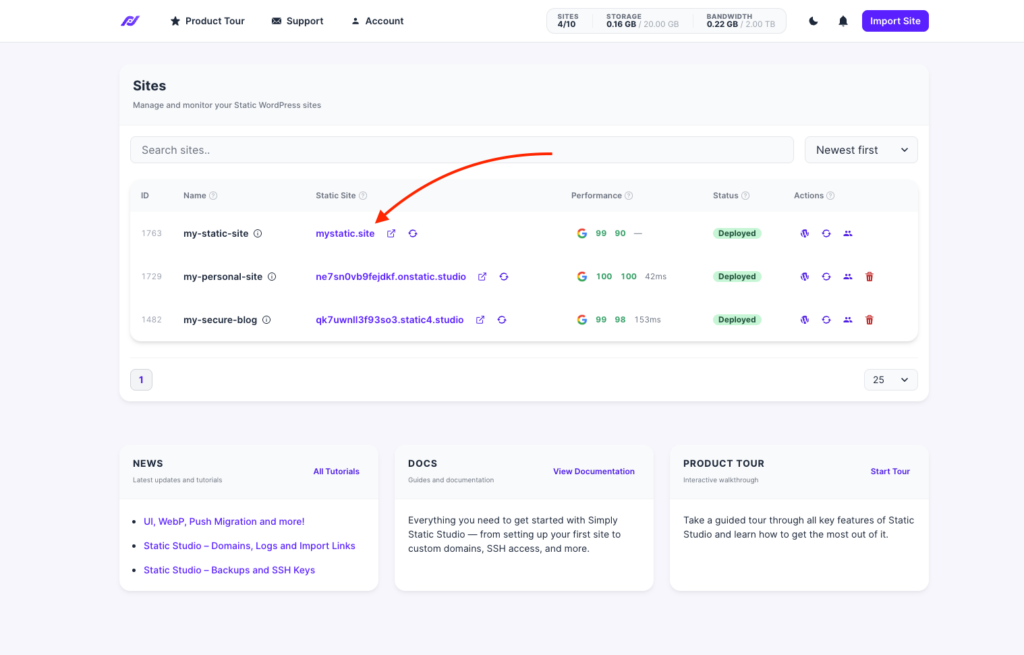
Simply Static Studio also handles form submissions as part of the service, which takes care of the concern most people raise before switching.
FAQs about caching and static WordPress
Does a caching plugin make WordPress static?
No. A caching plugin creates a temporary HTML copy of your pages, but the WordPress installation, database, and PHP stack are still running publicly. As Patrick Posner puts it, the performance can be nearly the same, but a cached site is one XSS injection away from being hacked and a static site is not.
Can caching improve Core Web Vitals?
Yes, caching can help with Core Web Vitals by cutting the time it takes to serve a page, which improves loading metrics. A static site tends to perform strongly here too, because there’s no server-side work happening when someone visits. The page is already built and ready.
What is browser caching?
Browser caching tells a visitor’s browser to store certain assets, like your CSS, images, and JavaScript, on their own device for a set period. That way those files don’t need to be downloaded again on the next visit, which speeds up repeat page loads. It works using expires headers and max-age directives.
Is a static WordPress site more secure than a cached site?
Yes. A cached site still has WordPress, PHP, and a database running publicly, so it has the same attack surface as any live WordPress site. A static site removes that surface from the public site, which is significant given that 91% of WordPress vulnerabilities in 2025 were found in plugins.
How do forms work on a static WordPress site?
Forms are handled through a third-party form service or the WordPress REST API, rather than submitting to a live WordPress install. Simply Static Studio handles form submissions for you as part of the service, so forms keep working without manual setup.
Can I use both caching and static WordPress together?
Yes. Caching can be applied to the WordPress backend you use for editing, while the public site is served statically. The two aren’t mutually exclusive, and each ends up doing the job it’s best suited to.
What kinds of sites work best as static WordPress sites?
Sites that are mostly public content are the strongest fit. That covers marketing sites, agency sites, blogs, portfolios, documentation sites, and most business websites. Sites with complex membership areas or particular ecommerce needs should check compatibility first.
Caching and static WordPress: which is right for your WordPress site?
Caching and static WordPress both make your site faster, but they aren’t the same thing, and they aren’t solving the same problem.
Caching speeds up a dynamic site while leaving WordPress, PHP, and your database running publicly underneath.
Static WordPress changes how the site is served, which brings security and maintenance benefits that caching can’t match. For most sites that are mostly public content, going static is the more effective long-term choice.
If that sounds like your site, try Simply Static Studio and see how it looks on a temporary domain before you change a thing.