Welcome to another update for Static Studio – and this one is a big shift in how the platform works.
We’ve introduced Growth Rewards – a milestone-based system that automatically unlocks premium features as your account grows. No upgrade buttons, no pricing tiers, no sales calls. Just more value as you add more sites.
Alongside that, we’ve shipped two major features: Team Management and Whitelabel – both of which are unlockable through Growth Rewards.
Let me walk you through everything.
Growth Rewards: Unlock Features as You Grow
Here’s the idea: every customer starts the same way. You pay per site, and as your account grows, features unlock automatically – at no extra cost.
| Milestone | Feature | What you get |
|---|---|---|
| 5 sites | Team Management | Invite team members to all your sites at once |
| 10 sites | Whitelabel | Custom branding, custom login page, full dashboard control |
| 25 sites | Slack Support | Dedicated Slack channel with our team |
| 50 sites | API Access | Full REST API for deployments and automation |
There are no add-on fees. There are no hidden pricing tiers. If you have 10 sites, you have whitelabel – simple as that.
Why We Built This
If you’ve been around the WordPress hosting space, you know the drill: every host has an “agency plan” that bundles features behind a $99–$299/month paywall. We tried that approach too, and it didn’t feel right.
The truth is, our best multi-site customers didn’t sign up for an agency plan – they started with one site, liked what they saw, and gradually moved their client sites over. The growth was organic. The pricing model should reflect that.
Growth Rewards removes the barrier. You don’t need to commit to an agency tier to get agency features. You just need to grow – and the platform grows with you.
Tracking Your Progress
You can see your current milestone progress directly in the dashboard. The top navigation now shows your next unlock:
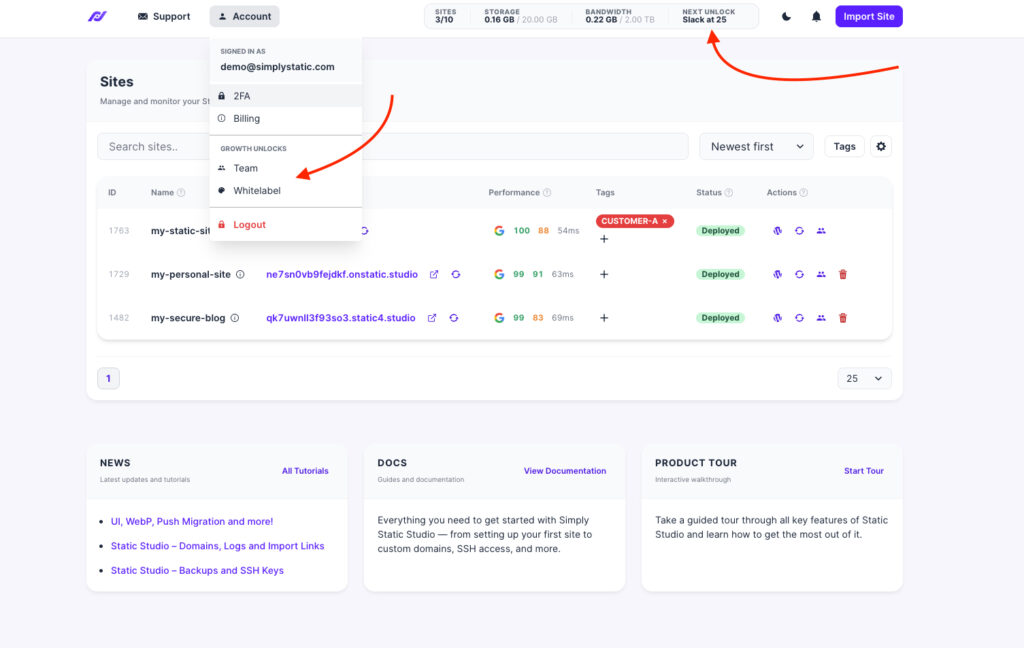
Once you reach a milestone, you’ll get a notification confirming the feature is active. Previously unlocked features show a checkmark so you always know what’s available.
What Happens If You Remove Sites?
We’ve built grace periods into every milestone. If you remove a site and drop below a threshold, the feature stays active for 30 days (60 days for API access). Your configurations are always saved – when you cross the threshold again, everything restores instantly.
No punishments, no lost settings. We want this to feel fair.
Team Management (Unlocks at 5 Sites)
Team Management lets you bulk-add users to all your sites in one step.
Click the Team button in your dashboard to open the Team modal:
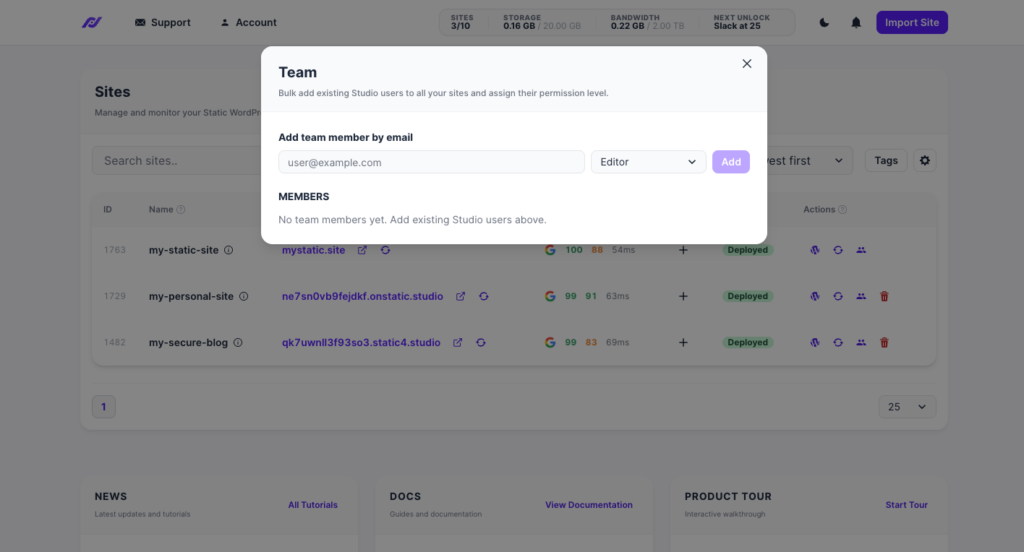
Enter the email of the person you want to add, choose their WordPress role (Administrator, Editor, Author, Contributor, or Subscriber), and click Add. They’ll instantly have access to all your sites.
This is especially useful if you work with a developer, a VA, or a client who needs access across multiple projects. Instead of inviting them to each site individually, one action covers everything.
A few things to know:
- Team members need an existing Simply Static Studio account.
- Invited team members get free accounts – they can manage sites, but can’t create new ones unless they have a paid plan.
- You can remove a team member at any time, and their access is revoked immediately.
- Team Management works alongside per-site user management (Manage Users). Both can be used together.
Whitelabel (Unlocks at 10 Sites)
This is the one many of you have been asking about.
Whitelabel lets you fully customize the Simply Static Studio dashboard – replace our branding with yours, hide features your clients don’t need, and make the entire experience look like your own platform.
General Settings
Upload your custom logo, set a brand color, and add custom CSS for advanced styling:
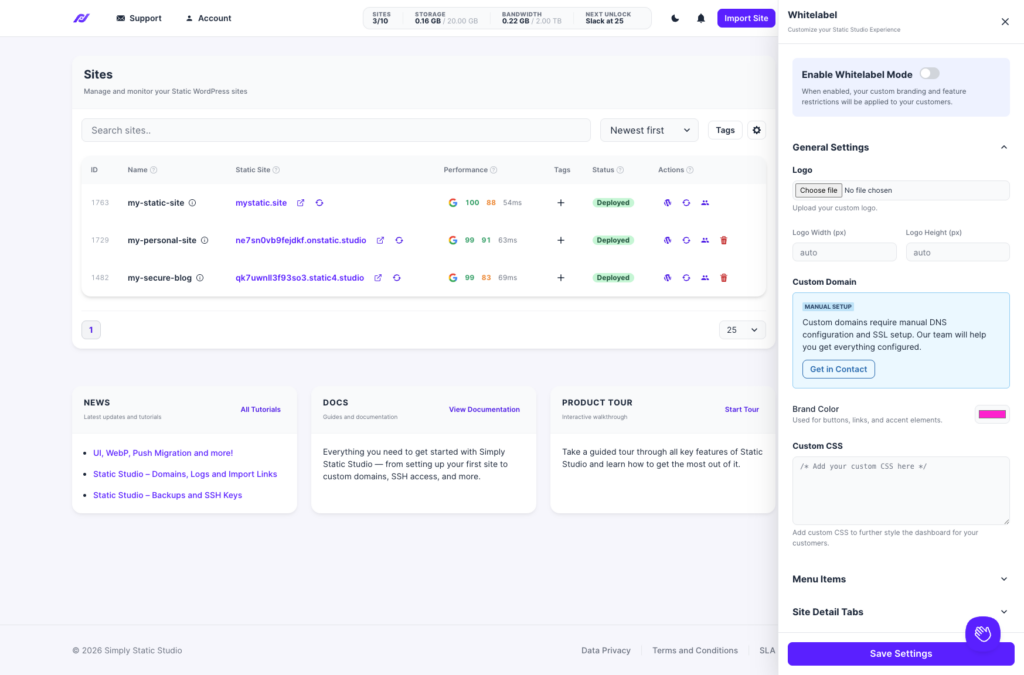
You can also set up a custom domain for your dashboard (e.g., dashboard.youragency.com). This requires manual DNS and SSL setup – reach out to us, and we’ll help you get it configured.
Menu Items & Site Detail Tabs
Control exactly what your team members and clients can see. Toggle off features they don’t need:
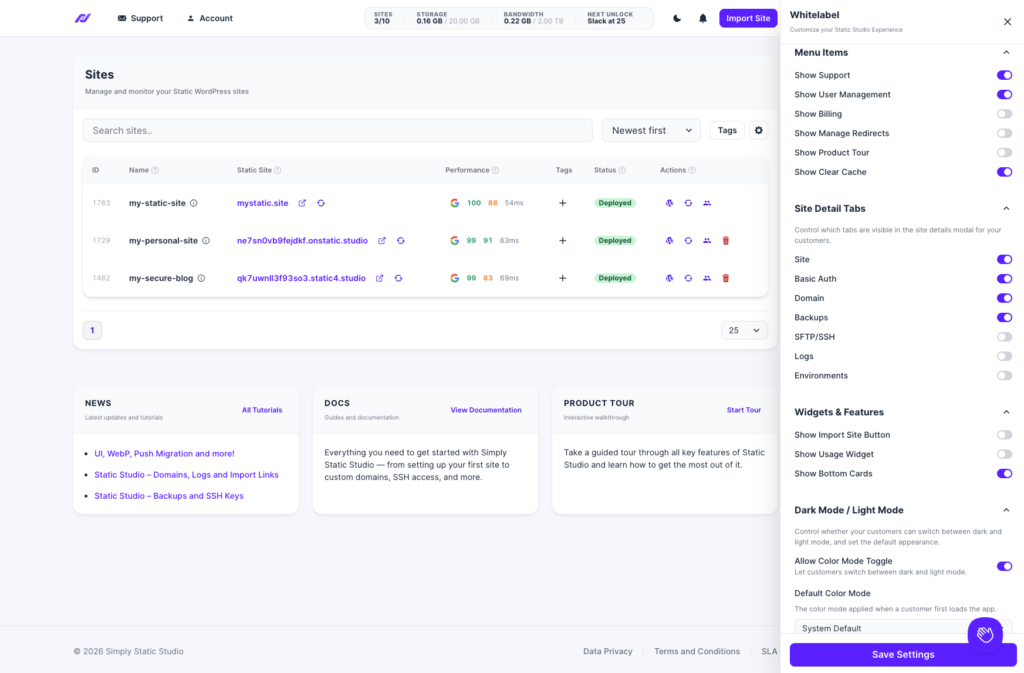
For example, you’ll probably want to hide Billing, User Management, and SFTP/SSH for client accounts. They get a clean, simple dashboard focused on what matters to them.
You can also control which tabs appear in the site details modal – hide Logs, Environments, or Basic Auth for non-technical users.
Login Page
Customize the login experience with your own logo, heading, subheading, and background image:
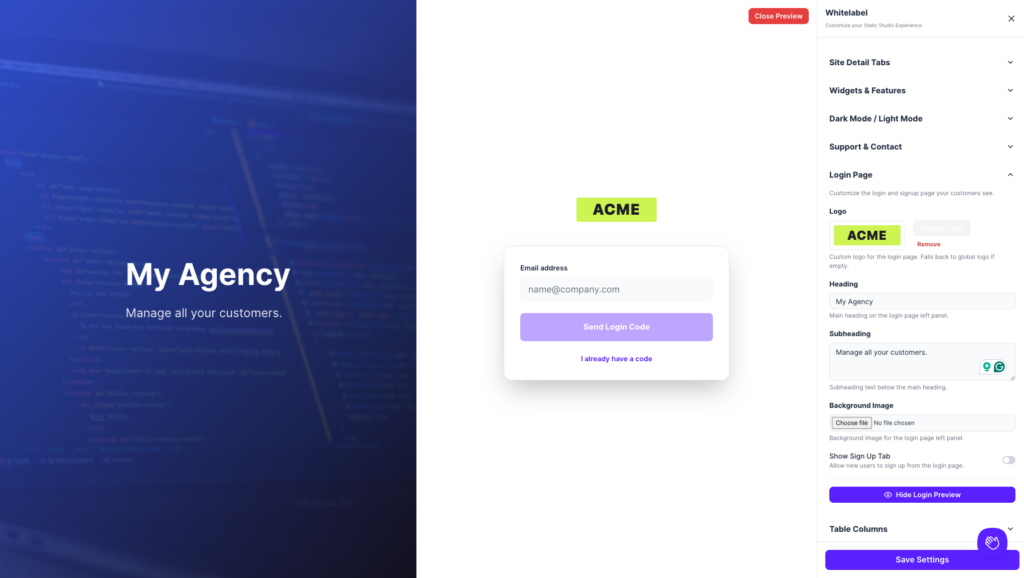
There’s also a Show Sign Up Tab toggle – turn it off if you only want explicitly invited users to access the dashboard.
Use the Preview Login Page button to see your changes before saving.
Widgets, Dark Mode & Support
A few more controls worth mentioning:
- Widgets & Features – Show or hide the Import Site button, usage widget, and bottom cards.
- Dark Mode / Light Mode – Set a default color mode and decide whether users can toggle between them.
- Support & Contact – Disable the support beacon and set your own support email so requests go to your inbox, not ours.
Presets
This is a powerful one. Presets let you create different white-label configurations for different sites.
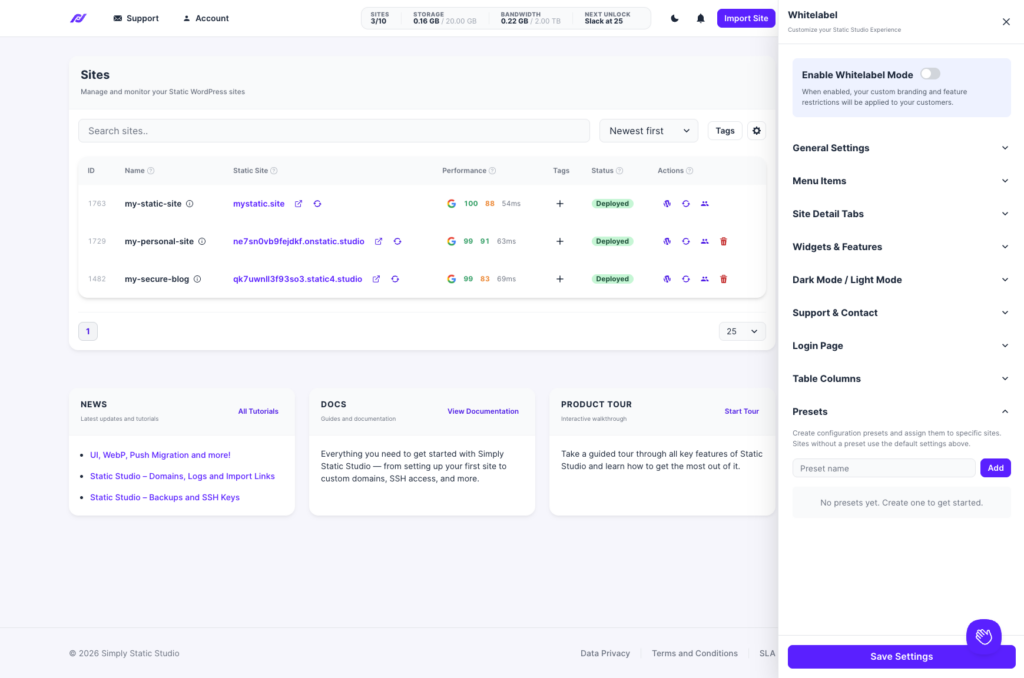
If you manage sites for multiple clients, each one can see a completely different branded experience – different logos, different colors, different visible features. Sites without a preset use your default whitelabel settings.
What else?
Tagging
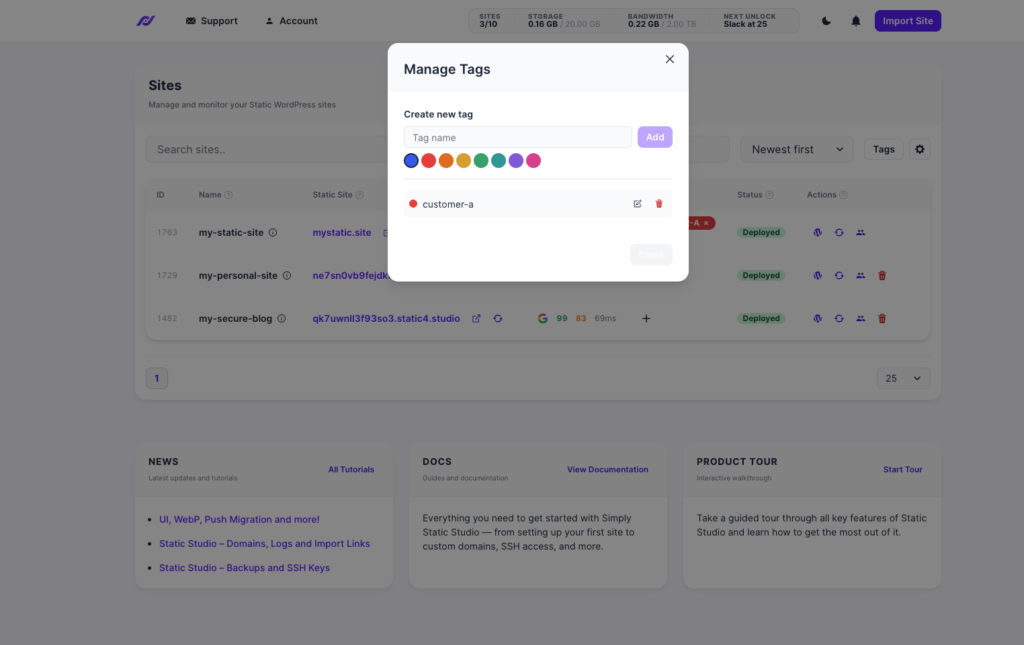
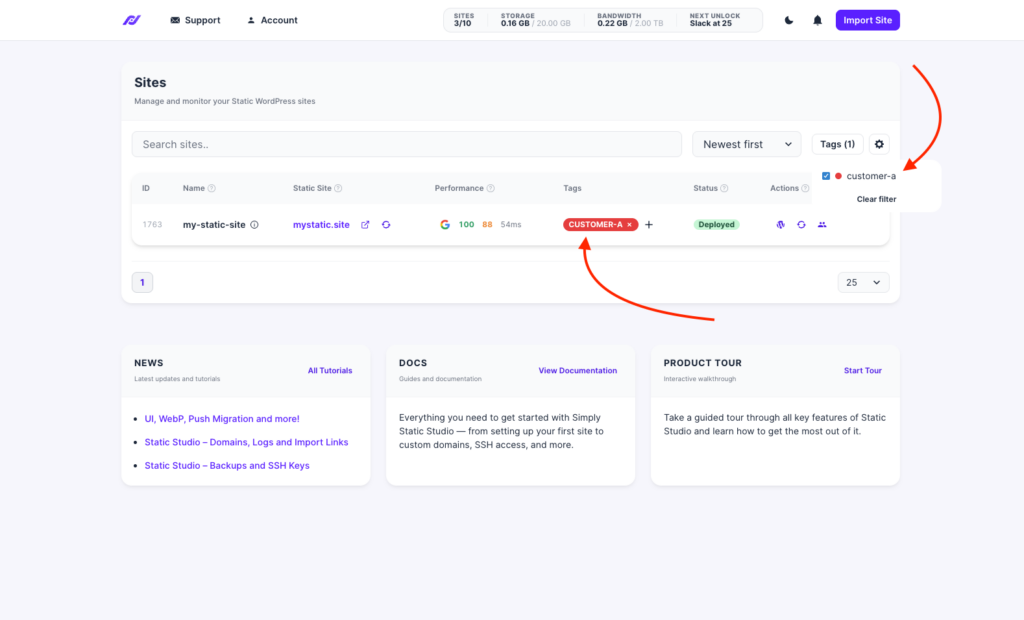
We also released a simple yet powerful tagging system – create and manage tags, assign them to sites, and filter your sites table based on that:
What’s next?
We will primarily focus on bringing the API live.
However, as always, there will be countless little improvements, and we actively incorporate all your feedback into Static Studio – so keep it coming!
As always, if you have any questions or feedback, reach out via the chat in your dashboard or email us at support@simplystatic.com.
Have a great week,
Patrick
Table of Contents