
If you’re looking to improve SEO for static websites, this guide will show you exactly how to do it.
As a static site owner, you might have several concerns regarding its SEO. You might not know if SEO is different in static sites, whether it can be good for SEO, or how to improve SEO in your static site in the first place.
The good news is that static site SEO is much simpler than you think. In this article, we’ll walk you through everything you need to know to make your static site more SEO-friendly.
Here’s what we’ll cover:
- What a static website is and how it differs from a dynamic website.
- Whether SEO is different in static sites.
- The SEO benefits and challenges of static websites.
- How to simplify the SEO workflow in static sites using WordPress, SEO plugins, and Simply Static.
- The SEO for static websites best practices you should follow as a static site owner.
First, let’s understand what a static website is and how it differs from a dynamic website.
Try static WordPress hosting free for 7 days
No credit card. No maintenance. No headaches.
What is a static website, and how does it differ from a dynamic site?
A static website is a type of website whose files (HTML, CSS, and JavaScript files) are pre-built and stored on a server. When a user wants to view the website, these files are fetched from the server and delivered to the user’s browser as they are. This is why all static site visitors see the same content.
Because of this, static sites are suitable for websites whose content doesn’t change that often. For instance, portfolio sites, blogs, membership websites, and other brochure-type sites.
There are different ways to create static sites. You can either:
- Code the individual HTML, CSS, and JavaScript files from scratch.
- Use a static site generator like Hugo, Jekyll, or Gatsby with a headless content management system (CMS).
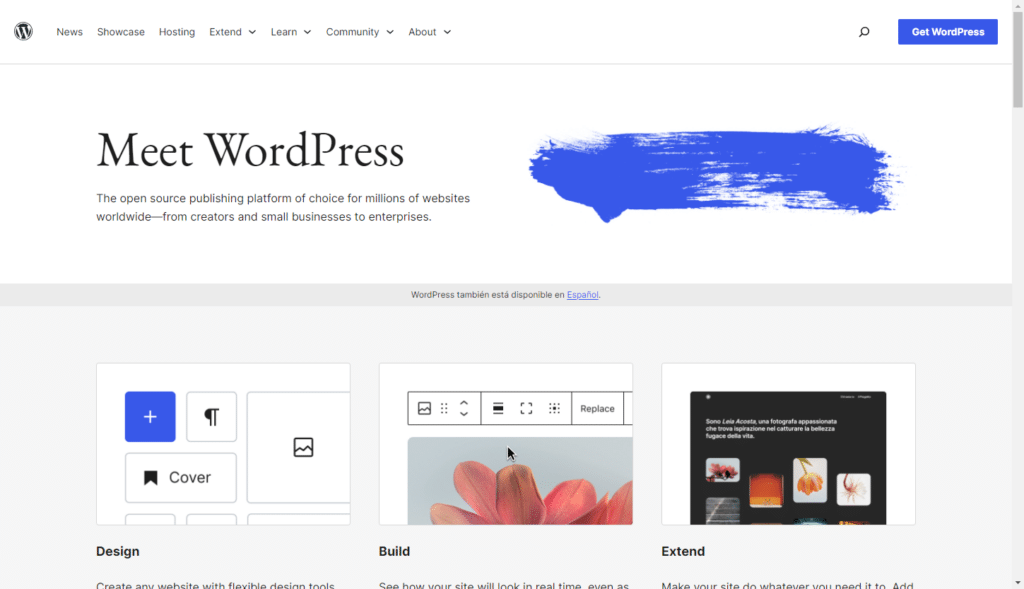
- Or use WordPress together with the static site generator plugin, Simply Static.
What is a dynamic website?
Unlike a static website, a dynamic site’s web pages are not pre-built. Instead, the web server builds the web page as soon as someone requests to view it. When you click to view this type of website, the server uses a back-end programming language like PHP and the database to generate pages in real time. Then, it will deliver the page to your web browser.
Here is a more detailed breakdown:
| The key differences between static and dynamic websites | ||
|---|---|---|
| Feature | Static websites | Dynamic websites |
| How web pages are delivered | Pre-built HTML files. | HTML files are generated as soon as a user requests to view the web page. |
| Technologies used | HTML, CSS, and JS (no backend needed). | Server-side languages like PHP, Node.js, and databases. |
| The content users see | Same for all users. | It can be the same or different depending on a user’s location, time, etc. |
| Content updates | Manual edits, then redeploy files. | Content can be updated right from the admin panel (CMS). |
| Best for | Sites that don’t need regular updates, like portfolios, blogs, landing pages, and business sites. | Sites whose content changes regularly, like ecommerce sites. |
Now we know that static websites deliver web pages differently from dynamic websites. It’s only fair to wonder if this means that search engines also treat them differently.
Does SEO work differently for static websites?
SEO for static websites fundamentals don’t work differently for static websites. Search engines don’t rank websites based on whether they’re static or dynamic.
Instead, they look at:
- The quality of the web page content. If it’s well-written and it directly answers what users are searching for.
- Metadata like page titles and descriptions. These tell the search engine what the page is about.
- Technical SEO signals. For example, sitemaps, structured data (schema markup), and the robots.txt file.
- Internal linking. This helps the search engine understand how the content in your web pages is related.
- Crawlability. How easy it is for search engines to crawl through your entire website.
- Speed, security, and how user-friendly the website is. This includes how mobile-friendly it is. After all, about 62% of all web traffic comes from mobile devices.
In short, if your site is fast, well-structured, and easily crawlable, SEO for static websites works exactly the same. So where does the difference come in? The way SEO is implemented in static and dynamic sites differs slightly.
Let’s go over the benefits of SEO for static websites next.

Why can static websites be great for SEO?
Static websites can be great for SEO because they support key search engine ranking factors like page loading speed, security, and crawlability. Here’s how.
Static sites load fast
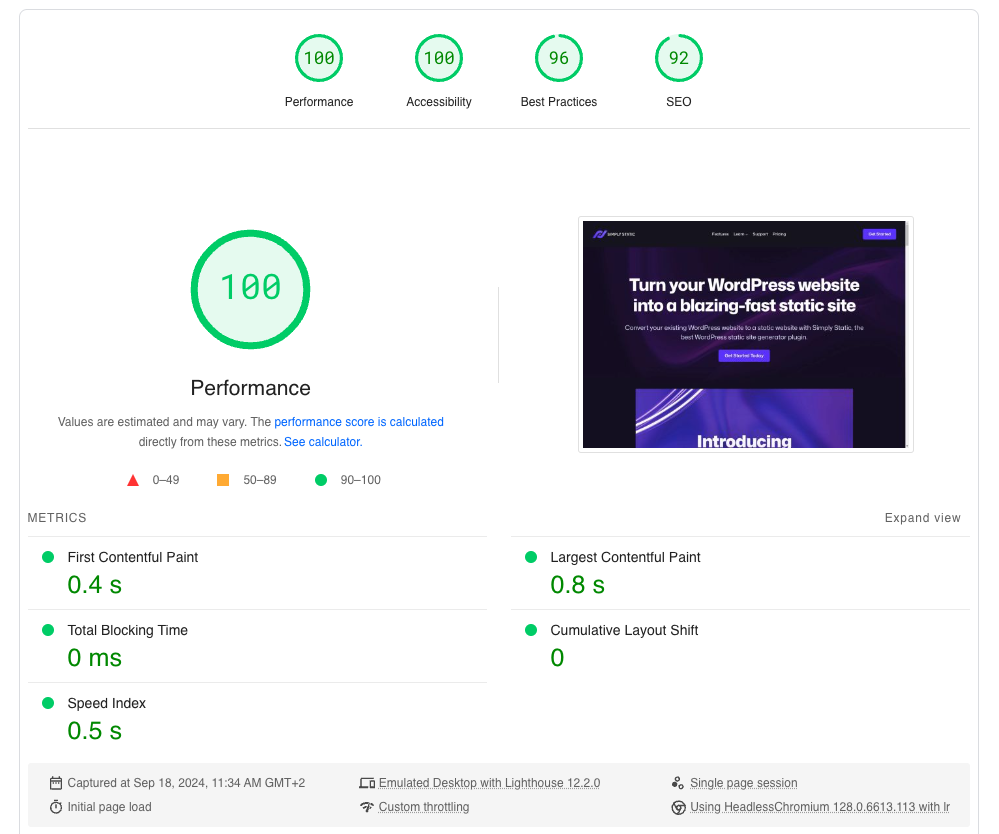
Static websites load fast because their files are stored on the web server, ready to use. When a user visits the website, the server sends the files as they are. There’s no need for database queries or server-side processing, which increases page load times.
Why is this important for SEO? Because faster page loads mean better Core Web Vitals. Core Web Vitals are part of Google’s SEO ranking signals. A better score for these metrics usually means a higher SEO ranking for your site.
Note: Core Web Vitals are a set of metrics Google uses to measure your web page’s loading speed, interactivity, and stability. In other words, they show how well you’ve optimized your website for user experience.
According to a Think with Google study, 53% of mobile visitors abandoned a site if it took more than 3 seconds to load. This shows how important site speed is.
They’re more secure
Site security affects your SEO rankings for the following reasons:
- If a website is compromised, search engines usually flag it as unsafe. They can even remove its pages from the index.
- They’ll also display security warnings when users search for your site. This discourages users from engaging with it, and lower engagement hurts your SEO ranking over time.
With static sites, attackers have a smaller attack surface to work with. First, they don’t run server-side code or query a database on each request. This eliminates entire classes of security vulnerabilities that attackers can exploit, such as SQL injections.
A static site reduces the chances that attackers will successfully hack your site and hurt its SEO rankings.
Search engines can crawl them easily
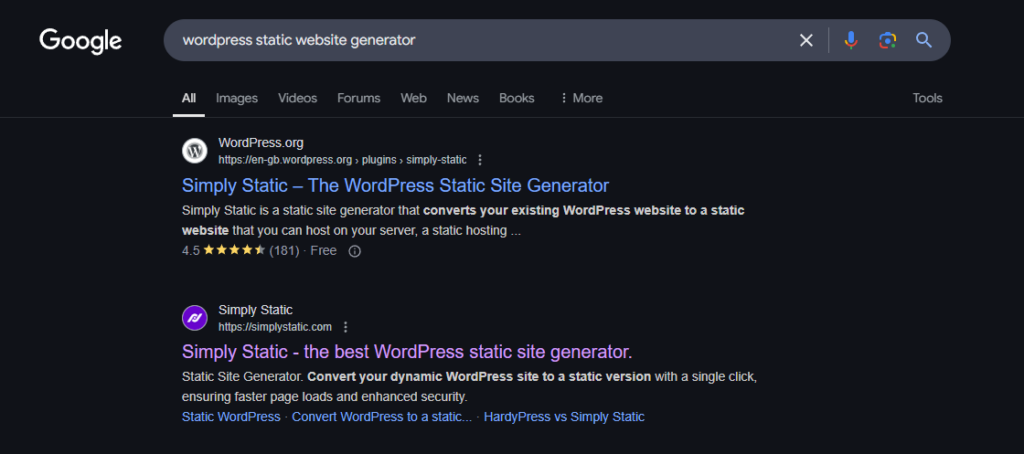
As search engines crawl a static site, they receive fully rendered pages instantly. There is no backend processing that could slow down the crawling and indexing process. Also, static sites produce cleaner URLs, which search engines may find easier to crawl.
All these show how static sites can be great for SEO, but that’s not all of it. SEO for static websites has challenges that you’ll need to consider if you want to improve SEO for your static website.
What are the most common SEO challenges with static websites?
As mentioned earlier, static sites don’t ‘fail’ at SEO. However, how you set up your static site can present several challenges that may make it harder for you to implement a successful SEO strategy.
You have to optimize your site for search engines manually
With a static site, you’ll have to do all the SEO work manually. This includes:
- Managing meta tags, title tags, and meta descriptions.
- Keeping sitemaps up to date. Sitemaps help search engines navigate and understand your site’s structure.
- Handling canonical URLs and redirects. If you have duplicate pages, canonical URLs allow you to specify the page version the search engine should index.
- Integrating structured data. Structured data is useful in getting rich snippets; search results with helpful extra information on search engine result pages.
All of this can get very technical, and it will likely require developers or prior knowledge and time to get it done.
Content updates aren’t easy
Content freshness is something search engines favor. If your site’s content is updated regularly, search engines will likely reward it with a higher ranking. The problem is that updating content in static websites is more time-consuming and difficult, especially if you’ve coded the files from scratch.
You might need a developer to make changes like adding a metadescription to a blog post. This makes it difficult to publish content on the site regularly.

Do modern static site generators (SSGs) solve SEO challenges?
Some developers build static sites today using modern SSGs like Next.js, Hugo, or Jekyll, and then combine them with a headless CMS for content management. This setup solves the content updates problem. It gives non-technical teams (such as marketing) a content repository where they can create and publish content without coding.
But some parts of SEO are handled in code. Developers define how title and meta tags are generated, when canonical tags appear, how structured data is injected, etc.
This means it still needs developers to get it to work. So, is there a way to enjoy the SEO benefits that come with static sites without the technical overhead?
Yes, there is, with WordPress and Simply Static.
You can get the SEO benefits of a static website without worrying about the technical side of setting this up with WordPress and Simply Static. WordPress websites are dynamic by default, but you can make yours static with the plugin Simply Static.
What is Simply Static?
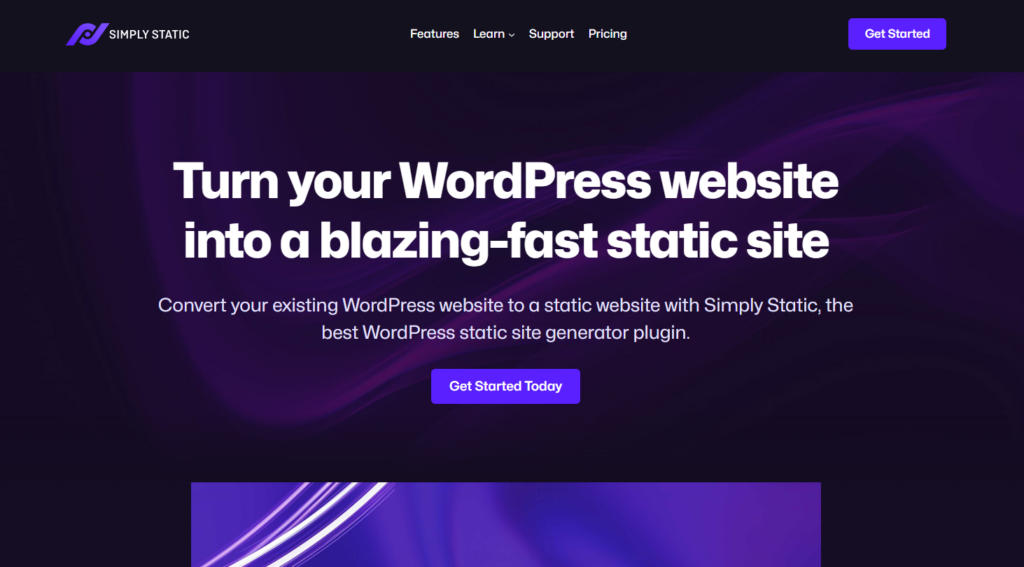
Simply Static is the best static site generator for WordPress. It allows you to convert your WordPress website into a fully functional static site. No need to code or prepare templates. This plugin does all the work, and you’ll have your site’s static files ready in minutes.
What makes Simply Static stand out is that your site won’t just be static. You can still use dynamic content, such as forms, comments, and search, all without worrying about how to set these up.
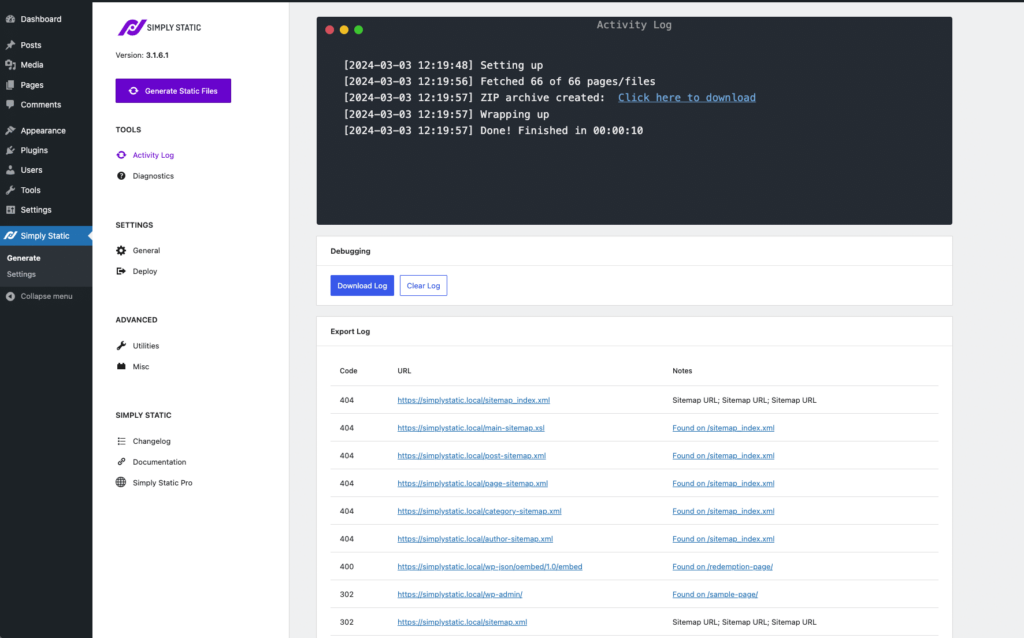
What makes creating static websites with Simply Static great for SEO is that:
- You’ll be able to update your content easily. You retain WordPress’s user-friendly dashboard, where you can make your content updates. Once done, you’ll click, and Simply Static handles the rest.
- You can deploy your static files anywhere you like. Simply Static integrates with popular static hosting providers like GitHub Pages, AWS, and Netlify. You can also deploy your static site on a CDN for faster page speeds.
- It integrates with SEO plugins. SEO plugins like Yoast work well with Simply Static.
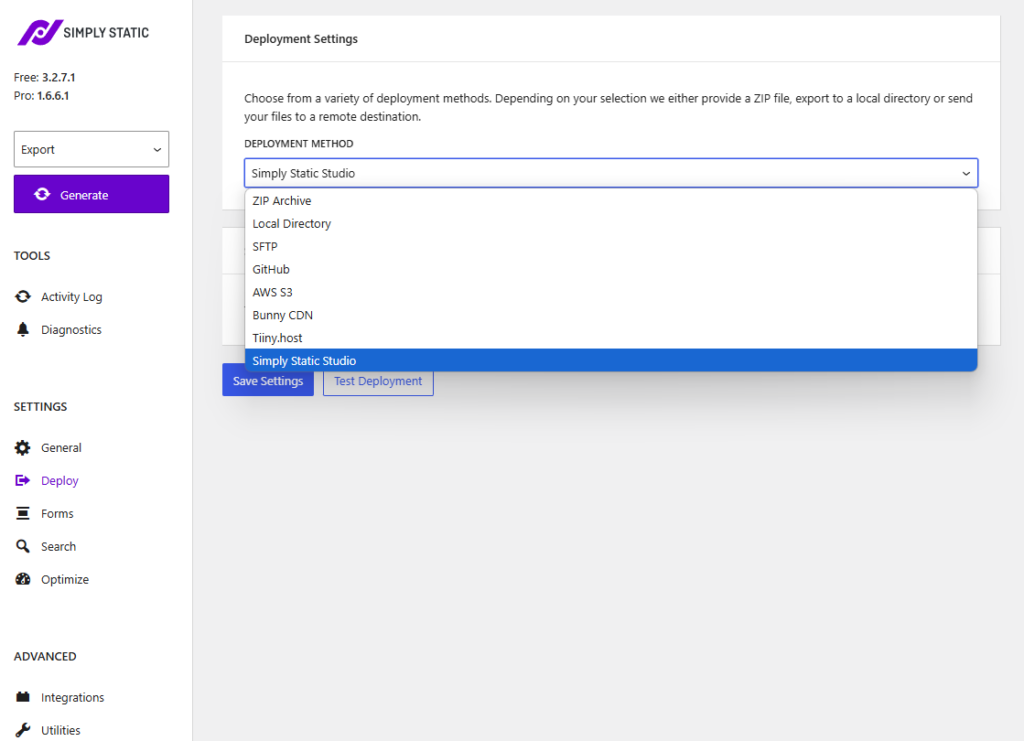
Simply Static works with WordPress (and an SEO plugin) to make your site SEO-optimized. Let’s look at the SEO workflow in this setup.
Try static WordPress hosting free for 7 days
No credit card. No maintenance. No headaches.
How does the SEO workflow look for a static WordPress site with Simply Static?
In this setup, WordPress remains the place where you handle everything regarding content and SEO.
This includes:
- Creating, editing, and deleting content.
- Internal linking, sitemaps, metadata, data, and other SEO tasks.
- You’ll use an SEO plugin like Yoast to guide search engine optimization. Yoast will take most of the SEO work off your hands. Here are some of the things it automatically does for you:
- Creating meta tags for every page.
- Creating XML sitemaps.
- Handling canonical tags, indexing rules, structured data, etc.
- Cleaning up URLs.
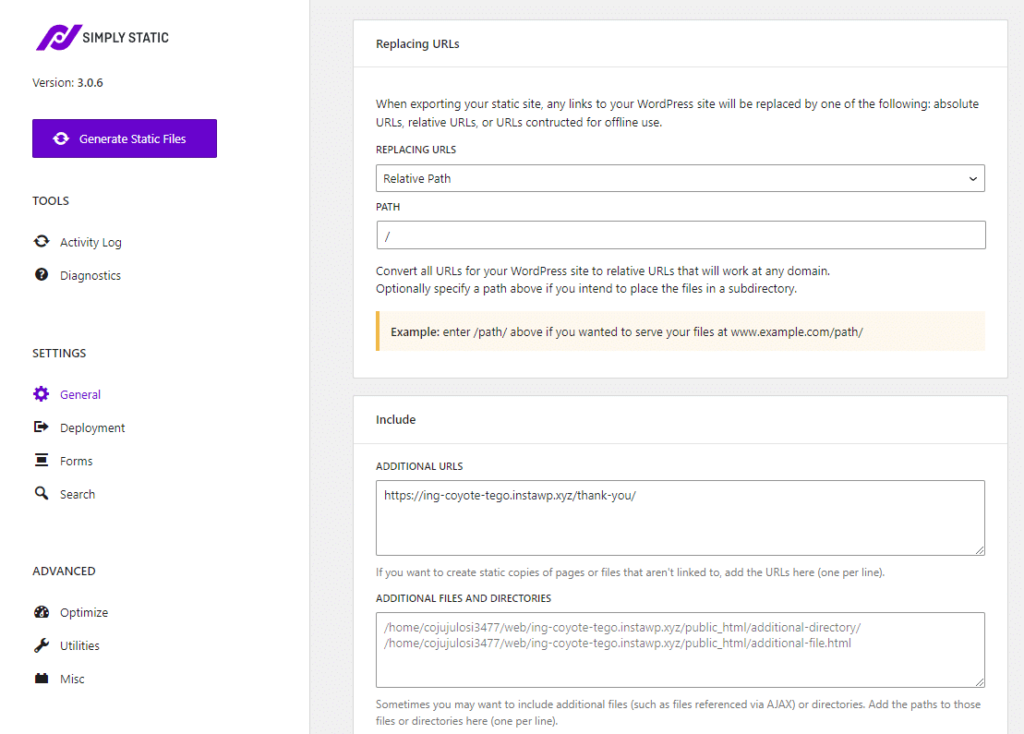
This plugin will also provide SEO analysis and suggestions on how to improve it. Keep in mind that the plugin isn’t a replacement for your SEO strategy. You still need to build backlinks, do keyword research, write high-quality content, etc.
What if you want to update site content?
Simply Static is used as a publishing layer in this setup. It takes the SEO-optimized WordPress website and generates static HTML files from it. Users only ever see the static version of the website, which is fast and secure.
When you want to update site content, for example, by adding a new keyword into your headings or updating a blog post, you can do it from your WordPress dashboard. Then generate a new static version of your site with Simply Static.
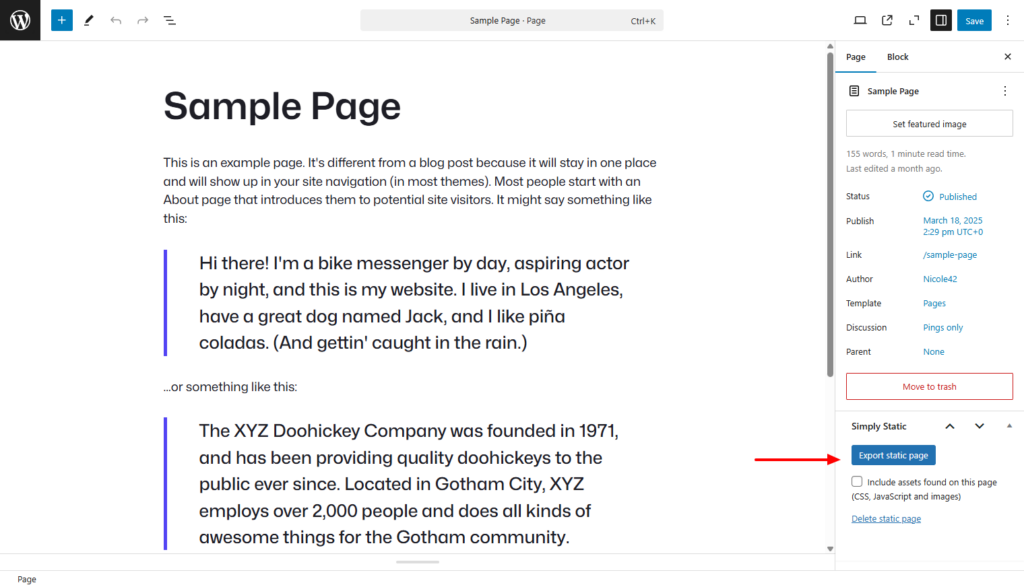
In short, WordPress and your SEO plugin handle the content and SEO. Simply Static handles making the SEO changes you’ve made in WordPress live.
WordPress, an SEO plugin, and Simply Static work because, first, they allow you to have a faster, more secure site. This in itself is great for SEO. Secondly, you can easily update the content. Lastly, you’ll be able to implement SEO best practices without touching any code.
Speaking of best practices, let’s look at those you should implement to keep your static site’s SEO strong.
What ongoing SEO best practices should static site owners follow?
Even with a great setup like WordPress and Simply Static, you’ll need to implement SEO best practices if you want your site to rank high for your intended users. Let’s look at these best practices, starting with on-page SEO.
On-page SEO best practices
On-page SEO is all about optimizing your web pages to clarify what your page is about and how it satisfies a user’s search intent. Here are some on-page SEO best practices you should implement.
Use relevant keywords appropriately
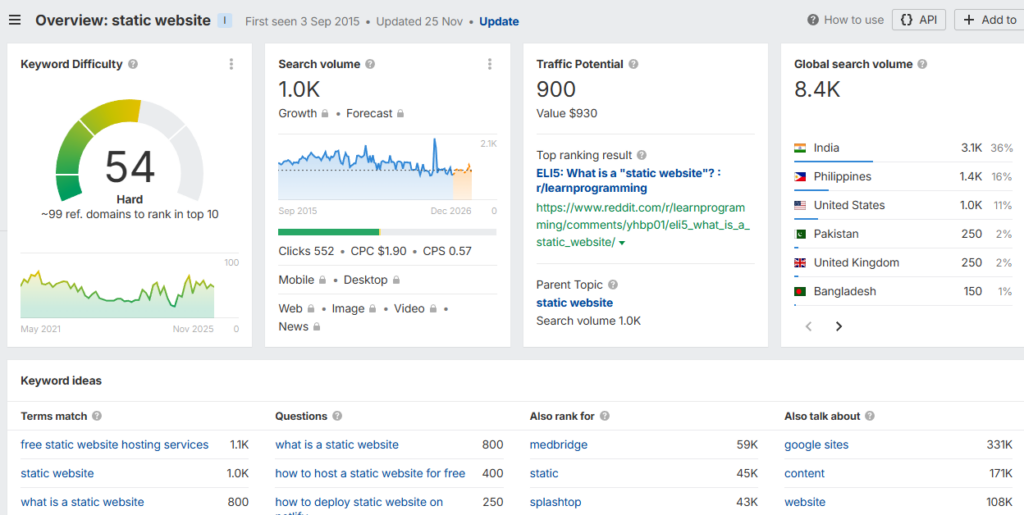
Using relevant keywords appropriately is all about matching them to what the user is searching for. Start your on-page SEO best practices efforts with keyword research. There are several free and paid tools that will help you explore the keywords you would want to target.
Then match the keywords with the user’s search intent. Let’s say a user’s search query is ‘how to speed up WordPress’, yet you only have content on the best WordPress hosting providers. This doesn’t match their intent or directly answer their query.
As you pick keywords, ask yourself ‘What does the user expect when they search for this?’. Then use that to decide how to create content.
Here’s a quick summary to guide you.
| Your content type | Search intent | Keyword examples | What the user expects |
| Educational guide / blog post | Informational | “what is a static website” | Clear explanations, definitions, tips, and examples |
| How-to tutorial | Informational | “how to optimize a static website for security” | Step-by-step instructions and practical guidance |
| Comparison article | Commercial/investigative | “static vs dynamic websites” | Pros, cons, comparisons, and recommendations |
| Tool or plugin overview | Educational guide/blog post | “WordPress static site SEO plugin”, “best SEO plugins for static sites” | Commercial/investigative |
Where should you use your keywords?
You should place your keywords strategically. By this, we mean in the title tag and H1 heading, and within the first 100 words of the content. Also, ensure you use synonyms, related terms, and other variations of the keyword. Not all users will search for something in the same way.

Create high-quality content
High-quality content demonstrates these four attributes:
- Experience. This is the extent to which you have first-hand experience with the topic. For example, if you’re reviewing products, you must have used them before coming to a conclusion.
- Expertise. This means having a deep knowledge of the topic. For example, owning or having created multiple WordPress websites gives you the expertise to write about it.
- Authoritativeness. Linking to reputable websites.
- Trustworthiness. Ensuring your content is factually correct.
Make your site LLM-friendly
LLMs (AI models) are key to how people find information today. It can be through tools like ChatGPT or Google’s AI summaries. As you optimize your website for search engines, you must also do it for LLMs.
We’ve covered how to do this in detail in our How to Create an LLM-friendly Website guide.
Optimize images with ALT text
Search engines can analyze images to some extent, but they don’t fully understand the context or meaning without help. To explain the image’s purpose to search engines, you can add Alt text. This way, the search engine will be able to associate the image with the page’s topic.
Implement technical SEO practices
This includes metadata, structured data, internal linking, sitemaps, plus others we’ve already covered. You don’t have to do too much here, as your SEO plugin does most of this automatically.
Note: Having a fast-loading and secure website is also an SEO for static websites best practice. You get this by using WordPress with Simply Static to create a static version of your WordPress site.
Off-page SEO for static websites best practices
Off-page SEO for static websites happens outside your site, but it helps search engines judge its authority and credibility.
You don’t have too much control over it, but here’s what you can do to boost off-page SEO:
- Publish original, useful guest content (including guides or research) to earn high-quality backlinks.
- Encourage users to mention your brand or site name on blogs, forums, or news articles.
- Share your content with relevant communities.
- Keep your site’s details (name, URL, etc) consistent, especially if you’re targeting local visitors.
Keep in mind that there’s no guarantee that these efforts will boost your off-page SEO, but they boost your chances.
What questions do people often ask about SEO for static websites? (FAQ)
Here are some of the most common questions regarding SEO for static websites answered.
Can static websites rank as well as dynamic sites in Google?
Yes. Search engines don’t care if your website is static or dynamic. If your static site is fast, secure, well-structured, and easily crawlable, SEO works exactly the same.
Can I still blog and publish new content on a static website?
Yes. Just because a website is static, it doesn’t mean you can never publish new content in it. WordPress and Simply Static make this process easy for you by allowing you to edit content in WordPress and export a new static version of your site with Simply Static.
Can I use Yoast or other SEO plugins if my site is static?
Yes. Simply Static integrates well with SEO plugins like Yoast and Rank Math, allowing you to use them in your static WordPress site.
Do I need a CDN for SEO on my static website?
You don’t need it for SEO. But having a CDN on your static website can improve your site’s SEO, as content will quickly be delivered to users regardless of where they are.
How can you make SEO simpler with static WordPress and Simply Static?
SEO works the same for both static and dynamic websites. In fact, static sites can have an SEO advantage because they’re faster and more secure. However, implementing SEO for static websites like regular content updates, technical SEO, etc., can be difficult.
WordPress and Simply Static make all this much simpler. WordPress and an SEO plugin handle the SEO efforts, and Simply Static handles publishing your SEO changes in the live site. Together, they allow you to simplify SEO in your static site.
Try static WordPress hosting free for 7 days
No credit card. No maintenance. No headaches.
Table of Contents