If you are exploring static WordPress hosting as a more secure alternative to your current setup, this guide will walk you through how it works and why it’s different from other WordPress hosting options.
We’ll cover:
- What static WordPress hosting is.
- The benefits of a static host.
- Why you should use Simply Static Studio for status site hosting.
Having a highly secure WordPress site is essential if you want to avoid hacks and downtime. But using traditional web hosting can only minimize the risk. There’s always something exposed. Even the best-managed WordPress hosts will always leave you with a database, a login page, and plugins that hackers can still target.
What makes a static WordPress hosting option more secure is that it removes these attack surfaces altogether to make your site’s security foolproof.
But how does it achieve this? Let’s begin with our definitions.
Try static WordPress hosting free for 7 days
No credit card. No maintenance. No headaches.
What is static WordPress hosting?
Static WordPress hosting is an approach where you use WordPress to create and manage content, but visitors are served a static copy of your site instead of the live WordPress installation.
The public site is delivered as pre-built HTMLHyperText Markup Language. It’s the standard language for creating web pages. files, plus CSSCascading Style Sheet. It’s a language used for describing the look and formatting of a document written in HTML. and JavaScriptA programming language used in web development to create interactive elements on a webpage., hosted on a static host or CDNStands for Content Delivery Network. It’s a system of distributed servers that deliver web content quickly to users base…. This can improve security and speed because WordPress and its database are not exposed to the public web.

From your visitor’s perspective:
Your site still feels like a normal WordPress website. Pages load, links work, and the design looks the same, but everything is being served as pre-built files.
That means visitors are not connecting to your live WordPress setup at all. There’s no public PHPA widely-used programming language especially suited for web development. processing, no public database connection, and none of your WordPress plugins are running on the public-facing site.
You can still use plugins behind the scenes while you build and manage the site in WordPress. They just don’t ‘travel’ with the published version in a way visitors (or attackers) can access, because the public site is static.
Static vs. other WordPress hosting
To demonstrate why static WordPress hosting is more secure, it’s helpful to examine the key components typically exposed on WordPress and how different hosting types handle them to enhance your site’s security.
| Security component(s) | Standard WordPress hosting | Managed WordPress hosting | Static WordPress hosting |
| WordPress installation | The public site runs WordPress directly. | WordPress is public but fortified with host-level protection. | WordPress isn’t exposed. It’s private, and the public site is a live static copy. |
| PHP exposure | Every request triggers a PHP request. | PHP is hardened but still public-facing. | No PHP is accessible to visitors, malicious hackers, etc. |
| Database, plugins, and WordPress themes. | All are exposed on the internet. | These components are public but are monitored and secured. | The database isn’t exposed. Plugins and themes run only inside your private WordPress origin. |
Because all these components aren’t exposed in a static WordPress environment, that’s what makes it the most secure option.
The best static WordPress host?
Hosting platforms like Simply Static Studio take this further by providing a full setup out of the box. It is a fully managed solution that combines everything you need to deliver fast, secure, and maintenance-free static WordPress.
For example, you get:
- A locked-down WordPress to manage your site privately.
- Automated static site generation.
- CDN delivery for the public site.
The final result is a secure, static version of your site while keeping the power of WordPress. There are additional benefits you’ll get with a static web hosting solution. We’ll look into those next.
What are the benefits of static WordPress hosting?
The following are the benefits of using static WordPress hosting (but also reasons why you should choose this solution over standard or managed hosting):
Improved security
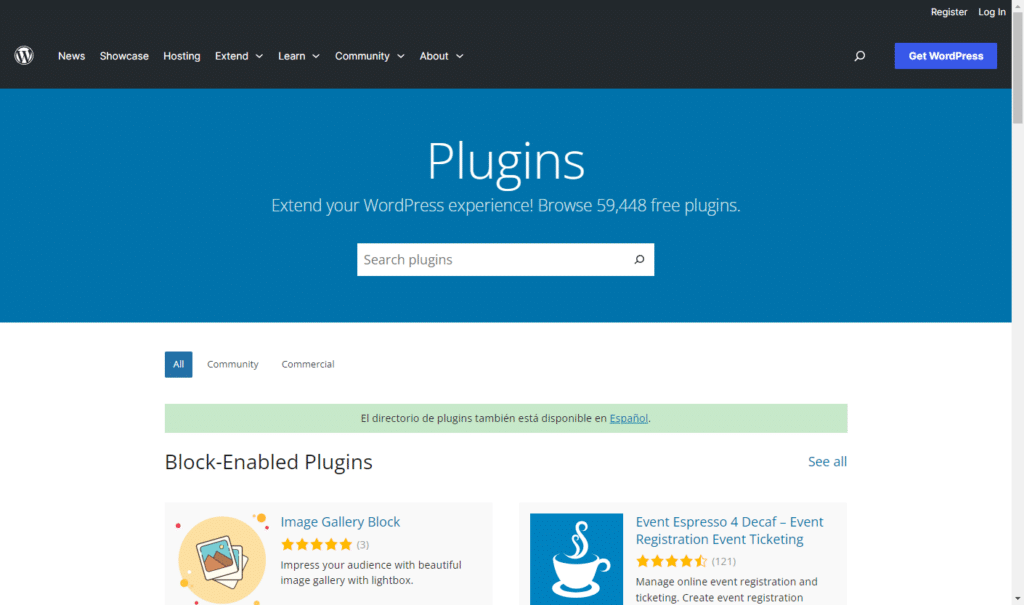
The biggest benefit of static hosting is, by far, security. WordPress powers over 43% of the web today. That volume makes it a constant target for millions of automated attacks daily, which can come from one of these three places:
- The login page.
- PHP vulnerabilities.
- Plugins running on the public site.
Static hosting removes all three, making your site virtually unhackable.
Better performance and Core Web Vitals
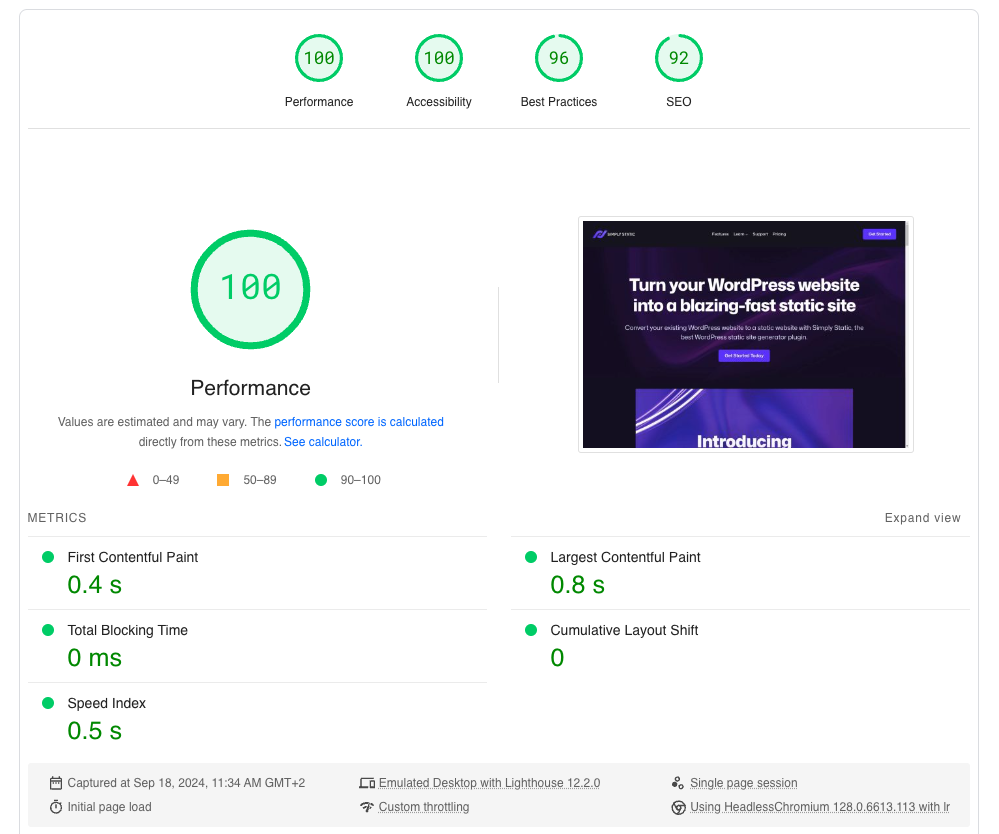
Static sites are usually faster because the public version of your site is made up of pre-built files. There’s nothing to ‘generate’ when someone visits a page.
That speed comes from a few simple wins:
- No server-side processing on each visit. The page is already built and ready to serve.
- No database queries for public page loads. Visitors are not waiting for WordPress to fetch content.
- Simpler caching. Static files are easy to cacheTemporary storage for frequently accessed data, making future requests for that data faster. at the CDN or host level.
In practice, this often means load times can land around 1-2 seconds, and sometimes feel close to instant, depending on your host, CDN, images, and scripts.
That performance matters. Faster pages tend to improve user experience, support conversions, and help SEO. Google also uses page experience signals, including Core Web Vitals, as part of how it evaluates sites.
Quick stat: Most visitors decide whether to stay or leave your site based on site speed. Anything more than 3 seconds increases the chances of a bounce sharply. Static hosting solves this problem by design.
Highly reliable and scalable
Switching to static WordPress hosting means your site won’t have to work harder or consume more server resources as traffic increases. This hosting solution only serves the same pre-built files every time.
- Traffic spikes don’t impact load times. A surge in visitors is just more file requests, something CDNs are built for.
- Fewer moving parts means fewer outages. With no PHP, database, or plugins running publicly, there’s less that can go wrong.
That makes static site hosting ideal for content-heavy sites, product launches, viral posts, business sites, landing pages, and anyone who expects unpredictable traffic.
Can you use WooCommerce with static WordPress hosting? Not directly. WooCommerce relies on dynamic features like carts and user accounts, which aren’t supported in a static environment. You can, however, run a static ecommerce store using solutions like Ecwid.
Reduced maintenance, more focus
As a WordPress site grows, upkeep tends to grow with it. More plugins, more updates, more things that can conflict, and more work to keep security and performance in check.
With static WordPress hosting, your workflowIn a software development context, a workflow is a set of processes and tools for automating the deployment and operatio… changes:
- You still use WordPress to build and manage content.
- Visitors do not interact with that WordPress site. They get a published, static version instead.
That usually reduces maintenance in a few practical ways:
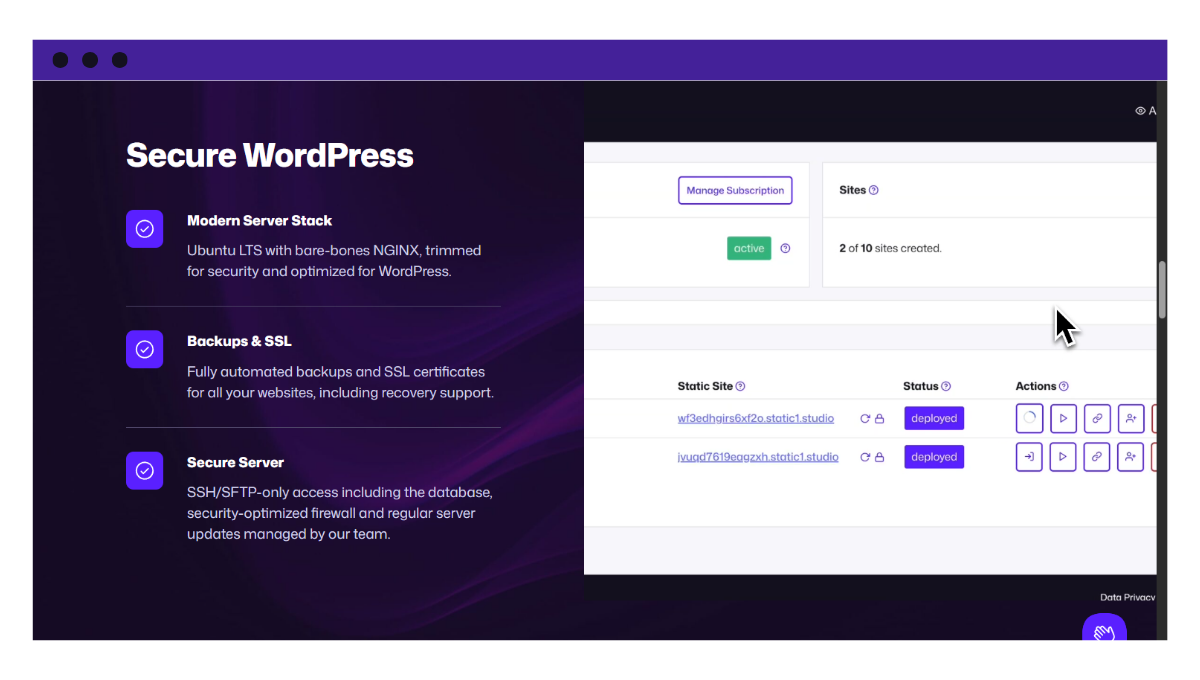
- Fewer public-facing security worries. Many security plugins exist to protect the live WordPress front end. If WordPress isn’t public, your risk exposure is lower, so you’ll need fewer (or no) security plugins on the public side.
- Fewer performance plugins. Static pages are already fast by nature, so you often don’t need caching and speed plugins for the public site.
- Fewer urgent fire drills. When the public site is static, it’s less likely you’ll be reacting to spikes in traffic, brute-force login attempts, or sudden performance issues caused by dynamic requests.
What this does not mean is ‘set it and forget it.’ You’ll still want to maintain the WordPress site (updates, backups, access controls, and any plugins you rely on for things like forms and SEO). But overall, teams spend less time on pluginA piece of software that adds specific features to WordPress. troubleshooting and more time on content, design, SEO, and growth.
Predictable costs
The lower infrastructure requirements for static sites = lower hosting costs over time. That’s because static hosting doesn’t need high-spec servers or expensive managed plans to survive traffic spikes.
Generally, static hosting plans are often simple, affordable, and change based on the number of websites you host.
For instance, platforms like Simply Static Studio usually offer per-site pricing and agency bundles. There are no hidden limits on storage, bandwidth, usage, traffic, or countless paid add-ons for essential features like backups or SSLSecure Sockets Layer. A technology that encrypts the data transferred between a user and a website., as seen with its dynamic counterparts.
To recap: Static WordPress hosting makes your site more secure and cuts on maintenance, boosts performance by default, and keeps your hosting costs predictable. You get to enjoy all these benefits without ever changing how you normally use WordPress.
Why choose Simply Static Studio for static WordPress hosting?
We’ve mentioned Simply Static Studio here and there, but why should you use it?
While static WordPress hosting has several benefits, there are only a few platforms like it that are capable of bridging the gap between managing WordPress securely in a fully isolated static environment and making it publicly available. Most static site hosting solutions you’ll come across only handle site deploymentThe act of pushing the static files generated by Simply Static to a live environment where users can access them. after static conversion.
In other words, you’ll need to find a separate secure WordPress hosting provider for the dynamic WordPress backend. Then, install a static site generator (like the Simply Static plugin) and add a separate CDN or static host for deployment. That’s too much work.
Pro tip: This tutorial on static WordPress describes the nitty-gritties of it all.
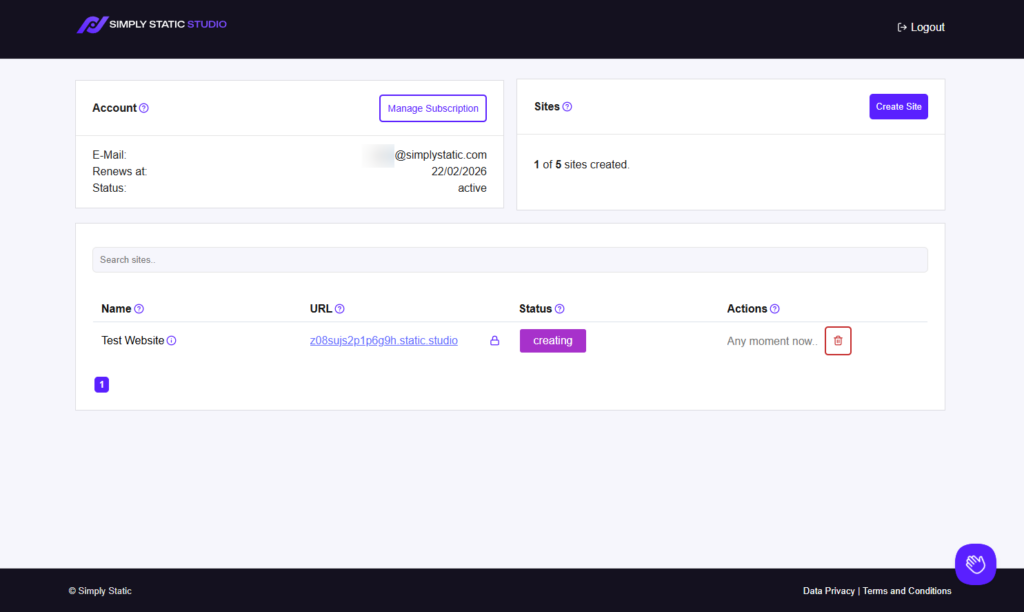
The Simply Static Studio platform, however, is a fully integrated platform that specifically solves the problem of securely hosting and managing WordPress.
It bundles WordPress installation and the highly secure, fast, and performant static environment into an all-in-one platform.
Try static WordPress hosting free for 7 days
No credit card. No maintenance. No headaches.
You get a zero-maintenance static WordPress platform
With Simply Static Studio, you’ll never worry about the constant struggle to keep WordPress websites highly secure, performant, and stable.
No more:
- Security patches.
- Database optimization.
- Performance audits and tweaks.
- Installing extra security or caching plugins.
- Endless plugin updates.
- Regular malware scans.
- or daily backups ever again.
Simply Static Studio eliminates the need for ongoing maintenance, giving you the peace of mind your business deserves. Plus, you’ll avoid those costly monthly maintenance fees associated with dynamic WordPress, all while keeping your site fast, secure, and reliable automatically.
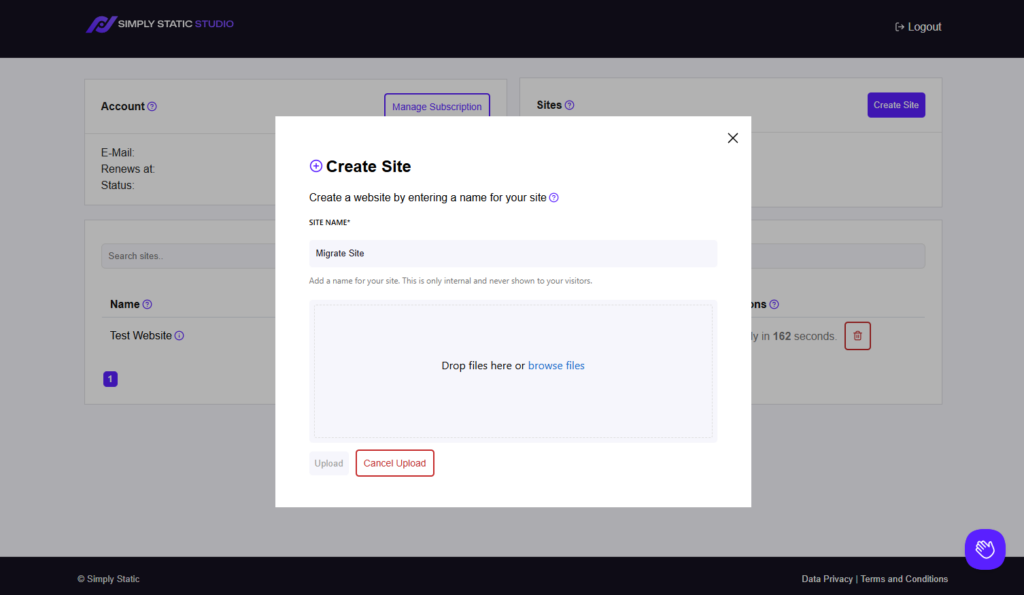
Easy site migration
Let’s face it. You probably won’t start creating static websites from scratch and will need a time-efficient way to complete the transition.
That’s why Simply Static Studio has invested so much time into an easy-to-use, fully automated migration solution.
With this solution, you can upload a backup ZIP file of your existing WordPress site directly from the dashboard, click one button, and watch your site go live. The option to create your first static site from scratch is available, too.
Before migration, a lot of stuff goes on in the background first:
- WordPress installation.
- Managing the server.
- Installing our static site generator plugin, Simply Static (Both free and Pro versions). This plugin is responsible for full separation and bridges everything between your WordPress installation and your publicly available website.
- Issuing SSL certificates.
- Setting up CDN, etc.
Only then do they start migrating your actual data and files.
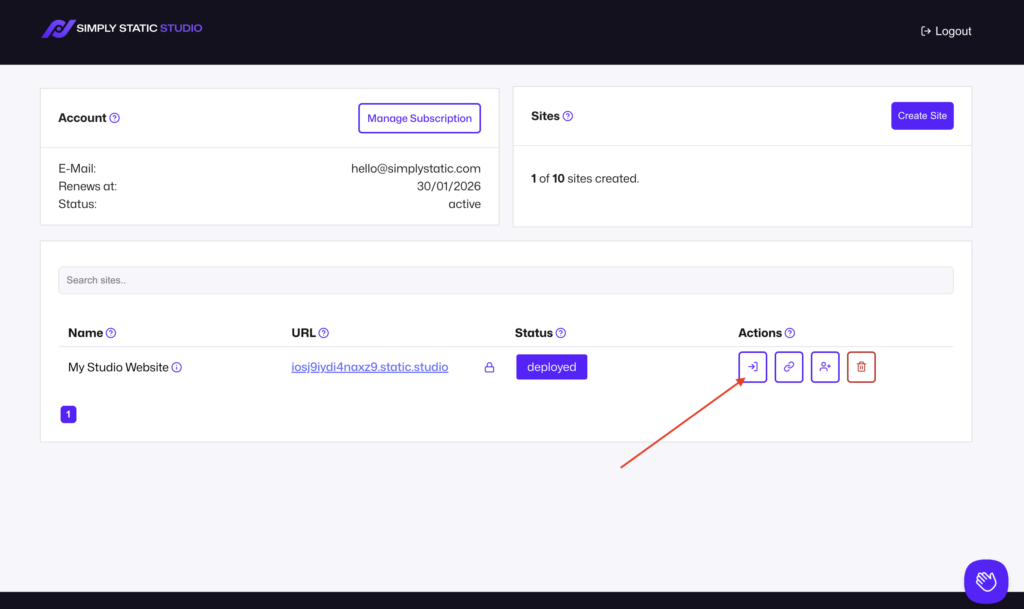
Easy and secure logins and access management (via a secure control panel)
Simply Static Studio also has its own control panel that completely locks down access to WordPress.
Instead of logging in through a public /wp-admin page, Studio uses a secure, one-click magic login for you and all your team members.
This passwordless approach is designed to reduce risk by default:
- Each login link expires after 30 seconds.
- Links aren’t shareable and are validated against the user logged in (so, no man-in-the-middle attacks).
- Credentials aren’t saved, stored, or reused anywhere.
In short, your site’s security is a top priority by design. Basic authentication and our firewall protect WordPress installations.
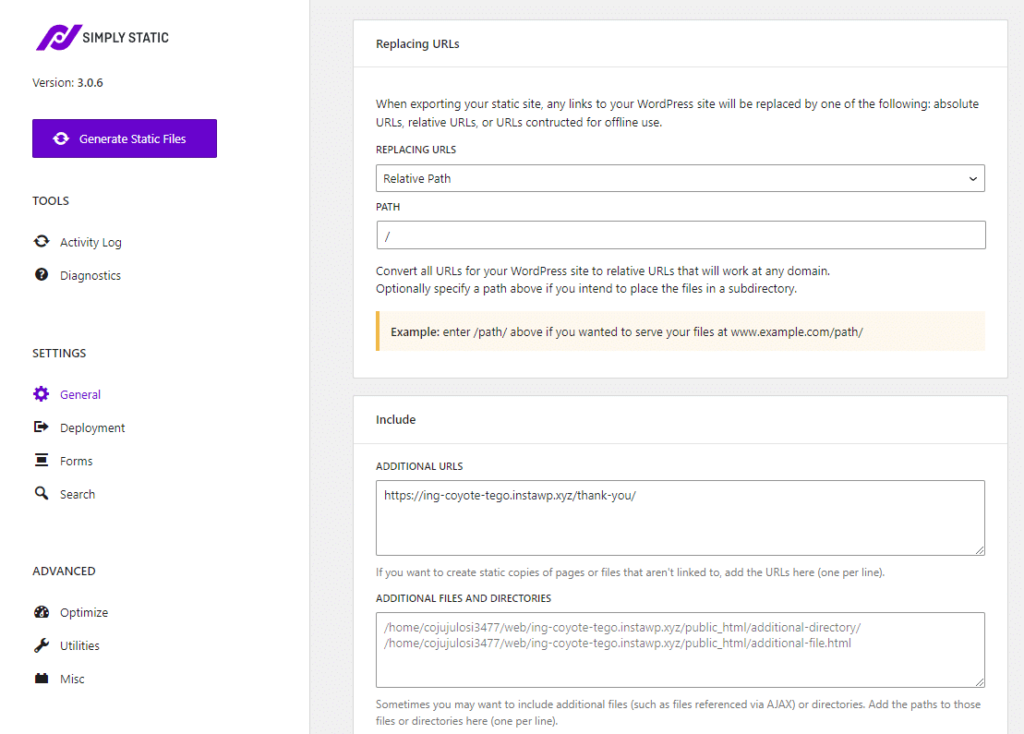
What other actions can you take on the dashboard?
From the same control panel, you can also:
- Protect it with 2FA.
- Manage redirects.
- Add and remove users at any time and let them sign in passwordless.
- Connect custom domains. All this needs is a single DNS entry.
- Delete static sites when you no longer need them.
Quick note: Simply Static Studio uses CNAMEs instead of A records, so domain connections happen almost instantly. No more 24-hour downtime or late-night calls from angry customers.
Full static site hosting with our powerful CDN
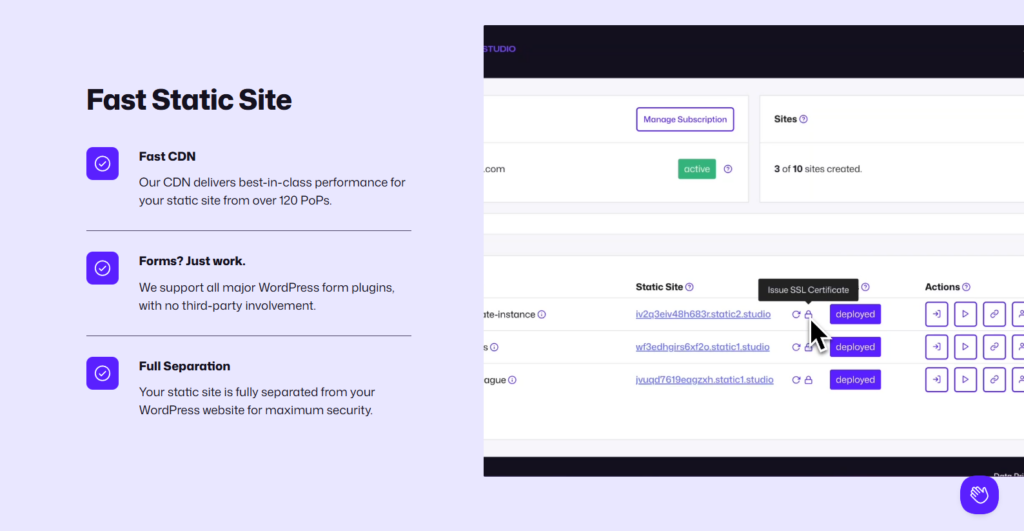
Every site in Simply Static Studio is hosted as static files on a powerful global CDN with over 120 points of presence.
In simpler terms, that means your files will be served from locations closest to your visitors at fast speeds, from anywhere in the world.
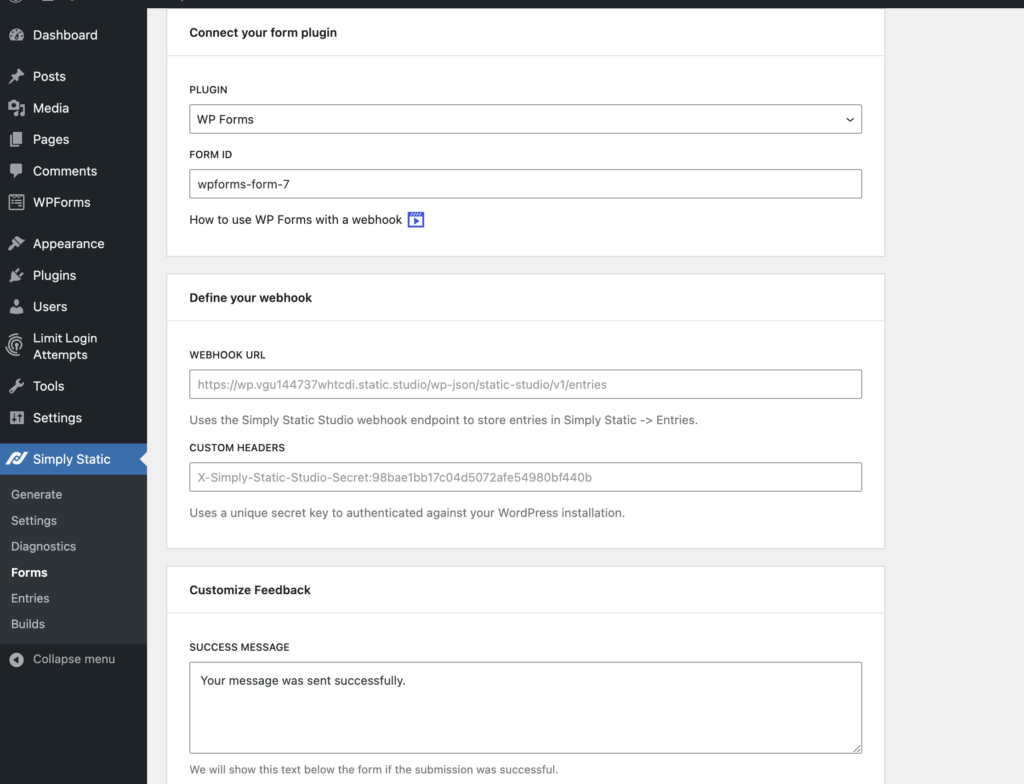
Forms are safely handled
They also offer a pretty extensive forms integrationThe act of combining different systems, software, or functionalities to work together as a unified whole. inside of Simply Static Pro.
It’s well-known that form functionality is usually a technical challenge in static sites. But Studio has worked around this and is compatible with all the major form plugins, such as Contact Form 7, Gravity Forms, WPForms, WSForms, and FluentForms. They’ve even integrated the form widgets from Elementor and Bricks (including Bricks Forge).
All form submissions are also securely handled using the WordPress REST APIRepresentational State Transfer Application Programming Interface. A set of rules for building web services, allowing di… of your private installation. This includes security checks, spam cleanup, and everything else you would expect from a full-blown form tool.
In short, if you want the easiest and safest path to Static WordPress hosting, then Simply Static Studio is the best, most practical option.
FAQ: What do people ask about static WordPress hosting?
Do you still have more questions about how static WordPress hosting works? Here are some of the common questions people ask and answers:
Can I still use WordPress plugins with static WordPress hosting?
We know this to be one of the biggest misconceptions about static WordPress. But yes, you can use plugins, but with an important distinction. Any content-related plugins, such as page builders, form plugins, and popular SEO plugins, will continue working.
What you can’t use are plugins that rely on real-time server-side processing, like carts or dynamic dashboards. Those features require PHP and a live database, which aren’t part of a static setup.
Is static WordPress hosting suitable for high-traffic or security-critical sites?
Absolutely. In fact, a surge in visitors is just more file requests, something CDNs are built to handle.
From a security standpoint, removing public access to WordPress, PHP, and the database eliminates most common security attacks. Even if someone targets your WordPress origin, the public site remains unaffected.
Choose static WordPress hosting for your WordPress site today
Static WordPress hosting completely changes your site security model. By removing the public WordPress layer, you eliminate the most common attack vectors.
This also improves your site’s performance by default and reduces the ongoing maintenance that comes with traditional hosting. The final static WordPress site is much faster, more reliable, and offers far greater peace of mind.
If you’re serious about securing your WordPress site long-term, Simply Static Studio gives you the easiest and safest path to get there.
You’ll get to keep WordPress for content management, while your visitors get a fast, secure static site delivered globally.
Try static WordPress hosting free for 7 days
No credit card. No maintenance. No headaches.
Table of Contents