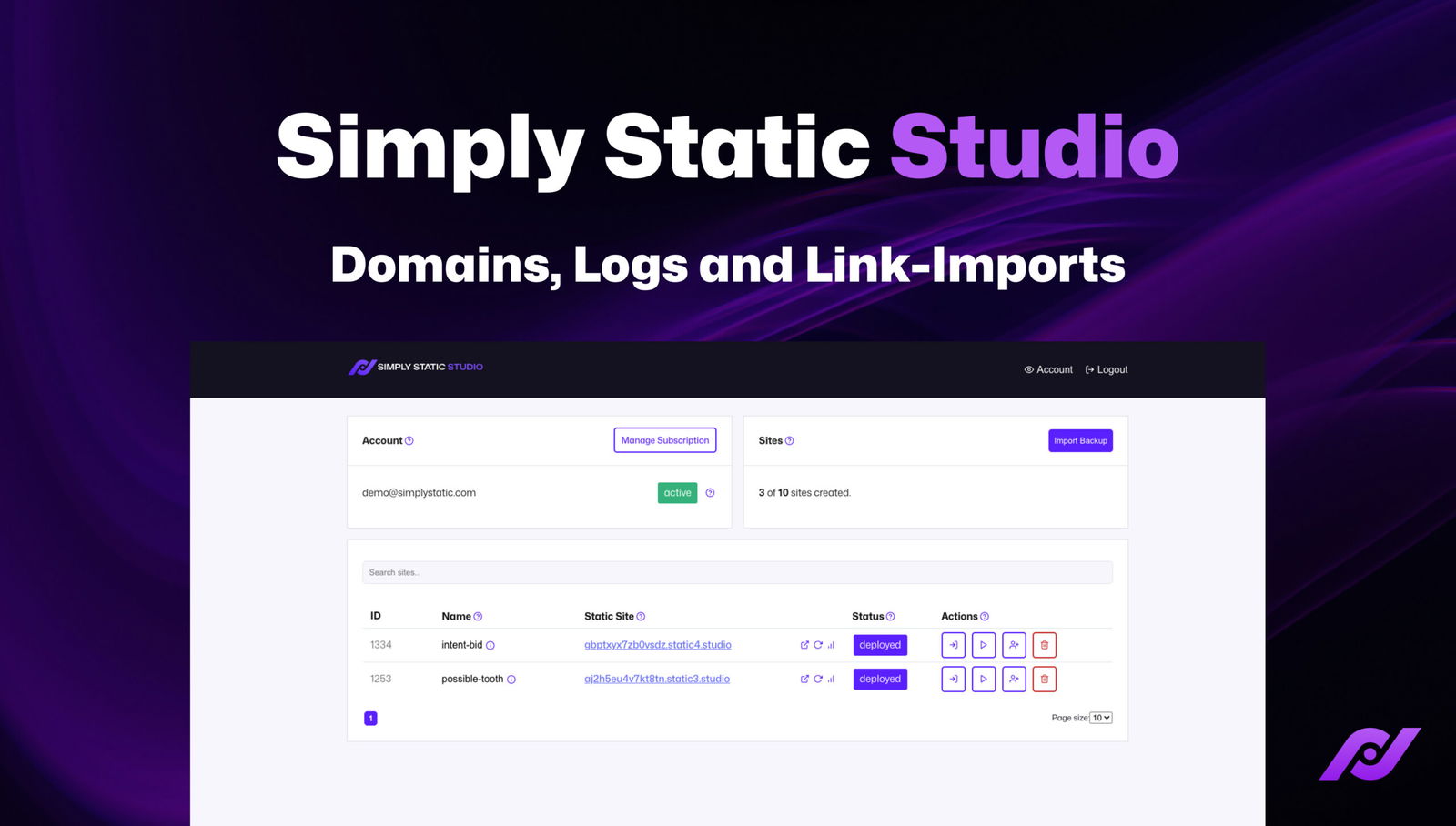
Welcome to another update for Static Studio. As we continue improving the platform to be the easiest way to run a Static WordPress website, we’ve introduced a few features I’d like to showcase.
Import Backups (again)
We are still improving our migration flow. After the last major UI overhaul of our backup plugin, we simplified the process further and now allow you to paste a link to a ZIP/Tar.gz file to start a migration.
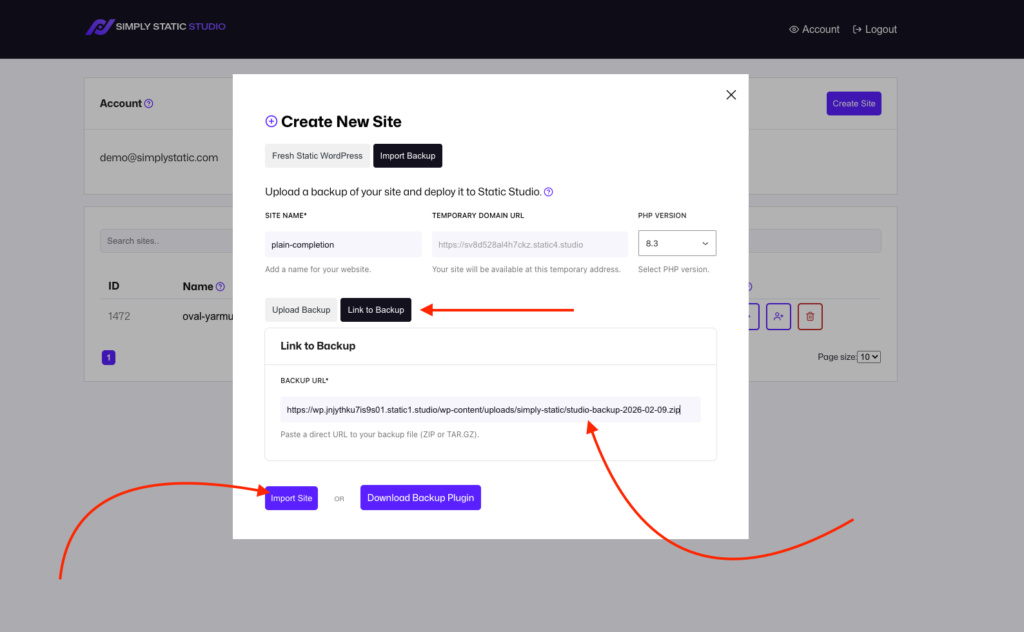
It runs entirely behind the scenes, so you don’t even have to wait for the upload to finish. However, you can still upload backups (especially if you created one on a local development instance).
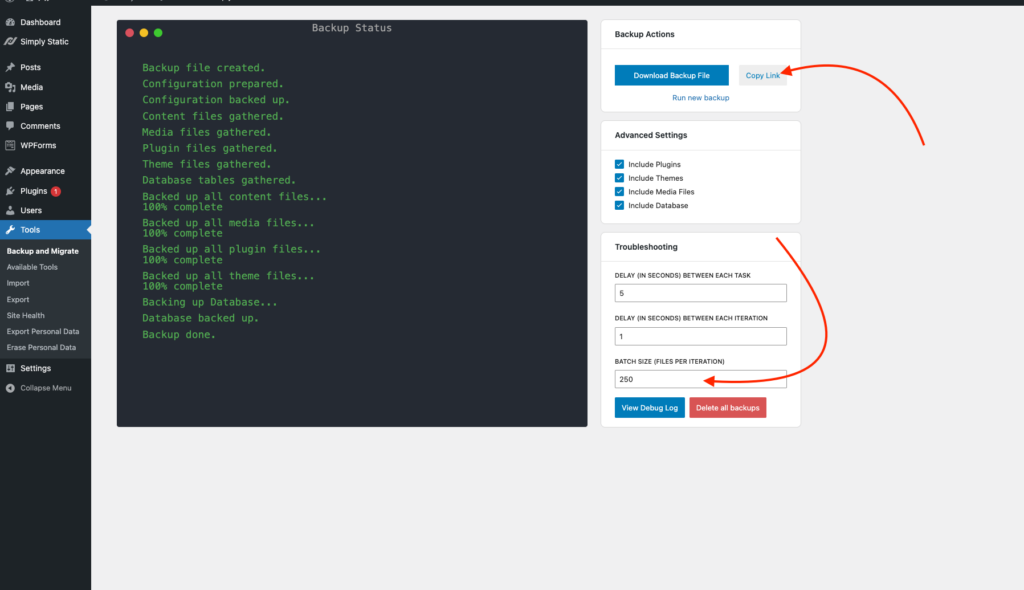
The latest version of our backup plugin also allows you to copy the link to the created backup to streamline the workflow.
WP Debug Logs
While reading the WP Debug log is an important way to troubleshoot issues on your site, getting it requires the ability to connect via SSH or SFTP to your machine.
We have now introduced a UI for that directly into the dashboard – it’s not only showing the log, but also offering you sorting (oldest/newest), categorization, and color highlighting for the kind of error logged (fatal/notice/warning):
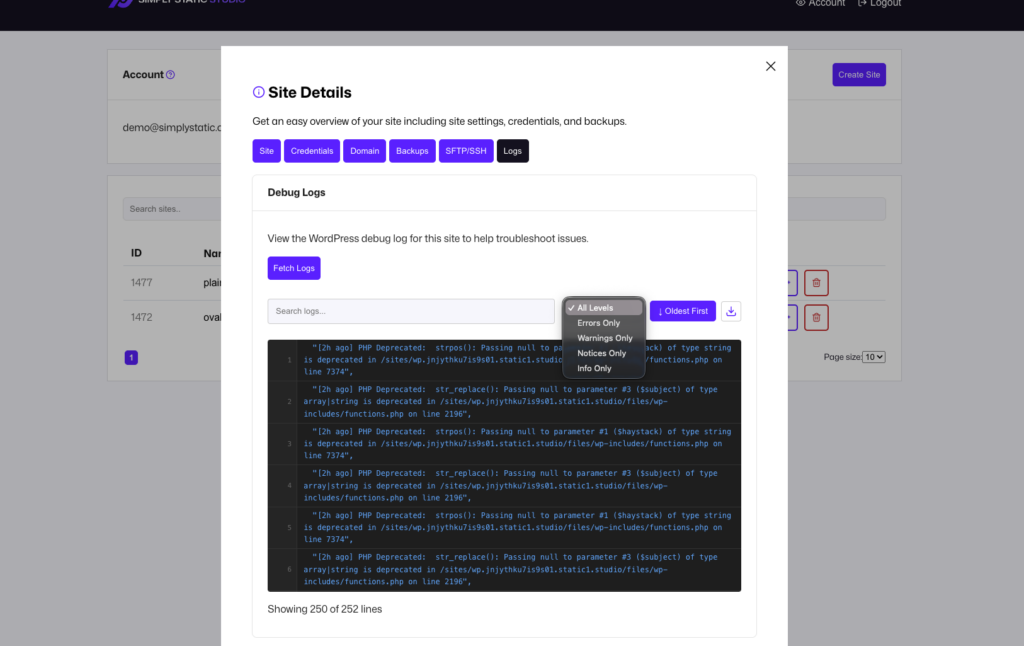
This is also something our support can use to troubleshoot issues for you without ever accessing the actual machine.
Multiple Domains
We re-built the interface for managing domains connected to your static site – initially, you could only connect a single domain, and while this worked great, we wanted to give you more flexibility and more automation in managing domains:
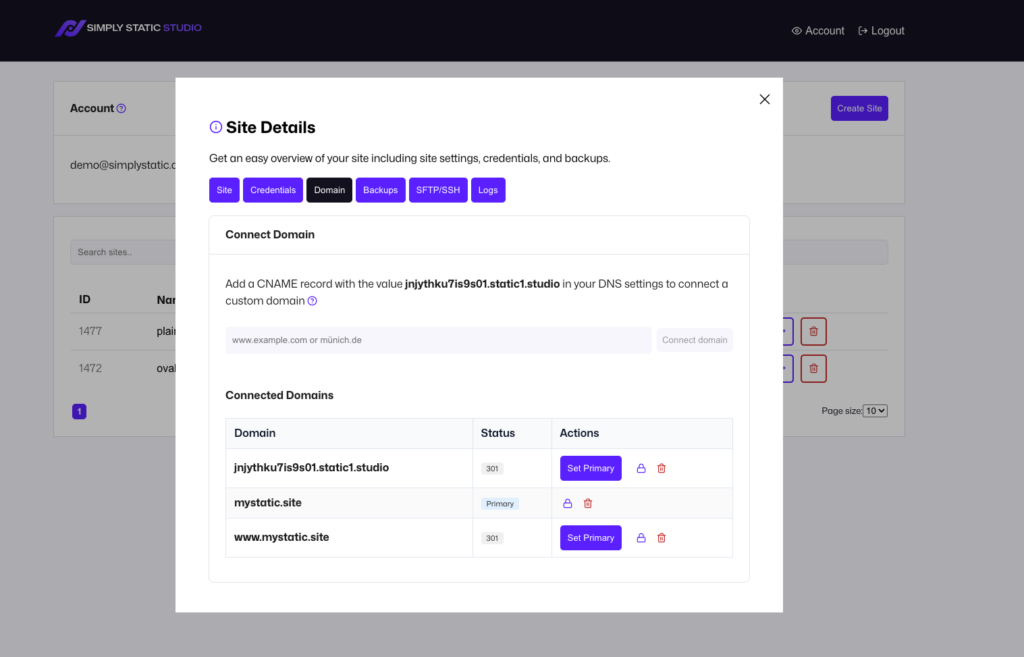
Now we list all your domains here, and you can switch the primary domain for your site anytime you like – we automatically update the domain internally, re-export the site for you, and set up 301 redirects for all other domains connected to your static site.
Product Tour
This is more targeted to new platform users, but we’ve now built an interactive tour of the dashboard. It starts automatically for trial users, and you can manually trigger it by clicking the Product Tour link in our navigation.
Other Improvements
Alongside those features, we’ve continued to improve the platform all over the place – so here are some things we worked on:
- Site deployments are now 40% faster (thanks to a Wildcard SSL certificate)
- The first export runs now automatically after deployment
- Migrations are now 25% faster by handling batches more efficiently
- We introduced OTP passwordless authentication for all users
- Revamped the entire trial flow (no more CC upfront, auto-start after signup)
- Added the ability to select the PHP version when deploying sites (7.4 – 8.3)
We are already working on the next batch of improvements.
Things are changing quickly, and we aim to incorporate all your valuable feedback sooner rather than later!
Table of Contents