---
title: "Simply Static Pro - Markdown, Search & Filter and Command Center - Simply Static"
description: "Hey folks, it's time for a new update announcement for Simply Static Pro."
date: "2026-04-19T14:27:46+02:00"
language: "en-US"
canonical_url: "https://simplystatic.com/tutorials/simply-static-pro-markdown-facet-search-command-center/"
source_url: "https://simplystatic.com/tutorials/simply-static-pro-markdown-facet-search-command-center/"
content_type: "text/markdown"
---
# Simply Static Pro – Markdown, Search & Filter and Command Center
[Simply Static](https://simplystatic.com/tutorials/tag/simply-static/), [static website](https://simplystatic.com/tutorials/tag/static-website/)
19/04/2026
Hey folks, it’s time for a new update announcement for Simply Static Pro.
As always, we’ve been busy improving our product on all ends – making things more stable, faster, and more flexible than ever before, but today I want to specifically talk about our new integrations – so let’s get into it:
## Markdown
If you haven’t been living under a rock for the past 24 months, you have noticed that LLMs and AI are all the rage these days, and it fundamentally changes how people discover your content.
Apparently, Markdown might be the easiest-to-consume format for your site to give AI your content. **I’m not talking about llms.txt – we have been supporting that for quite a while now.
Even [Cloudflare recently adopted it](https://blog.cloudflare.com/markdown-for-agents/) as an output format.
We now have a dedicated Markdown integration that you can enable – it will add an additional task between fetching pages and pushing your files to your configured deployment target:
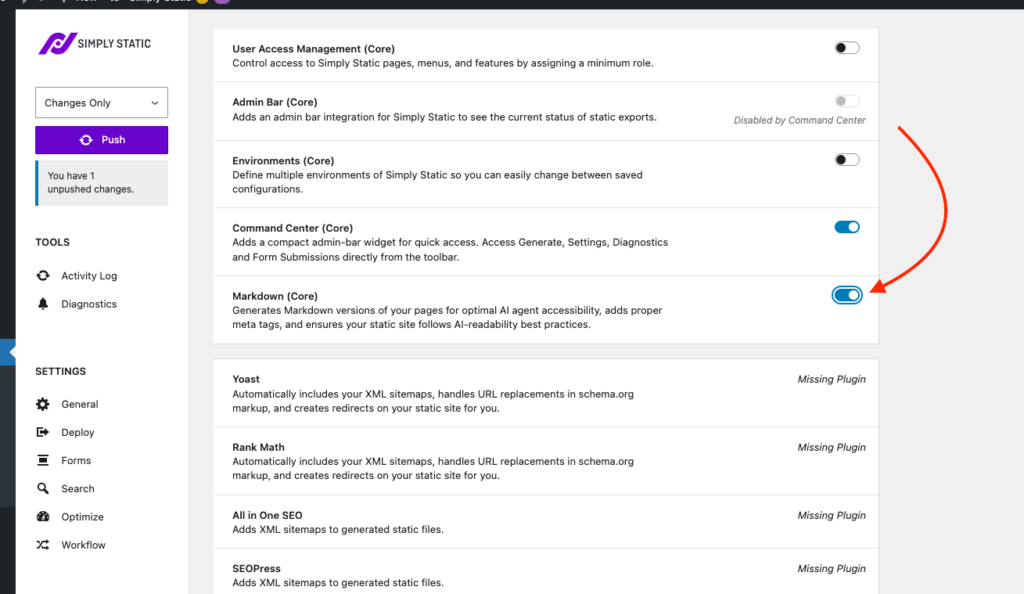
Once enabled, push your site again, and you will see it inside the Activity Log:
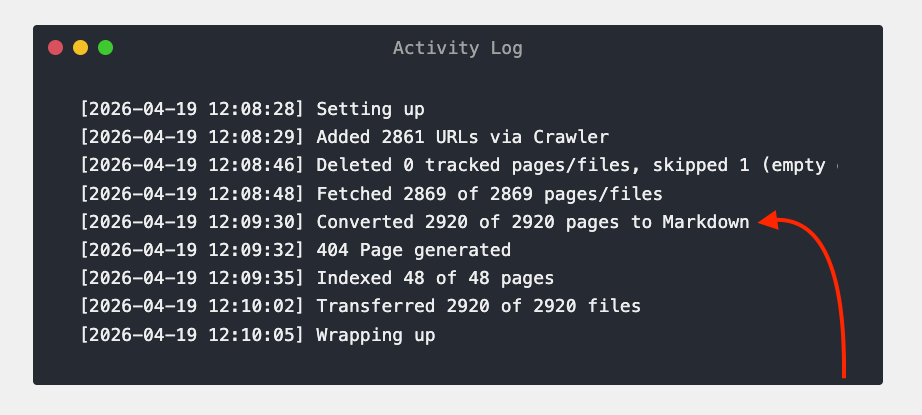
It will create a markdown copy of every index.html in your static site, and you can simply change the file extension to check it out: mysite.com/sample-page.md.
To make it easier for AI agents to discover it, we are adding a tag to your page and pointing to the Markdown version of your page:
```
```
## Command Center
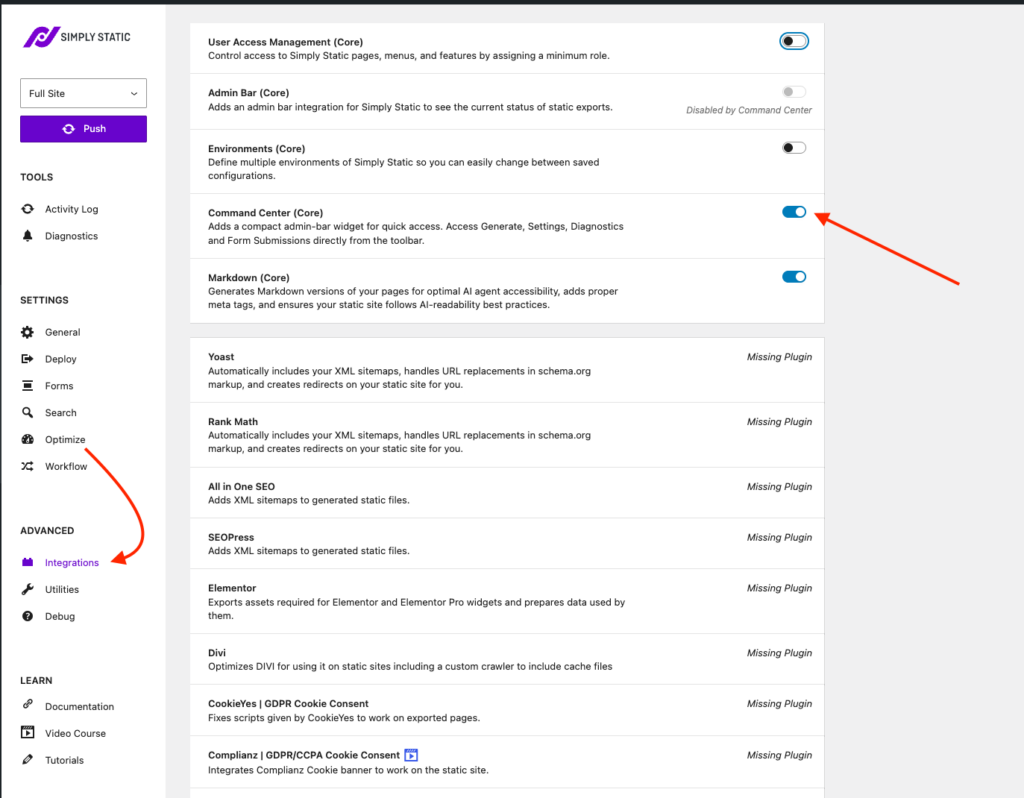
The new command center integration is a new admin bar widget that is way more powerful than our original admin bar integration:
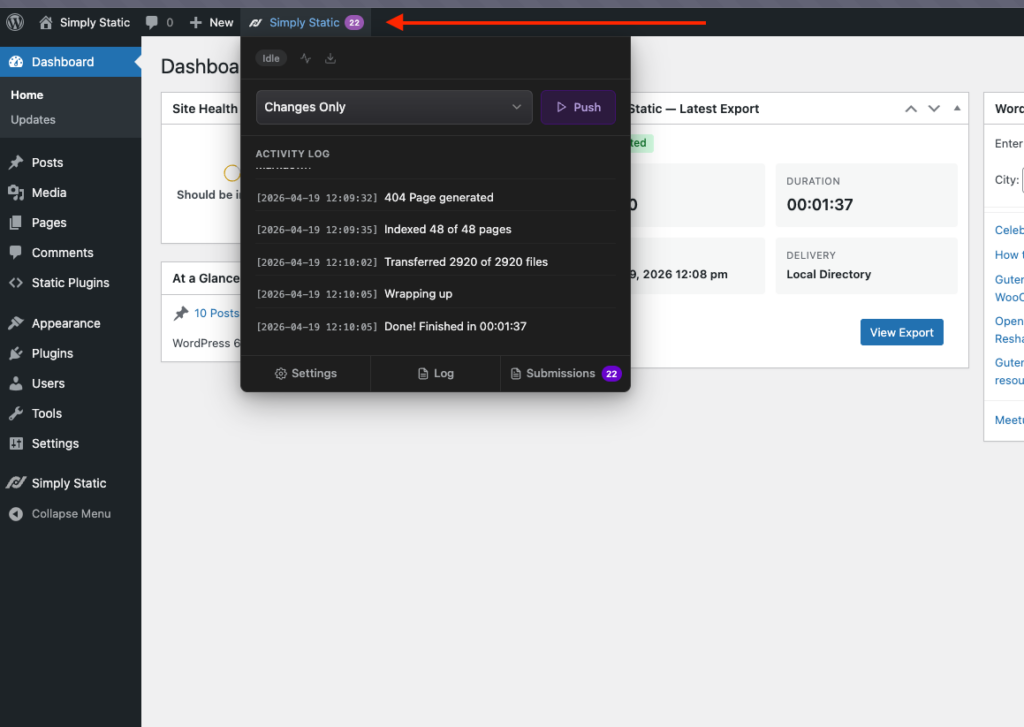
It allows you to perform all your day-to-day tasks from Simply Static in a very clean and minimalistic way:
- Push your site (Full Push, Push Changes, Push Current Page)
- Access the Activity Log + real-time search
- Download your log file and check diagnostics
- Read and manage form submission
You can even go one step further and move our current settings page to the Tools submenu for an even cleaner look:
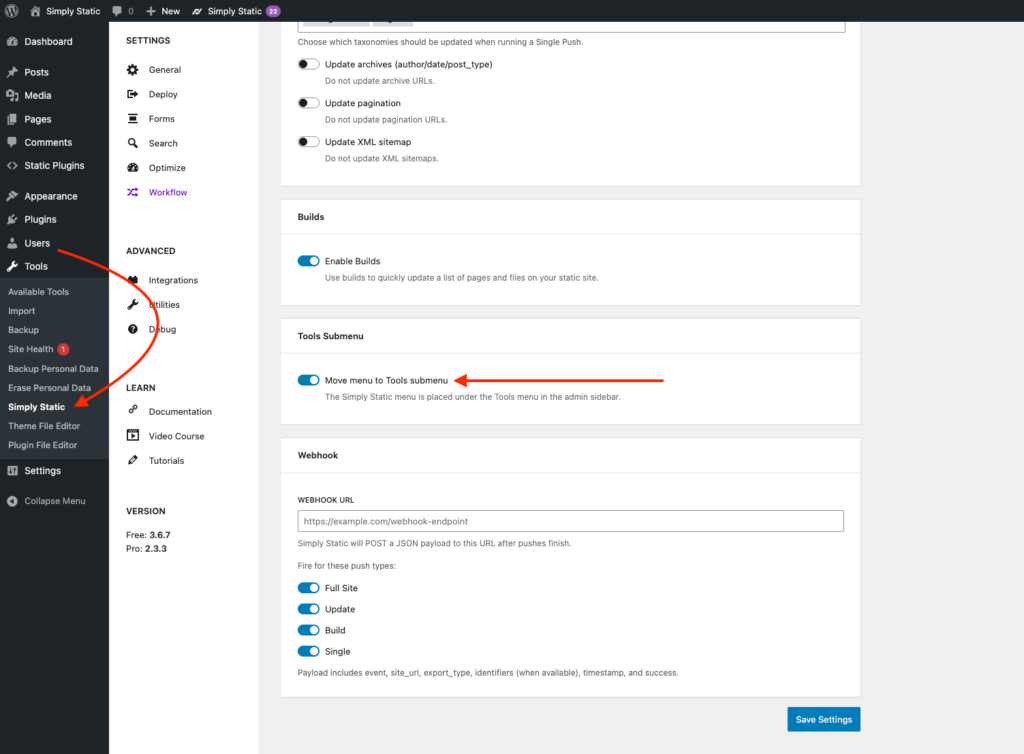
As always, this can be enabled in Simply Static -> Settings -> Integrations:
## Search & Filter Pro
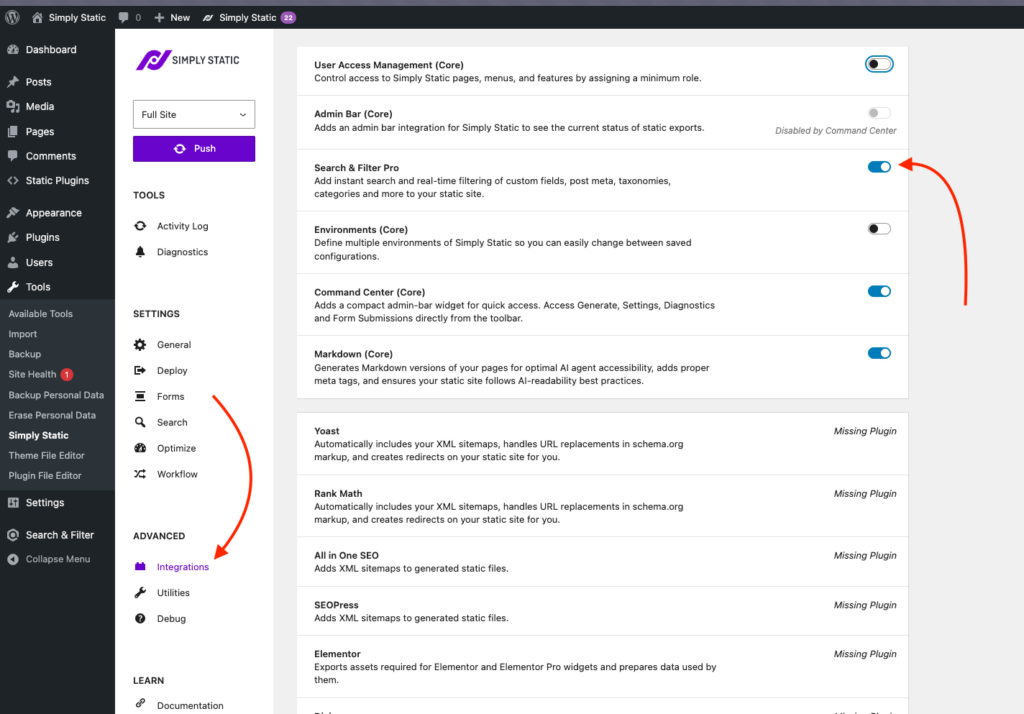
Yeah, that’s right – we are finally launching our official [Search & Filter Pro](https://searchandfilter.com/) integration.
Search & Filter is probably the most powerful WordPress plugin to add facetted search for literally any kind of content you can imagine – filter post types by category, tag, custom fields – you get the idea!
Using it couldn’t be easier. Simply enable the integration, and Simply Static handles the rest:
A few things I want to clarify here before you dig into it:
- The integration requires Search & Filter Pro – the free version is not sufficient
- This integration will require CORS setups on your server to work (or use [Simply Static Studio](https://simplystatic.com/simply-static-studio/), and it just works)
If you have any questions or need help with the setup, drop us a message!
Table of Contents
### Security Workbook
Sign up and get our actionable WordPress Security Workbook** as a download straight to your inbox.
#### Thank you!
You have successfully joined our subscriber list.
Table of Contents
### About the Author

**Patrick Posner**
Founder and lead developer of Simply Static and a Static WordPress nerd.
You can find me at various conferences, on Twitter/X or in our support desk.
- [WordPress](https://profiles.wordpress.org/patrickposner/)
- [X](https://x.com/patrickposner_)
- [YouTube](https://www.youtube.com/@SimplyStaticWP)